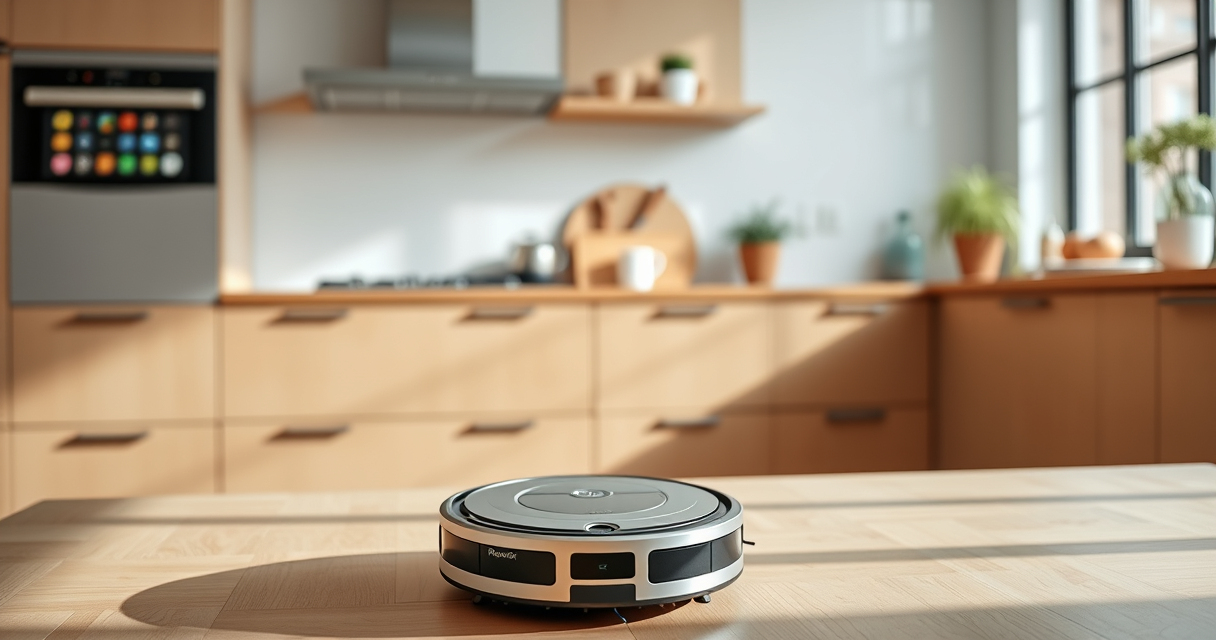
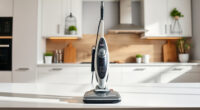
Maintaining your Roborock Q7 M5+ Robot Vacuum and Mop is essential for optimal performance and longevity. Regular cleaning, timely filter replacements, and troubleshooting common issues can keep your home spotless and your device running smoothly.
This guide provides practical, step-by-step instructions on how to care for your Roborock, including cleaning routines, filter maintenance, and troubleshooting tips to resolve common problems safely and effectively.
Key Takeaways
| Routine Cleaning | Regularly clean brushes and sensors to ensure optimal performance. |
| Filter Maintenance | Replace or wash filters every 1-3 months for best filtration. |
| Battery Care | Charge your robot properly to extend battery life. |
| Troubleshooting | Identify common issues like connectivity or suction loss and resolve promptly. |
Cleaning the Main Brush and Anti-Tangle System
- Turn off and unplug the robot before cleaning.
- Remove the main brush by releasing the latch or unscrewing, depending on your model.
- Use a cleaning tool or your fingers to clear hair, pet hair, and debris from the dual anti-tangle system and brush.
- Wash the brush with water if necessary, and dry completely before reinstalling.
- Reattach the brush securely and ensure it moves freely.
Cleaning Sensors and Navigation Components
- Use a soft, dry cloth or a slightly damp cloth to gently wipe sensors and LiDAR components.
- Avoid using harsh chemicals or excessive water to prevent damage.
- Check for dust or obstructions that may interfere with navigation and clear them.
- Regular sensor cleaning ensures accurate mapping and efficient cleaning paths.
Replacing or Washing Filters
For optimal filtration, replace the filter every 1-3 months or wash washable HEPA filters as instructed.
- Remove the dustbin and access the filter compartment.
- Take out the filter and rinse with water if washable, then let it dry completely before reinserting.
- If replacing, install a compatible filter such as the 4 Pack Washable Filter (asin B0DK99HTQ7).
Troubleshooting Common Issues
- Suction Loss: Check for blockages in the suction pathway or dirt accumulation on the main brush.
- Navigation Errors: Clean sensors and ensure the LiDAR is unobstructed.
- Charging Problems: Inspect charging contacts and ensure the dock is functioning properly.
- Refer to your user manual for specific error codes and solutions.
Tips and Warnings for Safe Maintenance
- Always turn off and unplug the device before cleaning or maintenance.
- Use soft, non-abrasive tools to avoid scratching parts.
- Ensure components are dry before reassembly to prevent damage.
- Follow manufacturer instructions for filter replacement and cleaning.
- Do not attempt to repair internal electronics yourself; seek professional help if needed.
The Products in This Guide

roborock Q7 M5+ Robot Vacuum and Mop
- ✔ Self-Empty Duration: Up to 9 weeks
- ✔ Max Suction: 10000Pa
- ✔ Dust Capacity: 2.7L

4 Pack Washable Filter
- ✔ Pack: 4 filters
- ✔ Material: HEPA
- ✔ Compatibility: Multiple Roborock models
roborock Q7 M5+ Robot Vacuum and Mop
The Roborock Q7 M5+ stands out for its up to 7-9 weeks of self-emptying capacity and powerful 10000Pa suction. Its dual anti-tangle system is especially helpful for pet owners, making maintenance easier.
Pros:
- Long-lasting self-emptying dust bag
- High suction power for deep cleaning
- Pet-friendly anti-tangle system
- App control for convenience
Cons:
- Price may be higher than basic models
- Requires regular filter washing or replacement
- Complexity of advanced features for some users
Best for: Pet owners and busy households needing frequent, thorough cleaning
Not ideal for: Users seeking a simple, manual vacuum without app control
Bottom line: A powerful, self-emptying robot vacuum ideal for pet households.
4 Pack Washable Filter
This 4 Pack Washable Filter ensures your Roborock Q7 M5+ maintains high filtration efficiency, reducing the need for frequent replacements and supporting healthy air quality.
Pros:
- Cost-effective 4-pack
- Compatible with multiple models
- Easy to wash and reuse
- Maintains strong suction
Cons:
- Requires regular washing
- Not OEM, but compatible
Best for: Users wanting cost-effective, reliable filtration
Not ideal for: Those preferring OEM filters for guaranteed fit
Bottom line: A budget-friendly, washable filter pack to keep your vacuum running efficiently.
Frequently Asked Questions
How often should I clean the sensors?
It’s recommended to clean the sensors every 2-4 weeks with a soft, dry cloth to maintain accurate navigation.
Can I wash the filters?
Yes, washable HEPA filters can be rinsed with water and dried completely before reinstalling. Replace non-washable filters as needed every 1-3 months.
What should I do if the robot’s suction decreases?
Check for blockages in the suction pathway and clean the main brush and filters. Replacing filters can also restore suction power.
Is it safe to use water when cleaning the robot?
Use a damp cloth for cleaning sensors and exterior parts. Never immerse the robot in water or use excessive moisture on electronic components.
Keep Your Roborock Running Like New
Regular maintenance of your Roborock Q7 M5+ ensures it operates efficiently and lasts longer. Following these simple cleaning, filter, and troubleshooting steps will help you get the most out of your investment, keeping your home spotless with minimal hassle.
Affiliate disclosure: As an Amazon Associate we earn from qualifying purchases. Prices and availability are accurate as of the time of publishing.