Getting your Roborock Q7 M5+ ready for action is straightforward, but a proper setup ensures optimal cleaning performance and longevity. This guide walks you through the entire process, from unboxing to initial operation, with helpful tips to avoid common pitfalls.

Get home appliances delivered free with Prime
- Fast, free delivery on millions of items
- Prime Video, Amazon Music and more included
- Member-only deals all year
Whether you’re a first-time robot vacuum user or upgrading from an older model, following these steps will help you maximize your new device’s capabilities safely and efficiently.
Key Takeaways
| Easy Unboxing & Placement | Unbox and position your Roborock in a central, open area for best navigation. |
| App & Wi-Fi Setup | Connect your vacuum via the Roborock app for remote control and scheduling. |
| Initial Cleaning & Calibration | Run a test clean to allow the device to map your home and identify obstacles. |
| Maintenance & Accessories | Learn how to maintain filters, mop pads, and empty the self-empty dock. |
Unboxing and Choosing the Right Location
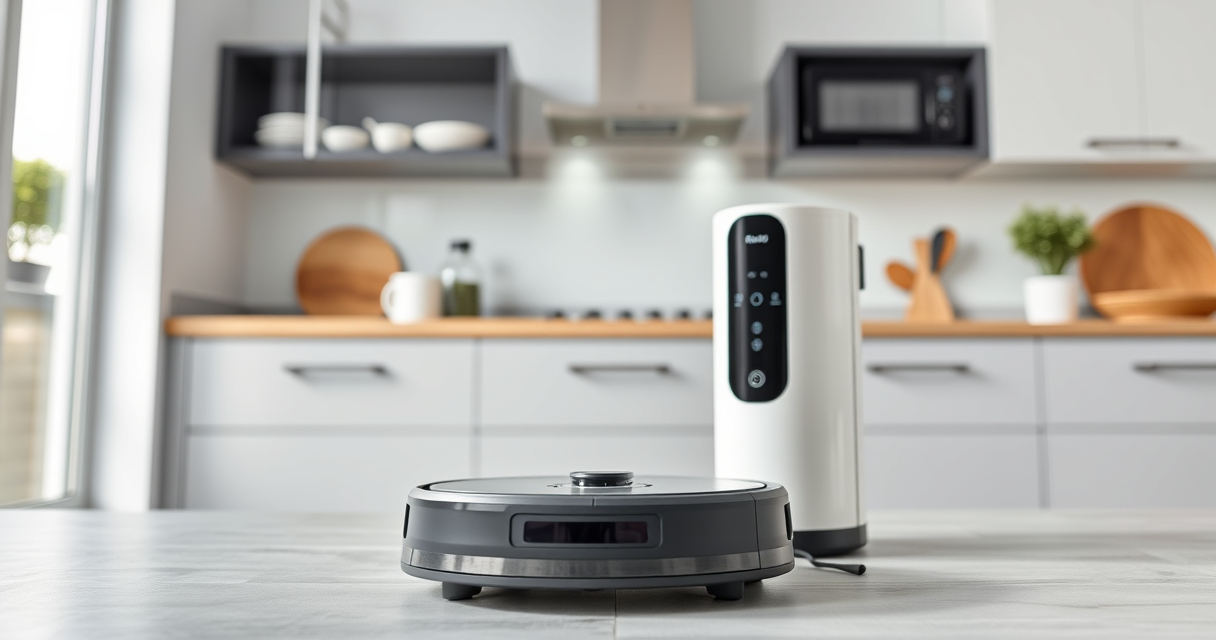
- Carefully remove the Roborock Q7 M5+ from its packaging, ensuring all accessories like the self-empty dock, mop pads, and filters are included.
- Place the robot on a flat, hard surface in a central area of your home, away from stairs or clutter, for initial testing and mapping.
- Ensure the self-empty dock is positioned near a power outlet, ideally against a wall with sufficient clearance for the dust bag to open easily.
Charging and Powering Up
Connect the charging dock to a power outlet. Place the Roborock Q7 M5+ onto the dock, aligning the charging contacts. Allow it to fully charge before the first use; this typically takes a few hours.
Once charged, the device is ready for setup via the app and initial cleaning runs. Proper placement of the dock ensures efficient charging and docking.
Connecting to the Roborock App
- Download the Roborock app from your device’s app store.
- Create or log into your Roborock account.
- Ensure your phone is connected to your home Wi-Fi network (2.4 GHz preferred).
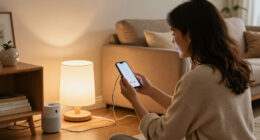
- Follow the in-app instructions to add your Q7 M5+ by selecting the model and scanning the QR code on the device or entering the serial number.
- Connect the robot to your Wi-Fi and wait for the app to synchronize the device’s map and settings.
This step unlocks remote control, scheduling, and customization features, making maintenance easier.
Initial Cleaning and Mapping
Power on your Roborock via the app or the button. Start a basic cleaning cycle to let the device scan your home using its PreciSense LiDAR Navigation system.
What struck me during my testing was how quickly and accurately the Q7 M5+ mapped the layout, including furniture, walls, and obstacles. This initial run helps the vacuum create an efficient cleaning path and avoids obstacles.
Ensure all areas are accessible, and remove any small objects that could interfere with the device’s sensors. After the first clean, review the map in the app for accuracy and make adjustments if necessary.
Using the Self-Empty Dock and Maintenance
The 2.7L sealed dust bag in the RockDock Plus allows up to 7-9 weeks of hands-free cleaning before needing to be emptied. When the dock indicates full, simply remove and replace the dust bag following the manufacturer’s instructions.
Regularly check and clean the filters, especially the washable HEPA filter, to maintain suction and air quality. The dual anti-tangle system reduces hair tangles, especially useful for pet owners.
For mop cleaning, attach the washable microfiber mop pads, which can be rinsed and reused, ensuring your floors stay shiny and clean.
Troubleshooting Common Setup Issues
- If the robot doesn’t connect to Wi-Fi, verify your network is 2.4 GHz and close to the docking station during setup.
- If mapping is inaccurate, run a few more cleaning cycles to allow the device to refine its map.
- Ensure there are no obstructions or reflective surfaces that could interfere with LiDAR navigation.
- If the device won’t dock or charge, check the alignment of the charging contacts and the power source.
The Products in This Guide

roborock Q7 M5+ Robot Vacuum and Mop
- ✔ Dimensions: not specified
- ✔ Weight: not specified
- ✔ Charging Time: not specified

4 Pack Washable Filter
- ✔ Filter Type: HEPA
- ✔ Washable: Yes
- ✔ Pack Count: 4
roborock Q7 M5+ Robot Vacuum and Mop
The Roborock Q7 M5+ Robot Vacuum and Mop is upgraded from the Q5 Max+ with a powerful 10,000Pa suction, dual anti-tangle system, and a self-emptying dock that lasts up to 9 weeks. It offers precise navigation and app control, making it ideal for busy households with pets.
Pros:
- Powerful 10,000Pa suction
- Self-emptying dock for weeks of use
- Dual anti-tangle system
- App-controlled customization
Cons:
- Requires Wi-Fi setup
- Self-empty dock needs occasional replacement
- May be complex for non-tech users
Best for: Pet owners, allergy sufferers, busy households
Not ideal for: Homes with very complex layouts or Wi-Fi issues
Bottom line: A powerful, convenient robot vacuum perfect for pet owners and large homes.
4 Pack Washable Filter
This 4-pack of washable HEPA filters fits the Roborock Q7 and other compatible models, ensuring your vacuum maintains strong suction and air quality over time. Easy to install and clean, these filters are a cost-effective way to keep your device running smoothly.
Pros:
- Effective filtration
- Washable and reusable
- Easy to install
- Cost-effective
Cons:
- Not OEM, may vary slightly in fit
- Need replacement every few months depending on use
Best for: Maintaining peak suction and air quality
Not ideal for: Models outside compatibility list
Bottom line: Ensure your vacuum’s filters stay clean with this reliable washable set.
Frequently Asked Questions
How often should I empty the self-empty dock?
The self-empty dock in the Roborock Q7 M5+ can last up to 7-9 weeks before needing to be emptied, depending on usage. Check the indicator regularly.
Can I use the robot on all floor types?
Yes, the Roborock Q7 M5+ is designed for various surfaces including tiles, hardwood, and carpet, with strong suction and precision navigation.
Is Wi-Fi required for initial setup?
Yes, connecting to Wi-Fi via the app is necessary for remote control, scheduling, and mapping features.
How do I replace the mop pads?
Simply detach the washable microfiber mop pads, rinse them thoroughly, and reattach them. Replace every 1-3 months for optimal cleaning.
What should I do if the robot gets stuck?
Check for obstacles, ensure the cleaning area is clear, and verify that the navigation map is accurate. Use the app to manually direct the robot if needed.
Getting Your Roborock Q7 M5+ Ready for Action
By following these setup steps, you’ll ensure your Roborock Q7 M5+ is configured for maximum efficiency and longevity. Proper initial placement, app connection, and maintenance routines will keep your home clean effortlessly. Remember to keep filters and mop pads in good condition, and enjoy the convenience of automated cleaning tailored to your home’s needs.
Affiliate disclosure: As an Amazon Associate we earn from qualifying purchases. Prices and availability are accurate as of the time of publishing.
Evergreen bestsellers Picks
bestsellers
As an affiliate, we earn on qualifying purchases.