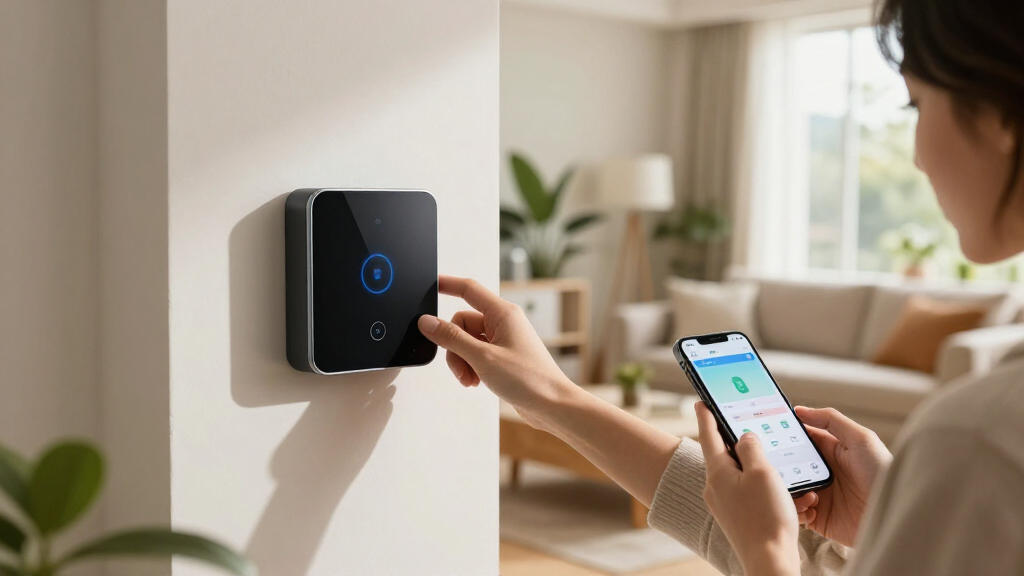

The best smart home automation hubs of 2026 share one job: tying your lights, locks, sensors, and thermostats into automations that run fast, reliably, and—ideally—without depending on someone else’s cloud. My top pick overall is the Homey Pro (2026), because it supports more radios than anything else here (Z-Wave Plus, Zigbee, Wi-Fi, BLE, infrared, Matter, and Thread) while keeping everything running locally. Two standouts deserve early mention: the Home Assistant Green, which delivers unmatched automation depth at a bargain price, and the Aqara Hub M200, an affordable Matter controller that suits smaller setups. The main tradeoff you’ll face is between simplicity and power—plug-and-play hubs like SmartThings and Aqara are easier to live with, while Home Assistant and Hubitat demand more setup time but reward you with faster local automations and no subscription dependency. Read on for the full breakdown.

Get home appliances delivered free with Prime
- Fast, free delivery on millions of items
- Prime Video, Amazon Music and more included
- Member-only deals all year
Complete the kit


Key Takeaways
- Homey Pro (2026) wins overall because it’s the only hub in this lineup with every major radio built in—Z-Wave Plus, Zigbee, BLE, infrared, Matter, and Thread—so it can replace multiple single-protocol hubs at once.
- Home Assistant Green and Hubitat Elevation C-8 Pro proved the strongest picks for privacy and speed, since both execute automations locally and never route your routines through a manufacturer’s cloud servers.
- The three Aqara hubs (M3, M200, M100) revealed a clear pattern: excellent value for Zigbee-heavy homes, but limited appeal if you own Z-Wave locks or sensors, which none of them support.
- Homey Pro Mini emerged as the smart mid-range compromise—it carries the same software platform as the flagship Homey Pro but drops Z-Wave and infrared, making it ideal for Matter-and-Zigbee households.
- SmartThings Hub 3rd Gen is the easiest onboarding experience of the eight but leans on Samsung’s cloud for many functions, which makes it the weakest choice for buyers who prioritize offline reliability.
| SmartThings Hub 3rd Generation Smart Home Automation Hub |  | Best Overall for Mainstream Households | Compatibility: Alexa, Google Home | Protocols: Zigbee, Z-Wave, Cloud to Cloud | Voice Assistant Support: Amazon Alexa, Google Assistant | VIEW LATEST PRICE | See Our Full Breakdown |
| Home Assistant Green Smart Home Hub with Advanced Automation |  | Best for Privacy and Tinkerers | Processor: Quad-core | RAM: 4GB | Storage: 32GB | VIEW LATEST PRICE | See Our Full Breakdown |
| Aqara Smart Hub M200, Matter Controller with Zigbee, Wi-Fi, IR, PoE |  | Best Budget Matter Entry Point | Protocols Supported: Zigbee, Thread, Wi-Fi, IR, Matter | Device Capacity: 40 Zigbee devices, 40 Thread devices | Connectivity: Wi-Fi 2.4/5 GHz, PoE, USB-C | VIEW LATEST PRICE | See Our Full Breakdown |
| Homey Pro (2026) Smart Home Hub with Z-Wave Plus, Zigbee, Wi-Fi, BLE, Infrared, Matter & Thread |  | Best Premium All-in-One | Protocols Supported: Z-Wave Plus, Zigbee, Wi-Fi, BLE, Infrared, Matter, Thread | Device Compatibility: Over 50,000 devices from 1,000+ brands | Processing: Local, no cloud dependency | VIEW LATEST PRICE | See Our Full Breakdown |
| Aqara Smart Home Hub M3 with Matter Support, IR Blaster, and Multi-Protocol Connectivity |  | Best for Large Aqara Ecosystems | Protocols Supported: Zigbee, Thread, Matter | Device Capacity: 127 Zigbee devices, 127 Thread devices | Connectivity: Wi-Fi 2.4/5 GHz, PoE, USB-C | VIEW LATEST PRICE | See Our Full Breakdown |
| Homey Pro Mini | Smart Home Hub with Zigbee, Ethernet, Matter & Thread |  | Best Compact Powerhouse | Protocols Supported: Zigbee, Matter, Thread | Connectivity: Ethernet | Compatibility: Apple Siri, Amazon Alexa, Google Home | VIEW LATEST PRICE | See Our Full Breakdown |
| Aqara Smart Hub M100 for Home Automation, Matter Controller, Wi-Fi |  | Best Budget Starter Hub | Protocols Supported: Zigbee, Thread, Matter controller | Connectivity: Wi-Fi 6 (802.11ax), 2.4 GHz | Device Capacity: Up to 20 Zigbee, 20 Thread devices | VIEW LATEST PRICE | See Our Full Breakdown |
| Hubitat Elevation C-8 Pro Smart Home Hub, Local Control and Automations |  | Best for Power Users | Protocols Supported: Z-Wave 800 Series, Z-Wave Long Range, Zigbee 3.0, Matter 1.5, Bluetooth | Processor: 2.0 GHz | RAM: 2 GB | VIEW LATEST PRICE | See Our Full Breakdown |
| smart home automation hub | Protocols Supported | Connectivity | Compatibility |
|---|---|---|---|
| SmartThings Hub 3rd Generation | — | — | Alexa, Google Home |
| Home Assistant Green Smart Hom | — | — | — |
| Aqara Smart Hub M200 | Zigbee, Thread, Wi-Fi, IR, Matter | Wi-Fi 2.4/5 GHz, PoE, USB-C | — |
| Homey Pro | Z-Wave Plus, Zigbee, Wi-Fi, BLE, Infrared, Matter, Thread | Wi-Fi, Zigbee, Z-Wave Plus, Infrared, BLE, Matter, Thread | — |
| Aqara Smart Home Hub M3 with M | Zigbee, Thread, Matter | Wi-Fi 2.4/5 GHz, PoE, USB-C | — |
| Homey Pro Mini | Smart Home Hu | Zigbee, Matter, Thread | Ethernet | Apple Siri, Amazon Alexa, Google Home |
| Aqara Smart Hub M100 for Home | Zigbee, Thread, Matter controller | Wi-Fi 6 (802.11ax), 2.4 GHz | Aqara Zigbee and Thread devices, Apple Home, Amazon Alexa |
| Hubitat Elevation C-8 Pro Smar | Z-Wave 800 Series, Z-Wave Long Range, Zigbee 3.0, Matter 1.5, Bluetooth | Wi-Fi, Ethernet | Alexa, Google Home, Apple HomeKit, Ring Cameras |
More Details on Our Top Picks
SmartThings Hub 3rd Generation Smart Home Automation Hub
For most households, the SmartThings Hub 3rd Gen hits the sweet spot between capability and accessibility. Its support for both Zigbee and Z-Wave out of the box means it speaks to more off-the-shelf devices than hubs like the Aqara M3, which leans heavily on the Zigbee/Thread side, while native Alexa and Google Home integration removes the friction that trips up beginners on the Homey Pro. Event-based automations — lights triggered by a door sensor, for instance — are simple to build in the app.
The tradeoff is that SmartWorks leans on Samsung’s cloud more than locally-driven competitors like the Home Assistant Green, so an internet outage can degrade automations. Setup also takes patience if you’re pairing many devices at once. Still, as a do-everything hub for a mixed-brand home, this remains the easiest starting point.
Pros:- Dual Zigbee and Z-Wave radios cover the widest range of off-the-shelf sensors and switches
- Native Alexa and Google Home voice integration works without workarounds
- Event-based automations (door, motion, occupancy) are easy to build in the app
- Large established user community means plenty of troubleshooting resources
Cons:- Heavy cloud dependence means automations and remote access degrade during internet outages
- Setup and device pairing can be fiddly for complete beginners
Best for: Households with a mixed collection of Zigbee and Z-Wave devices who want one app and voice control without a steep learning curve
Not ideal for: Privacy-focused buyers or anyone wanting automations that survive internet outages — Home Assistant Green handles local control far better
- Compatibility:Alexa, Google Home
- Protocols:Zigbee, Z-Wave, Cloud to Cloud
- Voice Assistant Support:Amazon Alexa, Google Assistant
- Automation:Event-based (door, motion, occupancy)
- Control:SmartThings mobile app
- Color:White
Our verdict“The safest default choice for a mainstream smart home that mixes brands and protocols — just don’t expect fully local operation.”
Home Assistant Green Smart Home Hub with Advanced Automation
Where the SmartThings Hub hands your data to Samsung’s cloud, Home Assistant Green flips the model entirely: everything runs locally, so your automations keep firing even when your ISP goes down. Setup is refreshingly simple for a platform famous for its complexity — Home Assistant comes pre-installed, and the fanless, few-watt design can sit silently on a shelf indefinitely.
The catch is expandability. Zigbee, Z-Wave, and Thread require USB dongles purchased separately, which makes the true cost higher than the sticker suggests and leaves it behind the Homey Pro, which packs every radio in already. The 32GB of storage is also snug for very large device networks with heavy logging. For anyone who values data ownership above plug-and-play polish, though, no other hub here matches its flexibility.
Pros:- Fully local processing keeps home data private and automations running offline
- Home Assistant pre-installed makes a notoriously technical platform approachable
- Fanless, low-power design runs silently around the clock
- Open ecosystem supports thousands of integrations beyond any single brand
Cons:- Zigbee, Z-Wave, and Thread require separately purchased USB dongles
- Initial setup requires a wired Ethernet connection, which limits placement
- 32GB storage can feel tight for large networks with extensive history
Best for: DIY-minded owners who want full local control, data privacy, and near-unlimited automation customization at a low entry price
Not ideal for: Buyers who want every protocol working out of the box — you’ll need to buy USB radios separately, unlike the Homey Pro
- Processor:Quad-core
- RAM:4GB
- Storage:32GB
- Protocols (via USB):Z-Wave, Zigbee, Thread
- Expandability:USB dongles for additional radios
- Setup Requirement:Wired Ethernet
- Power Consumption:A few watts
Our verdict“The best value in local-first automation — provided you’re willing to add radios yourself and tolerate some DIY setup.”
Aqara Smart Hub M200, Matter Controller with Zigbee, Wi-Fi, IR, PoE
The Aqara Hub M200 delivers Matter controller and Thread border router functionality at a price well below the Homey Pro, making it a smart entry point for buyers building a future-proof setup on a budget. Its PoE support is a genuine differentiator at this price — a wired connection means the kind of rock-solid reliability usually reserved for pricier hubs, and the built-in IR blaster adds basic air conditioner control for free.
Capacity is where corners get cut: 40 Zigbee plus 40 Thread devices is half the M3’s 127+127 ceiling, so large homes will outgrow it. And unlike the Home Assistant Green, some automations still depend on Aqara’s cloud. Factor in the missing USB-C power adapter, and the real cost creeps upward. For apartments and smaller homes, though, the math works.
Pros:- Matter controller and Thread border router at a budget-friendly price
- PoE option provides a wired, interference-free connection
- IR blaster adds air conditioner control without extra hardware
- Local automation keeps core routines running without internet
Cons:- 40-device Zigbee and 40-device Thread limits are tight for growing homes
- No power adapter included, adding hidden cost
- Some automation features still require a cloud connection
Best for: Apartment dwellers and first-time Matter adopters who want Thread, Zigbee, IR, and PoE without premium pricing
Not ideal for: Large homes with 50+ devices — the M3’s higher capacity ceiling is worth the extra spend
- Protocols Supported:Zigbee, Thread, Wi-Fi, IR, Matter
- Device Capacity:40 Zigbee devices, 40 Thread devices
- Connectivity:Wi-Fi 2.4/5 GHz, PoE, USB-C
- Key Features:Matter Controller, Thread Border Router, IR Blaster, Built-in Speaker
- Power:PoE, USB-C (adapter not included)
- Local Automation:Supported for core routines
Our verdict“A low-cost gateway into Matter and Thread that small homes will love and large setups will quickly outgrow.”
Homey Pro (2026) Smart Home Hub with Z-Wave Plus, Zigbee, Wi-Fi, BLE, Infrared, Matter & Thread
If the Home Assistant Green is the build-it-yourself route to protocol heaven, the Homey Pro (2026) is the turnkey version: Z-Wave Plus, Zigbee, Wi-Fi, BLE, Infrared, Matter, and Thread all live inside one box with no dongles to buy. Compatibility with over 50,000 devices from 1,000+ brands dwarfs the Aqara M200’s 80-device ceiling, and local processing keeps everything — including energy monitoring insights — running off the cloud.
The premium price is the obvious hurdle, and it stings when the M200 or Green cover the basics for far less. The flow-based automation builder is powerful but has a real learning curve compared with the SmartThings app. This pick makes the most sense for enthusiasts running large, multi-protocol homes who’d rather pay once than accumulate dongles and workarounds.
Pros:- Every major protocol built in — no USB dongles or add-ons required
- 50,000+ device compatibility across 1,000+ brands is unmatched here
- Local processing delivers privacy, speed, and offline reliability
- Energy monitoring and real-time insights built into the platform
Cons:- Premium price that’s hard to justify for smaller setups
- Flow-based automation builder has a steeper learning curve than SmartThings
- Full functionality still depends on owning compatible devices
Best for: Enthusiasts with large multi-protocol homes who want every radio built in and don’t mind paying a premium for it
Not ideal for: Casual users or budget buyers — the price and automation learning curve overshoot what SmartThings or the M200 already do well
- Protocols Supported:Z-Wave Plus, Zigbee, Wi-Fi, BLE, Infrared, Matter, Thread
- Device Compatibility:Over 50,000 devices from 1,000+ brands
- Processing:Local, no cloud dependency
- Features:Real-time insights, energy monitoring, custom automations
- Connectivity:Wi-Fi, Zigbee, Z-Wave Plus, Infrared, BLE, Matter, Thread
- Remote Control:Supported via Homey app
Our verdict“The most complete hub in this lineup — worth it only for large homes that will actually use all seven radios.”
Aqara Smart Home Hub M3 with Matter Support, IR Blaster, and Multi-Protocol Connectivity
Compared with its sibling the M200, the Aqara Hub M3 is the grown-up version: 127 Zigbee plus 127 Thread devices — more than three times the capacity — plus 8GB of encrypted local storage that keeps sensor footage and automation logic on-device rather than in Aqara’s cloud. The 360° IR blaster with learning is more capable too, handling legacy remotes beyond just air conditioners. PoE support means you can mount it centrally for the best possible radio coverage.
Two caveats temper the enthusiasm. Thread devices beyond the immediate network need repeaters, adding cost as your mesh grows, and like the M200 there’s no power adapter in the box. Buyers weighing this against the Homey Pro should note the M3 skips Z-Wave entirely — a dealbreaker if you own Z-Wave locks or sensors.
Pros:- 127+127 device capacity supports very large Zigbee and Thread networks
- 8GB encrypted local storage keeps data private on the hub
- 360° learning IR blaster controls more than just air conditioners
- PoE and mounting hardware allow flexible, centrally placed installs
Cons:- Thread devices require repeaters for reliable network-wide connectivity
- No Z-Wave support limits compatibility with older smart home gear
- Power adapter not included, adding to the true cost
Best for: Owners of large Aqara or Zigbee ecosystems — 100+ devices — who want Matter-ready capacity and encrypted local storage
Not ideal for: Homes with existing Z-Wave locks or sensors — the Homey Pro or SmartThings Hub cover that protocol and the M3 doesn’t
- Protocols Supported:Zigbee, Thread, Matter
- Device Capacity:127 Zigbee devices, 127 Thread devices
- Connectivity:Wi-Fi 2.4/5 GHz, PoE, USB-C
- Storage:8GB encrypted local storage
- IR Blaster:360° with feedback and learning
- Power:PoE, USB-C (adapter not included)
- Mounting:Includes mounting hardware
Our verdict“The capacity king for Aqara-centric homes, as long as you don’t need Z-Wave or mind buying the extras.”
Homey Pro Mini | Smart Home Hub with Zigbee, Ethernet, Matter & Thread
The Homey Pro Mini packs serious automation muscle into a small footprint, and unlike the subscription-hungry competition, it gives you full feature access with no monthly fee. Its local control means your Homey Flows keep running even when your internet drops — a reliability advantage the Aqara M100 can’t match, since some of Aqara’s automations still lean on the cloud. Where it lags behind the bigger Homey Pro (2026) is radio coverage: Z-Wave, Bluetooth, and infrared all require the separately sold Homey Bridge, so legacy device owners will pay more to reach parity. Still, compared with the Hubitat C-8 Pro, its app-driven Flow builder is friendlier for non-coders, even if very advanced workflows take some fiddling to configure.
Pros:- No subscription fee for complete automation features
- Local processing keeps routines running during internet outages
- Broad protocol support covering Zigbee, Matter, and Thread
- Visual Flow builder that’s more approachable than rule engines like Hubitat’s
Cons:- Z-Wave, Bluetooth, and infrared require the separately purchased Homey Bridge
- Advanced automations involve a learning curve during setup
- Wired Ethernet only — no built-in Wi-Fi for flexible placement
Best for: Privacy-conscious apartment dwellers who mainly run Zigbee, Matter, and Thread devices and want fee-free local automation
Not ideal for: Owners of Z-Wave locks or infrared AV gear — the required Bridge add-on erodes the price advantage over the full-size Homey Pro
- Protocols Supported:Zigbee, Matter, Thread
- Connectivity:Ethernet
- Compatibility:Apple Siri, Amazon Alexa, Google Home
- Automation Features:Homey Flow, routines, workflows
- Backups:Local and cloud backups
- Subscription:None required for full features
- Expandability:Homey Bridge (sold separately) adds Z-Wave, Bluetooth, Infrared
Our verdict“Buy this if you want near-flagship Homey automation on a budget and your devices speak Zigbee, Matter, or Thread; skip it if you need Z-Wave or IR without buying extras.”
Aqara Smart Hub M100 for Home Automation, Matter Controller, Wi-Fi
At its price point, the Aqara M100 is the easiest on-ramp into smart home automation on this list. Its Wi-Fi 6 connectivity and small adjustable body make placement simple — just angle the shaft and plug it into any USB-A port. Compared with the step-up Aqara M200, you give up PoE and the IR blaster, and the 20-device-per-protocol ceiling (20 Zigbee plus 20 Thread) is modest next to something like the Hubitat C-8 Pro. The bigger limitation is ecosystem lock-in: it plays well with Apple Home and Alexa, but only accepts Aqara-brand Zigbee devices, not third-party Zigbee gear. If you’re starting from scratch with Aqara sensors and want local automations without a monthly fee, this is the low-commitment entry the Homey Pro Mini crowd would find too restrictive.
Pros:- Very affordable entry point for Matter and Thread automation
- Local automations that survive internet outages
- Wi-Fi 6 with WPA3 for fast, secure connections
- Compact adjustable design with flexible USB-A power
Cons:- Only supports Aqara Zigbee devices, not third-party Zigbee hardware
- Power adapter not included
- Some automation features still depend on a cloud connection
Best for: First-time smart home builders outfitting a home with Aqara sensors who want simple Matter-ready control on a tight budget
Not ideal for: Mixed-brand households with third-party Zigbee devices or homes larger than roughly 2,000 sq ft — capacity and ecosystem limits will bite
- Protocols Supported:Zigbee, Thread, Matter controller
- Connectivity:Wi-Fi 6 (802.11ax), 2.4 GHz
- Device Capacity:Up to 20 Zigbee, 20 Thread devices
- Compatibility:Aqara Zigbee and Thread devices, Apple Home, Amazon Alexa
- Security:WPA3
- Coverage:1,500–2,000 sq ft
- Power:USB-A, 5V/0.5A (adapter not included)
Our verdict“A low-cost, low-risk starter hub for all-Aqara households; anyone with mixed-brand devices should stretch to the Homey Pro Mini or Hubitat instead.”
Hubitat Elevation C-8 Pro Smart Home Hub, Local Control and Automations
The Hubitat Elevation C-8 Pro is the tinkerer’s choice, and it earns that title through sheer breadth: Z-Wave 800 with Long Range, Zigbee 3.0, Matter 1.5, and Bluetooth all live inside one box, with no Bridge add-ons like the Homey Pro Mini demands. Its 2 GHz processor and 2 GB of RAM chew through complex rule chains faster than older hubs stuttered on, and everything runs locally — no cloud dependency and no subscription. The tradeoff is unmistakable: setup assumes technical fluency, with documentation-reading baked into the experience. Where the Homey Pro (2026) coddles you with polished Flows, Hubitat rewards effort with unmatched device compatibility, including Ring camera integration and a large, opinionated user community. Casual buyers will find it overkill; enthusiasts will find it liberating.
Pros:- Widest protocol support in the lineup, including Z-Wave Long Range and Matter 1.5
- Fully local automations for speed and privacy with no subscription
- Powerful 2 GHz processor with 2 GB RAM handles complex rule chains smoothly
- Active user community and frequent software updates
Cons:- Setup and configuration require genuine technical knowledge
- Device compatibility varies and often requires checking documentation
- Clunkier interface than polished alternatives like the Homey ecosystem
Best for: Tech-savvy automators running large mixed-protocol homes with Z-Wave locks, Zigbee sensors, and Matter devices who want total local control
Not ideal for: Beginners who want plug-and-play setup — the rule engine and configuration depth demand patience and documentation reading
- Protocols Supported:Z-Wave 800 Series, Z-Wave Long Range, Zigbee 3.0, Matter 1.5, Bluetooth
- Processor:2.0 GHz
- RAM:2 GB
- Connectivity:Wi-Fi, Ethernet
- Compatibility:Alexa, Google Home, Apple HomeKit, Ring Cameras
- Dimensions:2.95 x 3.23 x 0.67 inches
- Weight:2.56 ounces
Our verdict“The most capable hub here for hands-on power users with big mixed-protocol homes; anyone wanting effortless setup should pick the Homey Pro Mini or Aqara M100 instead.”
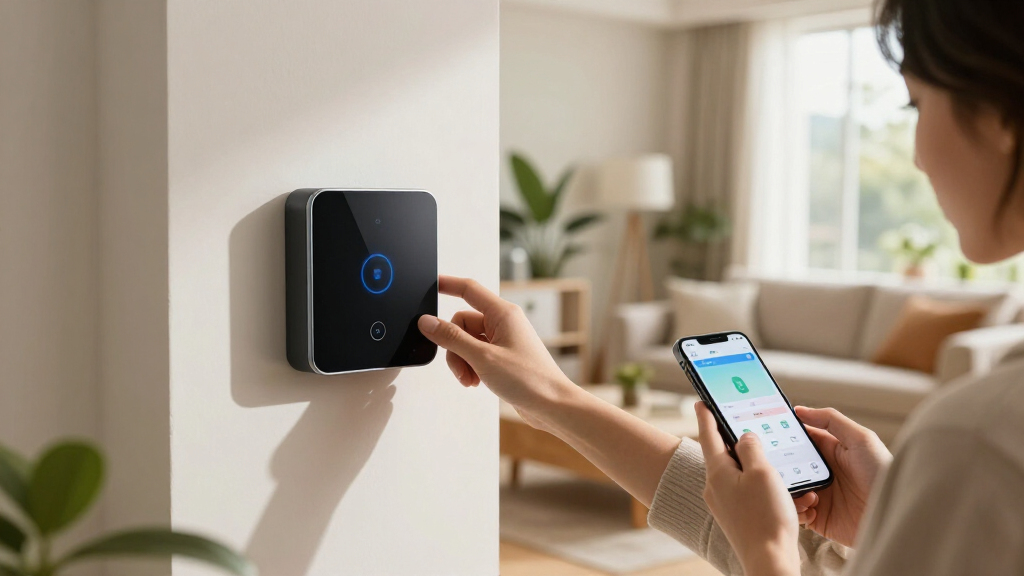
How We Picked
I evaluated these eight smart home automation hubs against four criteria that directly shape daily use. Protocol coverage came first: a hub only earns its place if it speaks the languages your devices use, so I weighted radios like Zigbee, Z-Wave, Thread, and Matter heavily. Local control was next—automations that run on the hub itself keep working when your internet drops, and they respond faster, so hubs that depend on cloud processing ranked lower for serious setups. Automation depth measured how sophisticated routines can get, from simple sunset triggers to multi-condition scenes with presence detection.
Finally, I weighed value and expandability: total cost of ownership including subscriptions, plus whether the platform can grow from ten devices to a hundred without buckling. That’s why the ranking favors Homey Pro (2026) at the top for its unmatched radio stack, followed by Home Assistant Green for power users on a budget, with the plug-and-play Aqara and SmartThings options filling the beginner and value tiers. No single hub wins every category, and I’ve flagged each one’s weaknesses alongside its strengths.
| smart home automation hub | Compatibility | Protocols Supported | Connectivity |
|---|---|---|---|
| SmartThings Hub 3rd Generation | Alexa, Google Home | — | — |
| Home Assistant Green Smart Hom | — | — | — |
| Aqara Smart Hub M200 | — | Zigbee, Thread, Wi-Fi, IR, Matter | Wi-Fi 2.4/5 GHz, PoE, USB-C |
| Homey Pro | — | Z-Wave Plus, Zigbee, Wi-Fi, BLE, Infrared, Matter, Thread | Wi-Fi, Zigbee, Z-Wave Plus, Infrared, BLE, Matter, Thread |
| Aqara Smart Home Hub M3 with M | — | Zigbee, Thread, Matter | Wi-Fi 2.4/5 GHz, PoE, USB-C |
| Homey Pro Mini | Smart Home Hu | Apple Siri, Amazon Alexa, Google Home | Zigbee, Matter, Thread | Ethernet |
| Aqara Smart Hub M100 for Home | Aqara Zigbee and Thread devices, Apple Home, Amazon Alexa | Zigbee, Thread, Matter controller | Wi-Fi 6 (802.11ax), 2.4 GHz |
| Hubitat Elevation C-8 Pro Smar | Alexa, Google Home, Apple HomeKit, Ring Cameras | Z-Wave 800 Series, Z-Wave Long Range, Zigbee 3.0, Matter 1.5, Bluetooth | Wi-Fi, Ethernet |
Factors to Consider When Choosing Smart Home Automation Hubs
Choosing between smart home automation hubs comes down to matching a hub’s personality to your household. Below are the factors that actually change how satisfied you’ll be six months after purchase—the ones that matter more than spec-sheet bullet points.Match the Radio to the Devices You Already Own
The most common and costly mistake is buying a hub that can’t talk to your existing hardware. Zigbee and Z-Wave are still the workhorse protocols for affordable sensors, and they are not interchangeable—a Z-Wave deadbolt is invisible to a Zigbee-only hub no matter how good the software is. Matter and Thread are the future-facing options, but in 2026 their device catalog remains thinner than the established protocols. Before buying anything, inventory your current devices by protocol, then pick the hub that covers the most ground. If you’re starting from zero, a multi-protocol hub costs more upfront but saves you from the single-protocol trap later. Buyers who skip this step often end up running two or three hubs in parallel, which defeats the entire purpose of a central automation system.
Local Control Versus Cloud Reliability
Every hub here sits somewhere on the spectrum between fully local processing and cloud-dependent operation. Local hubs keep your automations running during internet outages, respond in milliseconds rather than seconds, and don’t expose your daily routines to a company’s servers. The tradeoff is real, though: local platforms like Hubitat and Home Assistant typically demand more technical comfort and lack the polished mobile apps of cloud-first competitors. Cloud-reliant hubs update themselves, work anywhere without port forwarding, and are easier to share with family members—but a server outage at headquarters can brick your evening lighting scenes. If reliability during outages is non-negotiable, weight local control heavily. If convenience tops your list, a hybrid hub that caches essential routines locally is a reasonable middle path.
Subscription Costs and Total Ownership
Sticker price is only part of the equation. Some platforms charge monthly or annual fees for features as basic as remote access, advanced automations, or history beyond a few days, which can quietly double your cost over three years. Others bundle everything into the hardware price and never ask again. When comparing, calculate the three-year cost of ownership, not the checkout price. Free-tier platforms often compensate with steeper learning curves, so you’re effectively paying with your time instead of your wallet. There’s no wrong answer here—just know which currency you’re spending. Budget shoppers should also check whether premium features like presence detection or geo-fencing sit behind a paywall before committing.
Automation Power Versus Ease of Setup
There is a consistent inverse relationship in this category: the more capable the automation engine, the steeper the learning curve. Beginner-friendly hubs get you running in twenty minutes with template routines like “turn lights on at sunset,” but hitting their ceiling is frustrating—you can’t easily build a routine that blends motion, time of day, and multiple room states. Power platforms treat automations like small programs, with variables, conditions, and community-shared logic that can handle almost anything you imagine. Be honest about your appetite for tinkering. A household with two people and modest needs will be happier with simplicity, while tinkerers will outgrow a beginner hub within months. Households split between a tinkerer and a technophobe should look for platforms that support both simple scenes and advanced flows on the same system.
Network Connection and Placement
How a hub connects to your network affects both reliability and where you can put it. Ethernet-connected hubs, including Power-over-Ethernet models, offer the most stable link and are the right choice for hubs anchoring dozens of wireless devices—Wi-Fi-only hubs can struggle when your router is on the far side of the house. Placement matters more than most buyers expect: Zigbee and Z-Wave radios form mesh networks, and the hub’s position influences how well battery sensors in distant rooms perform. A hub buried in a media cabinet behind metal shelving will throttle every device hanging off it. Plan for a central, elevated location, and prefer Ethernet or PoE if your home’s layout allows it. This is also why compact hubs suit apartments better than sprawling multi-floor properties.
Ecosystem Lock-In and Exit Costs
Whichever hub you choose, you’re making a bet on that company’s future. Platforms have shut down before, leaving owners with orphaned hubs and re-pairing marathons, so it pays to think about the exit door before you walk in. Open-source and widely supported platforms tend to have the longest lifespans and the largest communities producing integrations and fixes. Proprietary ecosystems often offer tighter polish but concentrate risk in one vendor’s roadmap. Matter support softens this problem by standardizing device communication, meaning your Matter-compatible lights will pair with a future hub even if your current one disappears. My advice: favor hubs with broad Matter adoption and an active user community, and think twice before buying a hub whose best features only work with one brand’s devices.
Frequently Asked Questions
Do I still need a hub if all my devices are Matter-compatible?
Not necessarily, but a dedicated hub still adds value even in a Matter-first home. Many Matter devices connect through a border router or a hub acting as a Thread coordinator, so you need at least one Thread-capable device in the chain—and a hub like the Homey Pro or Aqara M200 fills that role while also handling older Zigbee and Z-Wave gear. Hubs also provide what raw Matter connectivity lacks: scene logic, scheduling, and cross-device automation that runs consistently regardless of which app you opened last. If your home is purely a handful of Wi-Fi and Matter bulbs, you can skip a hub entirely. But once you add sensors, locks, or battery devices—where Zigbee and Thread dramatically outperform Wi-Fi on battery life—a hub earns its shelf space quickly.
Is Home Assistant Green too complicated for a non-technical homeowner?
It’s more approachable than its reputation suggests, but it isn’t the right first hub for everyone. Home Assistant Green removed the biggest barrier—installing an operating system on your own hardware—by shipping ready to plug in, and its onboarding wizard handles discovery of common devices automatically. Where the learning curve appears is in building complex automations, which use a logic-builder that assumes some comfort with conditions and triggers. A homeowner happy to follow guides and watch tutorial videos will be fine within a weekend; someone who wants everything working in thirty minutes will be happier with SmartThings or an Aqara hub. A reasonable compromise is starting with a simpler hub, and moving to Home Assistant only if you feel its ceiling. The Green’s low price makes that eventual migration cheap to try.
What’s the real difference between Homey Pro and Homey Pro Mini?
The software experience is identical, so the decision comes down to radios and price. The full-size Homey Pro includes Z-Wave Plus, infrared, and a longer radio list, which matters if you own Z-Wave locks or want to control air conditioners and TVs through IR blasters. The Mini covers Zigbee, Thread, Matter, Wi-Fi, and Ethernet, which handles the majority of modern devices, and it costs meaningfully less while taking up less space. If your current and planned devices are Zigbee or Matter-based, the Mini is the smarter buy and you’ll never notice the missing radios. If you’re consolidating an older Z-Wave setup or want universal IR control, the flagship justifies its premium. Buyers unsure of their future device mix should lean toward the Pro to avoid dead ends.
Are the cheaper Aqara hubs good enough, or should I spend more?
For the right household, the Aqara hubs punch well above their price. The M100 covers basic Matter control and Wi-Fi; the M200 adds Zigbee, infrared, and Power-over-Ethernet; the M3 brings the fullest multi-protocol stack of the three. Where they excel is cost-per-connected-device: Aqara’s sensors are among the cheapest reliable hardware on the market, so a budget setup built around them is dramatically less expensive than the alternatives. The catch is Z-Wave—the lineup doesn’t support it at all, so any Z-Wave devices you own become stranded. Automation depth is also more template-driven than what Hubitat or Home Assistant offer, which caps how complex your routines can get. If you’re furnishing an apartment with fresh, budget-friendly sensors, an Aqara hub is genuinely enough; larger or legacy-heavy homes should spend more.
How important is local control really—can’t I just rely on the cloud?
It depends on how much your home’s behavior matters when the internet fails. Cloud-dependent hubs stop executing automations the moment your connection drops, which means lights don’t trigger, locks don’t respond to routines, and sensors report nothing until service resumes. For a rental with a few smart bulbs, that’s an inconvenience; for a home with security sensors, automated locks, or medical-alert-adjacent automations, it’s a genuine reliability gap. Local hubs like the Hubitat Elevation C-8 Pro and Home Assistant platforms also respond faster—often in a fraction of a second versus a cloud round-trip—and keep your activity data private. The practical middle ground is a hybrid hub that runs critical automations locally while using the cloud for remote access and updates. Decide based on consequence: the more your safety or daily comfort rides on automations firing, the more local control should influence your choice.
Conclusion
After comparing all eight hubs, my recommendations split cleanly by buyer type. For best overall, the Homey Pro (2026) stands apart—no other hub combines that many radios with polished, fully local automation, making it the safest long-term anchor for a growing home. The Home Assistant Green takes best value for anyone willing to trade some setup effort for professional-grade automation power at a fraction of the usual price. As the premium pick, Homey Pro’s flagship doubles as the choice for consolidators replacing multiple single-protocol hubs.
For beginners, the SmartThings Hub 3rd Gen offers the smoothest onboarding and the widest off-the-shelf compatibility, while the Aqara M200 is the gentlest entry into Matter on a tight budget. Privacy-focused and reliability-obsessed buyers should go with the Hubitat Elevation C-8 Pro, whose local-first design never sends your routines to the cloud. Finally, for smaller Matter-and-Zigbee households, the Homey Pro Mini hits the sweet spot between price and capability, and the Aqara M3 suits budget builds that still want infrared control. Whatever you choose, match the hub to the devices you own today and the ones you realistically plan to add—that single decision predicts satisfaction more than any other.
Halloween Picks

Thuodo 8 FT Tall Halloween Inflatable Three-Headed Dragon with Built-in LEDs

Kalolary 12ft Halloween Witch Haunted House Inflatable Archway

15-Foot Halloween Pumpkin Inflatable with LED Lights and Air Blower
As an affiliate, we earn on qualifying purchases.