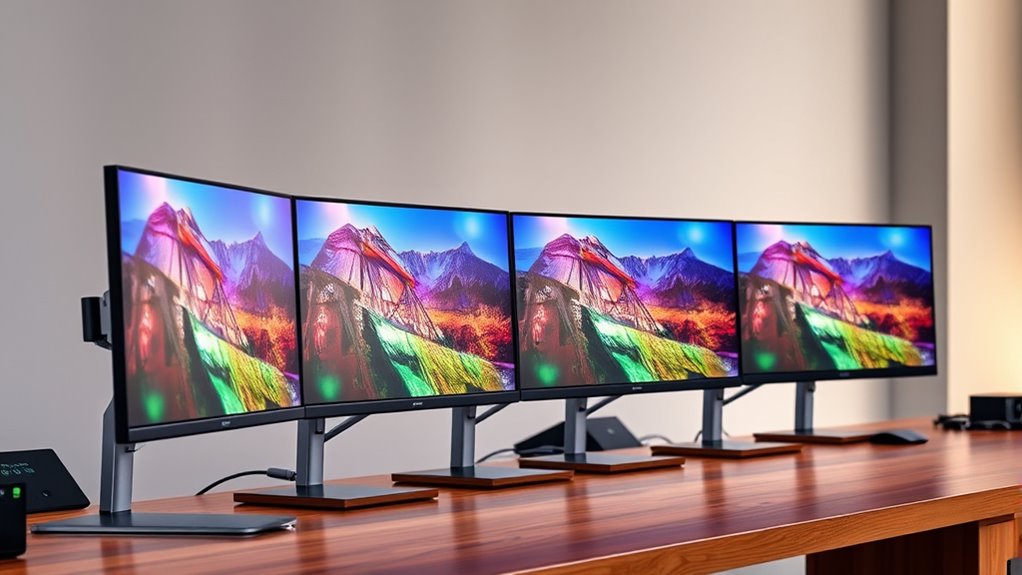

If you’re searching for a 4k monitor, you’re likely after a display that offers sharp visuals, vibrant colors, and versatile performance. The Dell 27-Inch 240Hz Gaming Monitor SE2726HG stands out as the best overall choice thanks to its balance of high refresh rate and crisp resolution. For creative tasks, the LG 27UP850K-W shines with excellent color accuracy and HDR support, while the Sceptre 34-inch Curved Prime Gaming Monitor appeals to gamers seeking immersive visuals. However, choosing the right 4k monitor involves tradeoffs between refresh rates, color accuracy, size, and price. Continue reading for a detailed breakdown of the top options and what makes each stand out.

Get home appliances delivered free with Prime
- Fast, free delivery on millions of items
- Prime Video, Amazon Music and more included
- Member-only deals all year
Complete the kit



Key Takeaways
- High refresh rates and adaptive sync features significantly benefit gaming-oriented 4k monitors.
- Color accuracy and HDR support are essential for creative professionals and media editors.
- Larger screens (32-inch and above) enhance immersion but may increase cost and desk space needs.
- Price varies widely; more affordable models often compromise on refresh rate or color depth.
- Connectivity options like USB-C and multiple ports add versatility for modern workflows.
| Dell 27-Inch 240Hz Gaming Monitor – SE2726HG |  | Best for Competitive Gaming and Fast Response | Display Size: 27 inches | Resolution: 1920×1080 (FHD) | Refresh Rate: 240Hz | VIEW ON AMAZON | See Our Full Breakdown |
| LG 27UP850K-W 27-inch 4K UHD IPS Monitor with HDR 400 and USB-C |  | Best for Creative Work and Versatile Connectivity | Display Size: 27 inches | Resolution: 3840 x 2160 (4K UHD) | Color Gamut: 95% DCI-P3 | VIEW ON AMAZON | See Our Full Breakdown |
| ASUS TUF Gaming VG27UQ1A 27-Inch 4K 160Hz G-SYNC Gaming Monitor |  | Best for High-Resolution Gaming with Adaptive Sync | Display Size: 27 inches | Resolution: 3840 x 2160 (4K UHD) | Refresh Rate: 160Hz | VIEW ON AMAZON | See Our Full Breakdown |
| Dell 32 Monitor S3225QS 4K UHD VA with FreeSync Premium and Eye Comfort |  | Best for Big Screen Entertainment and Work | Display Size: 32 inches | Resolution: 3840 x 2160 (4K UHD) | Contrast Ratio: 1500:1 | VIEW ON AMAZON | See Our Full Breakdown |
| Sceptre 34-inch Curved Prime Gaming Monitor 3440 x 1440, 240Hz, 1ms, 100% sRGB, Built-in Speakers |  | Best for Ultrawide Gaming and Multimedia | Size: 34 inches | Resolution: 3440 x 1440 | Refresh Rate: 240Hz | VIEW ON AMAZON | See Our Full Breakdown |
| LG 32UR500K-B 32-inch 4K UHD HDR10 Computer Monitor with Built-in Speakers |  | Best Overall for Versatile 4K Experience | Display Size: 32 inches | Resolution: 3840 x 2160 (4K UHD) | Display Technology: VA LED | VIEW ON AMAZON | See Our Full Breakdown |
| Dell 27 Monitor S2725QC 4K UHD IPS with 120Hz Refresh Rate |  | Best for Smooth, Vivid 4K Visuals with High Refresh Rate | Screen Size: 27 inches | Resolution: 4K UHD | Panel Type: IPS | VIEW ON AMAZON | See Our Full Breakdown |
| ASUS VY27UQ 27 Inch 4K UHD IPS Computer Monitor with HDMI, DisplayPort, Speakers |  | Best for Versatile Multimedia and Creative Use | Display Size: 27 inches | Resolution: 3840 x 2160 (4K UHD) | Display Technology: IPS | VIEW ON AMAZON | See Our Full Breakdown |
| Philips 27-Inch 4K UHD IPS HDR Computer Monitor with Built-in Speakers |  | Best for Color Accuracy and Professional Use | Display Size: 27 inches | Resolution: 3840 x 2160 (4K UHD) | Display Technology: IPS | VIEW ON AMAZON | See Our Full Breakdown |
| Dell 27 Monitor S2725QS 4K UHD IPS, 120Hz, FreeSync Premium |  | Best for Fluid 4K Visuals with Gaming and Work Balance | Display Size: 27 inches | Resolution: 4K UHD | Panel Type: IPS | VIEW ON AMAZON | See Our Full Breakdown |
| Samsung 27″ ViewFinity S7 (S70H) High-Resolution Monitor |  | Best Overall for Creative Professionals | Display Size: 27 inches | Resolution: 3840 x 2160 pixels (4K UHD) | Display Technology: IPS | VIEW ON AMAZON | See Our Full Breakdown |
| Samsung 32″ ViewFinity S7 (S71H) 4K UHD IPS HDR10 High Resolution Monitor |  | Best for Professionals and Light Gamers | Screen Size: 32 inches | Resolution: 3840 x 2160 (4K UHD) | Panel Type: IPS | VIEW ON AMAZON | See Our Full Breakdown |
| Sceptre 32″ 4K UHD Monitor with 70Hz Refresh Rate, Built-in Speakers, and Multiple Ports |  | Best Budget-Friendly 4K for Light Use | Display Size: 32 inches | Resolution: 3840 x 2160 | Refresh Rate: 70Hz | VIEW ON AMAZON | See Our Full Breakdown |
| LG 27US500-W Ultrafine 27-Inch 4K UHD HDR10 IPS Monitor |  | Best for Creative Professionals on a Budget | Display Size: 27 inches | Resolution: 3840 x 2160 | HDR: HDR10 | VIEW ON AMAZON | See Our Full Breakdown |
| Samsung 32-Inch ViewFinity S7 (S70H) High-Resolution Monitor |  | Best for Detailed Visuals and Eye Comfort | Display Size: 32 inches | Resolution: 3840 x 2160 pixels | Display Technology: VA | VIEW ON AMAZON | See Our Full Breakdown |
| 4k monitor | Resolution | Display Size | Contrast Ratio | Refresh Rate |
|---|---|---|---|---|
| Dell 27-Inch 240Hz Gaming Moni | 1920×1080 (FHD) | 27 inches | — | 240Hz |
| LG 27UP850K-W 27-inch 4K UHD I | 3840 x 2160 (4K UHD) | 27 inches | — | — |
| ASUS TUF Gaming VG27UQ1A 27-In | 3840 x 2160 (4K UHD) | 27 inches | — | 160Hz |
| Dell 32 Monitor S3225QS 4K UHD | 3840 x 2160 (4K UHD) | 32 inches | 1500:1 | 120Hz |
| Sceptre 34-inch Curved Prime G | 3440 x 1440 | — | — | 240Hz |
| LG 32UR500K-B 32-inch 4K UHD H | 3840 x 2160 (4K UHD) | 32 inches | 1000:1 | 60 Hz |
| Dell 27 Monitor S2725QC 4K UHD | 4K UHD | — | 1500:1 | 120Hz |
| ASUS VY27UQ 27 Inch 4K UHD IPS | 3840 x 2160 (4K UHD) | 27 inches | High (Estimated) | — |
| Philips 27-Inch 4K UHD IPS HDR | 3840 x 2160 (4K UHD) | 27 inches | High (Estimated) | — |
| Dell 27 Monitor S2725QS 4K UHD | 4K UHD | 27 inches | 1500:1 | 120Hz |
| Samsung 27" ViewFinity S7 | 3840 x 2160 pixels (4K UHD) | 27 inches | 3000:1 | — |
| Samsung 32" ViewFinity S7 | 3840 x 2160 (4K UHD) | — | — | — |
| Sceptre 32" 4K UHD Monitor wit | 3840 x 2160 | 32 inches | 1,000,000:1 | 70Hz |
| LG 27US500-W Ultrafine 27-Inch | 3840 x 2160 | 27 inches | — | — |
| Samsung 32-Inch ViewFinity S7 | 3840 x 2160 pixels | 32 inches | 3000:1 | — |
More Details on Our Top Picks
Dell 27-Inch 240Hz Gaming Monitor – SE2726HG
This Dell monitor stands out for its incredibly high 240Hz refresh rate and 0.5ms response time, making it ideal for fast-paced gaming where every millisecond counts. Compared with the ASUS TUF VG27UQ1A, it offers a much higher refresh rate but sacrifices 4K resolution, sticking to Full HD. Its IPS panel provides vibrant colors and wide viewing angles, yet the design is quite basic with no height or swivel adjustments—a potential drawback for ergonomic customization. The lack of built-in speakers and a resolution above 1080p limits its versatility outside gaming. This pick makes the most sense for gamers prioritizing speed and smoothness over resolution or advanced features.
Pros:- High 240Hz refresh rate for ultra-smooth gameplay
- 0.5ms response time significantly reduces motion blur
- Excellent color accuracy with 99% sRGB coverage
- Supports AMD FreeSync Premium for tear-free gaming
Cons:- Limited to 1080p resolution, not suitable for 4K content or creative work
- Design lacks ergonomic adjustments like height or tilt
Best for: Competitive gamers seeking ultra-smooth gameplay without needing 4K resolution
Not ideal for: Creative professionals or streamers who require high resolution and color accuracy for content creation
- Display Size:27 inches
- Resolution:1920×1080 (FHD)
- Refresh Rate:240Hz
- Response Time:0.5ms
- Panel Type:IPS
- Connectivity:2x HDMI, DisplayPort 1.4
Our verdict“This is best suited for gamers who prioritize speed and responsiveness over resolution or multi-purpose use.”
LG 27UP850K-W 27-inch 4K UHD IPS Monitor with HDR 400 and USB-C
The LG 27UP850K-W excels by combining a crisp 4K UHD resolution with a wide color gamut and HDR 400 support, making it a top choice for creative professionals and multitaskers. Compared to the Sceptre 34-inch, it offers a sharper, more detailed image suited for photo editing and detailed design work. Its USB-C port with 90W Power Delivery simplifies workspace setup by reducing cable clutter, and ergonomic adjustments improve comfort for long hours. However, its price can be a barrier for budget-conscious users, and its feature set might seem complex for those only seeking a straightforward display. This monitor makes the most sense for users who need high resolution and flexible connectivity for work and entertainment alike.
Pros:- Vivid 4K UHD display with 95% DCI-P3 and HDR 400
- USB-C with 90W Power Delivery for single-cable connectivity
- Ergonomic stand with height, tilt, and pivot adjustments
- Built-in stereo speakers with Waves MaxxAudio
Cons:- Higher price point may be prohibitive for some buyers
- Complex features could require a learning curve for new users
Best for: Creative professionals and multitaskers who need detailed visuals and flexible connectivity options
Not ideal for: Budget shoppers or gamers prioritizing high refresh rates over resolution and color accuracy
- Display Size:27 inches
- Resolution:3840 x 2160 (4K UHD)
- Color Gamut:95% DCI-P3
- HDR:VESA DisplayHDR 400
- Connectivity:USB-C, HDMI, DisplayPort
- Speakers:Stereo with Waves MaxxAudio
Our verdict“Ideal for creative professionals seeking high resolution, color fidelity, and versatile connectivity in a single monitor.”
ASUS TUF Gaming VG27UQ1A 27-Inch 4K 160Hz G-SYNC Gaming Monitor
The ASUS TUF VG27UQ1A is tailored for gamers who want the clarity of 4K combined with high refresh rates and adaptive sync technology. Its 160Hz refresh rate and 1ms response time deliver smooth, detailed visuals during fast action, outperforming standard 4K monitors that often max out at 60Hz. It supports NVIDIA G-SYNC and AMD FreeSync Premium, making it compatible with most gaming setups. Compared to the LG 27UP850K-W, it sacrifices some color accuracy, focusing more on motion clarity and gaming responsiveness. Its premium features come at a higher cost, and HDMI connectivity is limited to 4K 120Hz, not the full 160Hz. This monitor is best for high-end gaming where resolution and smoothness are equally valued.
Pros:- High 4K resolution with vibrant colors
- 160Hz refresh rate for ultra-smooth gaming
- Supports NVIDIA G-SYNC and AMD FreeSync Premium
- 3-year warranty with advanced replacement
Cons:- Limited to 4K 120Hz via HDMI, not full 160Hz
- Premium price may be prohibitive for some users
Best for: High-end gamers who want 4K resolution combined with high refresh rates and adaptive sync technology
Not ideal for: Casual users or creative professionals who prioritize color accuracy and detailed content creation
- Display Size:27 inches
- Resolution:3840 x 2160 (4K UHD)
- Refresh Rate:160Hz
- Response Time:1ms
- Panel Technology:Fast IPS
- Connectivity:DisplayPort, HDMI 2.1
Our verdict“This monitor is best for serious gamers demanding 4K clarity with high refresh rates and sync technology.”
Dell 32 Monitor S3225QS 4K UHD VA with FreeSync Premium and Eye Comfort
The Dell S3225QS offers a larger 32-inch 4K display with a VA panel, delivering high contrast and vivid colors ideal for multimedia and extended work sessions. Its 120Hz refresh rate strikes a balance between smooth video playback and general productivity, compared to the faster 240Hz gaming monitors. The VA panel’s high contrast ratio of 1500:1 makes images pop, especially in darker scenes. Eye comfort features and blue light reduction support long hours of use, while the sleek design with ultra-thin bezels enhances aesthetic appeal. However, it lacks USB-C and high-end audio options, limiting versatility for some users. This monitor makes the most sense for users who want a larger display with excellent contrast and color for both work and entertainment.
Pros:- Large 32-inch 4K display with high contrast
- 120Hz refresh rate for smooth multimedia experience
- Blue light and eye comfort features for extended use
- Sleek design with ultra-thin bezels
Cons:- Limited to HDMI and DisplayPort, no USB-C
- No high-end speakers or audio features
- Higher price for larger screen size
Best for: Content consumers and professionals who prefer a large, high-contrast screen for multi-purpose use
Not ideal for: Gamers seeking ultra-fast response times or creative professionals needing precise color calibration
- Display Size:32 inches
- Resolution:3840 x 2160 (4K UHD)
- Contrast Ratio:1500:1
- Refresh Rate:120Hz
- Response Time:0.03 ms
- Connectivity:DisplayPort, HDMI
Our verdict“Ideal for users wanting a large, high-contrast display for work and entertainment with balanced performance.”
Sceptre 34-inch Curved Prime Gaming Monitor 3440 x 1440, 240Hz, 1ms, 100% sRGB, Built-in Speakers
This Sceptre curved monitor offers a 34-inch ultrawide display with 3440 x 1440 resolution, making it ideal for immersive gaming or multitasking. Its 240Hz refresh rate and 1ms response time deliver smooth, responsive visuals, comparable to the 27-inch 240Hz options but with added screen real estate. The 100% sRGB coverage ensures vibrant, accurate colors, suitable for multimedia editing and gaming alike. Built-in speakers add convenience, though their audio quality won’t satisfy audiophiles. Compared with the Dell SE2726HG, the Sceptre provides a larger, more immersive experience but at a potential tradeoff in panel uniformity or build quality. This monitor is best for gamers and multimedia consumers who value screen size and a wide aspect ratio.
Pros:- Large 34-inch ultrawide screen for immersive visuals
- 240Hz refresh rate and 1ms response for responsive gaming
- Vibrant 100% sRGB color coverage
- Built-in speakers for convenience
Cons:- Limited to 3440 x 1440 resolution, not 4K
- Built-in speakers are basic and not audiophile quality
- Potential size and curvature may not suit all workspaces
Best for: Gamers and multimedia enthusiasts wanting an immersive ultrawide experience with high refresh rates
Not ideal for: Users needing a standard, vertical workspace or high-precision color work
- Size:34 inches
- Resolution:3440 x 1440
- Refresh Rate:240Hz
- Response Time:1ms
- Color Gamut:100% sRGB
- Connectivity:2 HDMI, 2 DisplayPort
Our verdict“Best suited for gamers and multimedia users seeking an expansive ultrawide display with fast performance.”
LG 32UR500K-B 32-inch 4K UHD HDR10 Computer Monitor with Built-in Speakers
This monitor stands out for its large 32-inch display combined with vibrant 4K resolution, making it an excellent choice for users who want immersive visuals across work, entertainment, and casual gaming. Compared to the Dell S2725QS, it offers a bigger screen and HDR10 support, though its 60Hz refresh rate limits high-end gaming performance. Its VA panel provides high contrast, ideal for media consumption, while the built-in speakers add convenience. The adjustable ergonomic stand boosts comfort, yet the 250 nits brightness may fall short in bright rooms, and the 60Hz refresh rate isn’t suited for competitive gaming. Overall, this pick makes the most sense for multimedia enthusiasts seeking a large, color-rich display with versatile features.
Pros:- Vibrant 4K UHD display with wide color gamut
- HDR10 support enhances visual quality
- Built-in stereo speakers with MaxxAudio
Cons:- 60Hz refresh rate limits gaming performance
- Limited connectivity details provided
- Power consumption could be higher for some users
Best for: Creative professionals and media consumers who prioritize size, color, and multimedia features
Not ideal for: High-end gamers or users needing ultra-fast response times for competitive play
- Display Size:32 inches
- Resolution:3840 x 2160 (4K UHD)
- Display Technology:VA LED
- Brightness:250 nits
- Contrast Ratio:1000:1
- Refresh Rate:60 Hz
- HDR Support:HDR10
- Viewing Angle:178 degrees
Our verdict“Best suited for users who want a large, colorful display for media, entertainment, and general use without requiring high refresh rates.”
Dell 27 Monitor S2725QC 4K UHD IPS with 120Hz Refresh Rate
This Dell model offers a compelling balance of sharp 4K visuals and smooth motion, thanks to its 120Hz refresh rate with FreeSync Premium, making it a strong choice for both work and casual gaming. Unlike the LG 32UR500K-B, it focuses on high refresh rate performance, which benefits fast-paced gaming and fluid video playback. Its IPS panel provides excellent color accuracy with 99% sRGB coverage, and the USB-C port simplifies connectivity for modern devices. However, its smaller 27-inch size may not satisfy those seeking an immersive, large-format experience, and ergonomic adjustments are limited. This monitor makes the most sense for users who want vibrant visuals combined with smoother motion support in a more compact size.
Pros:- Vivid 4K visuals with 99% sRGB coverage
- Smooth 120Hz refresh rate with FreeSync Premium
- Single USB-C cable for data, video, and power
Cons:- More expensive than standard 4K monitors
- Limited ergonomic adjustments
Best for: Gamers and content creators who need high refresh rates combined with 4K clarity
Not ideal for: Users needing a larger screen or extensive ergonomic adjustments for all-day comfort
- Screen Size:27 inches
- Resolution:4K UHD
- Panel Type:IPS
- Refresh Rate:120Hz
- Response Time:4ms
- Color Coverage:99% sRGB
- Contrast Ratio:1500:1
- Connectivity:USB-C (up to 65W)
Our verdict“Ideal for users who prioritize fluid motion and color accuracy in a compact 4K monitor for gaming and creative work.”
ASUS VY27UQ 27 Inch 4K UHD IPS Computer Monitor with HDMI, DisplayPort, Speakers
The ASUS VY27UQ excels with its 27-inch 4K IPS panel, delivering sharp, vibrant visuals with wide viewing angles. It offers comprehensive connectivity options, including HDMI and DisplayPort, along with HDR-10 support, making it suitable for both multimedia consumption and light creative work. Unlike the Dell S2725QC, it emphasizes a well-rounded feature set with eye care technology and additional software tools, but it lacks ergonomic adjustments, which could be a drawback for all-day use. Its built-in speakers are convenient but not meant for serious audio, and the lack of stand adjustability may limit comfort. This monitor is best for hobbyists and professionals who want good color accuracy and multiple connection choices without high gaming demands.
Pros:- High-resolution 4K display with vibrant colors
- Multiple connectivity options including HDMI and DisplayPort
- Eye care features like flicker-free and blue light filter
Cons:- No ergonomic stand adjustments
- Built-in speakers may not satisfy audiophiles
Best for: Content creators and multimedia enthusiasts seeking sharp visuals and flexible connectivity
Not ideal for: Competitive gamers who require high refresh rates and ergonomic flexibility
- Display Size:27 inches
- Resolution:3840 x 2160 (4K UHD)
- Display Technology:IPS
- Brightness:350 nits
- Contrast Ratio:High (Estimated)
- Viewing Angle:170 degrees
- HDR Support:HDR-10
Our verdict“Perfect for users who desire a versatile, color-accurate monitor for creative work and multimedia, without the need for gaming-grade features.”
Philips 27-Inch 4K UHD IPS HDR Computer Monitor with Built-in Speakers
This Philips 27-inch monitor offers a sharp 4K IPS display with HDR support, emphasizing color accuracy and wide viewing angles. Its 350 nits brightness and adaptive sync provide smooth visuals, suitable for professional tasks and media viewing. Compared with the ASUS VY27UQ, it emphasizes high brightness and ergonomic features, although it still maintains a 60Hz refresh rate, limiting its appeal for fast-paced gaming. The built-in speakers add convenience, but the limited ports and high power consumption might be drawbacks for some. This monitor makes the most sense for professionals requiring precise color reproduction and good ergonomic features in a compact size.
Pros:- Sharp 4K UHD resolution with accurate colors
- IPS panel with wide viewing angles
- HDR support enhances visual fidelity
Cons:- Limited to 60Hz refresh rate
- Power consumption could be high
Best for: Photographers, designers, and professionals requiring accurate colors and ergonomic viewing
Not ideal for: Competitive gamers or users needing high refresh rates for fast motion
- Display Size:27 inches
- Resolution:3840 x 2160 (4K UHD)
- Display Technology:IPS
- Brightness:350 nits
- Contrast Ratio:High (Estimated)
- Viewing Angle:170 degrees
- HDR Support:HDR
Our verdict“Best suited for creative professionals who prioritize color accuracy and ergonomic features over gaming performance.”
Dell 27 Monitor S2725QS 4K UHD IPS, 120Hz, FreeSync Premium
This Dell monitor combines 4K clarity with a 120Hz refresh rate and FreeSync Premium, making it a versatile choice for users who want smooth visuals for both professional tasks and light gaming. Compared with the Philips 27E1N1800A, it offers a higher refresh rate and better tear-free performance, though it shares the same 27-inch size and similar color coverage. Its ultra-thin bezel design adds a modern touch, but the limited ergonomic adjustments could be a concern for extended use. The sound quality isn’t a highlight, so dedicated speakers are recommended. Overall, this model makes sense for those who need sharp visuals with smoother motion in a compact form factor, especially for multimedia and casual gaming.
Pros:- Vivid 4K visuals with wide color coverage
- 120Hz refresh rate with FreeSync Premium
- Sleek, ultra-thin bezel design
Cons:- Sound quality is limited without external speakers
- Limited ergonomic adjustability
Best for: Mixed-use users seeking a balance between productivity and smooth motion for gaming
Not ideal for: Users who need extensive ergonomic adjustments or larger screens for immersive work
- Display Size:27 inches
- Resolution:4K UHD
- Panel Type:IPS
- Refresh Rate:120Hz
- Response Time:5ms
- Blue Light Reduction:≤35%
- Color Coverage:99% sRGB
- Contrast Ratio:1500:1
Our verdict“Ideal for users who want a stylish, smooth, and sharp 4K display for both work and casual gaming scenarios.”
Samsung 27″ ViewFinity S7 (S70H) High-Resolution Monitor
This model stands out for its crisp 4K UHD resolution combined with a wide 178° viewing angle, making it ideal for detailed editing and color work. Compared with the 32-inch Samsung S71H, the S70H offers slightly better pixel density, which benefits precision tasks, but its 60Hz refresh rate makes it less suitable for fast-paced gaming. Its HDR10 support and eye comfort technology help reduce fatigue during long creative sessions, though it lacks USB-C for modern device connectivity and has no built-in speakers. The monitor’s IPS panel ensures consistent color accuracy from different angles, a key advantage for designers.
Pros:- High-resolution 4K UHD display with vibrant, detailed visuals
- Wide 178° viewing angle maintains color consistency
- Multiple connectivity options including HDMI and DisplayPort
- Eye comfort technology reduces eye strain
Cons:- Limited to 60Hz refresh rate, not suited for high-end gaming
- Response time of 5ms may cause motion blur in fast scenes
- No built-in speakers or USB-C port
Best for: Creative professionals who need accurate colors and extended comfort for long work sessions.
Not ideal for: Gamers seeking high refresh rates or fast response times for competitive play.
- Display Size:27 inches
- Resolution:3840 x 2160 pixels (4K UHD)
- Display Technology:IPS
- Contrast Ratio:3000:1
- Brightness:300 cd/m2
- Viewing Angle:178 degrees
Our verdict“This monitor is best for creative professionals prioritizing color accuracy and comfort over gaming performance.”
Samsung 32″ ViewFinity S7 (S71H) 4K UHD IPS HDR10 High Resolution Monitor
This larger 32-inch option offers a stunning 4K UHD display with vibrant colors and wide angles thanks to its IPS panel, making it suitable for both detailed work and casual gaming. Unlike the smaller S70H, the S71H adds HDR10 for improved contrast and a Game Mode for better visuals during light gaming. Its size supports multitasking and immersive editing, but its higher price and lack of adjustable stand or USB-C limit its ergonomic flexibility. The inclusion of Eye Saver Mode helps reduce eye fatigue during extended use, although the monitor’s overall feature set is more geared toward productivity and multimedia consumption than competitive gaming.
Pros:- Large 32-inch 4K UHD display with accurate colors
- Wide 178° viewing angles with IPS technology
- HDR10 support enhances contrast and depth
- Includes Eye Saver Mode for extended comfort
Cons:- No built-in speakers or USB-C port
- Higher price point for professional-grade features
- Limited ergonomic adjustments
Best for: Professionals who want a larger screen with versatile color and contrast enhancements for work and occasional gaming.
Not ideal for: High-end gamers requiring ultra-fast refresh rates or extensive ergonomic adjustments.
- Screen Size:32 inches
- Resolution:3840 x 2160 (4K UHD)
- Panel Type:IPS
- HDR:HDR10
- Viewing Angle:178°
- Ports:HDMI, DisplayPort
Our verdict“Ideal for professionals seeking a sizable, vibrant display with multimedia features for work and casual use.”
Sceptre 32″ 4K UHD Monitor with 70Hz Refresh Rate, Built-in Speakers, and Multiple Ports
This 32-inch monitor offers a crisp 4K resolution with a moderate 70Hz refresh rate, making it suitable for everyday tasks, light creative work, and casual media consumption. Compared to Samsung’s higher-end options, it sacrifices some color accuracy and contrast but compensates with built-in speakers and VESA compatibility at a more affordable price. Its IPS panel provides good viewing angles, and eye protection features help reduce fatigue, though the speakers’ sound quality is fairly basic, and the absence of USB-C limits connectivity options for modern devices.
Pros:- Large 32-inch 4K display with sharp visuals
- VESA mount compatibility for flexible setup
- Built-in speakers for easy audio
- Eye protection features reduce eye fatigue
Cons:- Limited to 70Hz refresh rate, not optimal for fast gaming
- No USB-C port for modern device connections
- Speakers lack deep bass and clarity
Best for: Budget-conscious users seeking a large 4K display for general use, media, and light creative tasks.
Not ideal for: Gamers or professionals needing high refresh rates or extensive ergonomic features.
- Display Size:32 inches
- Resolution:3840 x 2160
- Refresh Rate:70Hz
- Display Technology:IPS
- Contrast Ratio:1,000,000:1
- Brightness:350 nits
Our verdict“This monitor offers a sizable 4K display at a very approachable price point, ideal for casual and office users.”
LG 27US500-W Ultrafine 27-Inch 4K UHD HDR10 IPS Monitor
This 27-inch LG monitor provides vibrant 4K visuals with HDR10 support, making it suitable for digital artists and photographers who need accurate colors and deep blacks. Its ergonomic stand allows flexible positioning, but it lacks built-in speakers and USB-C, which could be limiting for users with modern devices. Compared to the Samsung S70H, the LG offers slightly less contrast but compensates with a 90% DCI-P3 color gamut, which is beneficial for color-critical tasks. Its limited connectivity makes it less versatile for those with multiple devices.
Pros:- Vivid 4K UHD display with HDR10 support
- Supports wide color gamut (90% DCI-P3)
- Ergonomic stand with tilt adjustment
- Vibrant, detailed visuals
Cons:- No built-in speakers or USB-C port
- Limited connectivity options (HDMI and DisplayPort only)
- Less contrast compared to VA panels
Best for: Creative professionals who prioritize color accuracy and ergonomic comfort at an affordable price.
Not ideal for: Users needing integrated audio or extensive port options for complex setups.
- Display Size:27 inches
- Resolution:3840 x 2160
- HDR:HDR10
- Color Gamut:90% DCI-P3
- Stand:Tilt adjustable
Our verdict“A solid choice for creatives seeking accurate colors and ergonomic flexibility without premium price tags.”
Samsung 32-Inch ViewFinity S7 (S70H) High-Resolution Monitor
This 32-inch Samsung monitor combines a 4K UHD resolution with a high contrast VA panel, providing rich blacks and detailed images. Its 60Hz refresh rate mirrors the S70H’s, making it less ideal for gaming but excellent for viewing detailed work and media. The wide 178° viewing angle and HDR10 support enhance visual quality, while eye comfort technology helps reduce fatigue over long periods. With limited ports—just one HDMI and two others—it doesn’t offer the same versatility as models with USB-C or multiple inputs, but it remains a reliable choice for those prioritizing detailed visuals and eye health.
Pros:- High 4K UHD resolution with detailed visuals
- Wide 178° viewing angle maintains brightness and clarity
- HDR10 support enhances contrast and depth
- Eye comfort technology reduces eye strain
Cons:- Limited to 60Hz refresh rate, not suited for gaming
- No built-in speakers or USB-C
- Price may be high relative to features
Best for: Users needing detailed visuals and eye comfort for extended work or media consumption.
Not ideal for: Fast-paced gaming enthusiasts or users needing extensive port diversity.
- Display Size:32 inches
- Resolution:3840 x 2160 pixels
- Display Technology:VA
- Contrast Ratio:3000:1
- Brightness:300 cd/m2
- Viewing Angle:178°
Our verdict“Perfect for those prioritizing detailed visuals and eye comfort over gaming performance.”

How We Picked
I evaluated these 4k monitors based on performance, display quality, build durability, and usability features. Priority was given to models that balance high resolution with fast refresh rates and adaptive sync technology, especially for gaming. Additionally, color accuracy, HDR support, and connectivity options were key considerations for creative use. Price-to-value ratio was also factored in, ensuring that each pick offers meaningful advantages relative to its cost. The ranking reflects a combination of these factors, emphasizing models that serve different user needs—whether gaming, professional work, or general use.Factors to Consider When Choosing 4k Monitor
When selecting a 4k monitor, understanding your primary use case helps narrow down your options. Beyond resolution, factors like refresh rate, color accuracy, and size influence your experience. It’s easy to focus solely on specs and overlook how well a monitor fits your workspace or how intuitive its features are. This guide covers the key considerations that can make your choice more aligned with your needs and ensure you avoid common pitfalls.Refresh Rate and Response Time
For gaming or fast-paced video editing, a higher refresh rate (at least 120Hz) and low response time are vital. These features reduce motion blur and input lag, resulting in smoother visuals. However, for general use or creative work, 60Hz or 75Hz often suffice, and investing in higher refresh rates may not deliver proportional benefits. Be cautious of monitors that advertise high refresh rates but have poor response times, which can negate the advantage for gaming.
Color Accuracy and HDR Support
Creative professionals should prioritize monitors with high color accuracy, covering wide gamuts like Adobe RGB or DCI-P3, and support for HDR standards such as HDR10 or Dolby Vision. These features ensure that images and videos appear vibrant and true-to-life. However, not all HDR implementations are equal; some monitors technically support HDR but offer limited brightness or contrast. It’s important to verify real-world HDR performance rather than just the specifications.
Size and Screen Curvature
Size impacts immersion and workspace comfort. Larger 32-inch or 34-inch screens are excellent for multitasking and immersive gaming, but they require more desk space and higher GPU performance. Curved screens enhance visual depth and reduce eye strain over extended periods, especially on ultrawide models. Nonetheless, curved monitors may not be suitable for every desk setup or professional task that requires precise flat displays, like CAD work.
Connectivity and Ergonomics
Modern ports like USB-C streamline cable management and enable charging and data transfer with a single cable. Multiple HDMI and DisplayPort options expand compatibility across devices. Ergonomic adjustments—height, tilt, swivel—are equally important for comfort, particularly during long sessions. Avoid monitors with limited adjustability, as poor ergonomics can lead to discomfort or strain over time.
Price and Overall Value
Price ranges widely based on size, features, and brand reputation. Budget models may cut corners on refresh rate or color fidelity, while premium options often include advanced features like HDR1000 or OLED panels. Consider how often you’ll use the monitor’s advanced features—investing in a high-end model makes sense for professionals, whereas casual users might find mid-range models perfectly adequate. Balance your budget against your primary use to get the best value.
Frequently Asked Questions
Is a higher refresh rate necessary for a 4k monitor?
While a higher refresh rate, such as 120Hz or above, significantly benefits gaming by providing smoother motion, it is less critical for general use or creative tasks. Most 4k monitors designed for productivity or media editing prioritize color accuracy and resolution over refresh rate. If gaming is a priority, look for a 4k monitor with at least 120Hz; otherwise, 60Hz or 75Hz models can suffice for everyday tasks.
Do I need HDR support on a 4k monitor?
HDR support enhances color vibrancy and contrast, making it desirable for media creators and viewers of HDR content. However, not all HDR implementations are equal; some displays have limited brightness or contrast, reducing the impact. For professional photo or video editing, look for monitors with higher HDR standards like HDR10 or Dolby Vision and good peak brightness levels. For casual use, basic HDR support may be enough to improve viewing experience.
How important is screen size when choosing a 4k monitor?
Size directly affects immersion and workspace. Larger displays (32 inches and above) can improve productivity by allowing multiple windows to be open simultaneously, and they enhance gaming immersion. However, they also demand more GPU power and require more desk space. Smaller 27-inch screens are more manageable and still provide sharp detail, making them suitable for most desks and typical workloads. Consider your space and use case carefully.
Should I prioritize connectivity features like USB-C?
Connectivity options such as USB-C can significantly simplify your setup, especially if you use a laptop or want to reduce cable clutter. USB-C can deliver video, data, and charging through a single cable, making it a versatile choice. If you frequently connect multiple devices, look for monitors with multiple ports or USB hubs. However, ensure your devices support these ports to fully leverage their benefits.
Is it worth investing in a premium 4k monitor?
High-end 4k monitors with features like OLED panels, extremely high HDR brightness, or wide color gamuts are ideal for professionals who rely on color precision or media production. For gamers, premium models may offer higher refresh rates and faster response times. However, for most users, mid-range monitors provide excellent resolution and sufficient features at a more accessible price point. Weigh your specific needs against the added cost to determine if the investment aligns with your usage.
Conclusion
For most users, the Dell 27-Inch 240Hz Gaming Monitor SE2726HG offers a compelling mix of high refresh rate and sharp resolution, making it the best overall choice. Creative professionals who need accurate colors should consider the LG 27UP850K-W for its HDR and IPS panel. Those seeking a premium experience with OLED or ultra-wide screens might prefer higher-end models like the Samsung ViewFinity S7. Beginners or casual users will find excellent value in mid-range options, while gamers should prioritize models with faster refresh rates and adaptive sync. Your ideal monitor hinges on balancing performance, size, and budget for your specific needs.