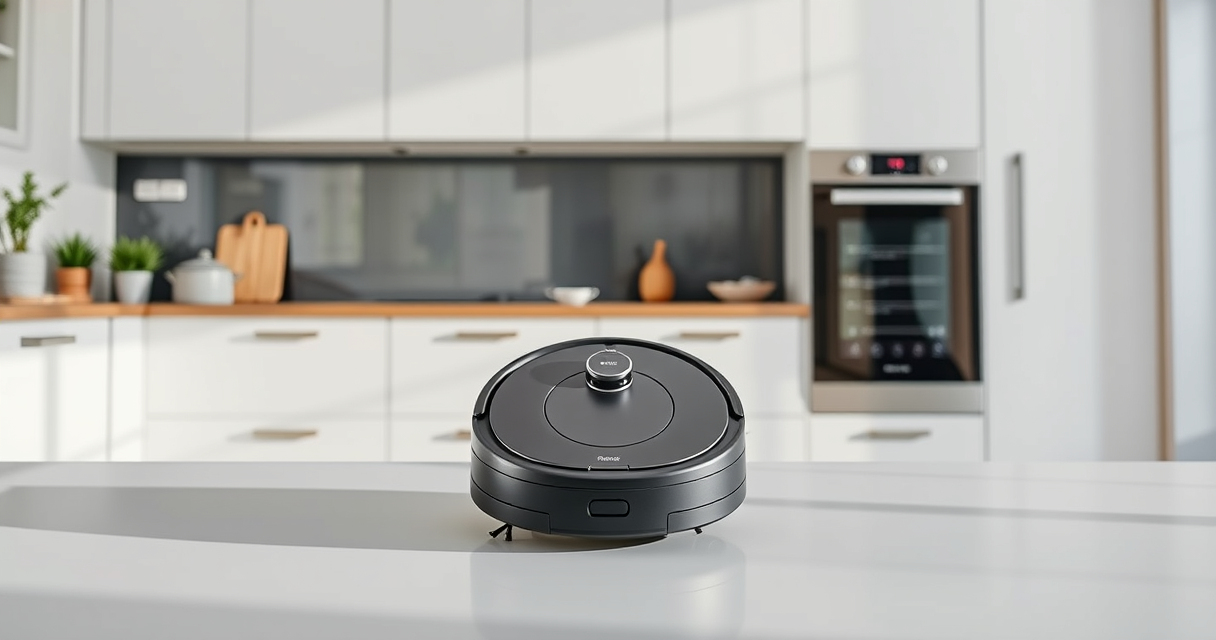
If your Roborock Q7 M5+ robot vacuum keeps getting stuck during cleaning, it can be frustrating and hinder your home’s cleanliness. Fortunately, most issues are fixable with some straightforward troubleshooting. This guide will walk you through the essential steps to identify and resolve common causes of your robot getting stuck, ensuring smoother operation and more efficient cleaning sessions.

Get home appliances delivered free with Prime
- Fast, free delivery on millions of items
- Prime Video, Amazon Music and more included
- Member-only deals all year
Before diving into troubleshooting, make sure your vacuum is up to date with the latest firmware, and check for any physical obstructions or issues with the robot’s sensors or brushes.
Key Takeaways
| Check for obstacles and debris | Ensure the cleaning path is clear of small objects and debris that may trap the vacuum. |
| Inspect and clean sensors and brushes | Dirty sensors or tangled brushes can cause navigation issues. |
| Update firmware and reset the robot | Firmware updates fix bugs, and resetting can resolve software glitches. |
| Adjust cleaning settings or boundaries | Limit the robot’s access to problem areas to prevent getting stuck. |
Step 1: Clear the Path and Remove Obstacles
- Inspect the area where your Roborock gets stuck, looking for cables, small objects, or clutter that could block its path.
- Remove any loose rugs or uneven flooring that might cause the vacuum to lose traction or get caught.
- Check for pet toys, cords, or other items that could entangle or obstruct the robot.
Step 2: Clean Sensors and Brushes
- Use a dry cloth or soft brush to gently wipe the sensors on the front, sides, and bottom of the robot.
- Remove the main brush and side brushes to clear hair, dust, or debris that might impede movement.
- Ensure the wheels are free of hair or dirt that could cause slippage.
Step 3: Update Firmware and Reset the Robot
- Connect your Roborock to the app and check for firmware updates; install any available updates.
- If issues persist, perform a factory reset by following the app instructions or pressing the reset button (refer to your user manual).
Step 4: Adjust Settings and Use Virtual Boundaries
If certain areas cause frequent getting stuck, set virtual boundaries via the app to restrict access. Also, consider lowering the cleaning height or adjusting the cleaning schedule to times when the area is less cluttered.
The Products in This Guide

roborock Q7 M5+ Robot Vacuum and Mop
- ✔ Battery Life: Long-lasting
- ✔ App Compatibility: iOS and Android
- ✔ Dimensions: Compact design

4 Pack Washable Filter
- ✔ Filter Type: HEPA
- ✔ Washable: Yes
- ✔ Compatibility: Multiple models
roborock Q7 M5+ Robot Vacuum and Mop
The Roborock Q7 M5+ offers powerful suction and advanced PreciSense LiDAR navigation, making it a reliable choice for pet owners and busy households. Its self-emptying feature reduces maintenance frequency, and its dual anti-tangle system keeps brushes free of pet hair.
Pros:
- Powerful 10000Pa suction
- Self-emptying dust bag for 7-9 weeks
- Smart LiDAR navigation
- Dual anti-tangle system
Cons:
- Higher price point
- Requires app setup
- Can be overkill for small spaces
Best for: Homes with pets and high-traffic areas
Not ideal for: Small apartments with simple layouts
Bottom line: A high-performance robot vacuum ideal for pet owners needing minimal maintenance.
4 Pack Washable Filter
Replacing or cleaning filters can improve suction and prevent blockages that cause the vacuum to get stuck. The 4 Pack Washable Filters are compatible with various Roborock models, ensuring your vacuum maintains peak performance.
Pros:
- Enhances suction efficiency
- Reusable and washable
- Easy to install
- Compatible with multiple models
Cons:
- Must be cleaned regularly
- Not OEM
- Limited to specific models
Best for: Maintaining optimal filter performance
Not ideal for: If your vacuum is older or has other hardware issues
Bottom line: A cost-effective way to keep your vacuum performing at its best.
Frequently Asked Questions
Why does my Roborock keep getting stuck on certain spots?
It may be due to obstacles, uneven flooring, or dirty sensors. Cleaning sensors and removing obstacles usually helps.
How can I prevent my Roborock from getting stuck in the future?
Set virtual boundaries via the app, remove clutter, and regularly clean the brushes and sensors.
Should I update the firmware regularly?
Yes, firmware updates fix bugs and improve navigation, reducing the chance of getting stuck.
Can I manually move the vacuum if it’s stuck?
Yes, you can gently lift and reposition the robot to free it from tight spots, then restart the cleaning.
Keep Your Roborock Running Smoothly
Regular maintenance and troubleshooting can significantly reduce the chances of your Roborock getting stuck. By following these steps—clearing obstacles, cleaning sensors, updating firmware, and adjusting settings—you can ensure your robot operates efficiently and keeps your home spotless.
Remember, a well-maintained robot not only performs better but also lasts longer, giving you hassle-free cleaning for years to come.
Affiliate disclosure: As an Amazon Associate we earn from qualifying purchases. Prices and availability are accurate as of the time of publishing.
NFL season / tailgating Picks
team gear
As an affiliate, we earn on qualifying purchases.