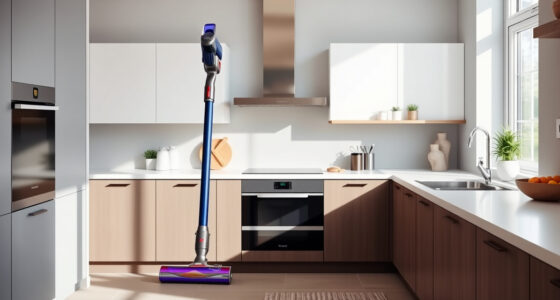
If your Dyson V15 Detect™ Origin Cordless Vacuum isn’t providing strong suction, it could be due to blockages, dirty filters, or other common issues. This guide offers simple, effective steps to restore full power safely.
Follow these instructions carefully to troubleshoot and resolve suction problems, ensuring your vacuum performs at its best for deep cleaning around your home.
Key Takeaways
| Check for blockages | Clear obstructions in the wand and cleaner head. |
| Inspect and replace filters | Dirty filters reduce suction; replace or clean them regularly. |
| Examine the bin and seals | Empty the bin and ensure seals are intact for optimal suction. |
| Test the cleaner head | Ensure the head is free of hair and debris to maintain airflow. |

Dyson V15 Detect™ Origin Cordless Vacuum
- Deep cleaning with intelligent detection: Reveals invisible dust for thorough cleaning
- Enhanced power and runtime: 100% more power, 60-minute battery life
- Energy-efficient power trigger: Uses power only when needed
As an affiliate, we earn on qualifying purchases.
Step 1: Power Off and Unplug
Before starting, turn off your Dyson vacuum and remove the battery if possible. This ensures safety during inspection and maintenance.

LANMU Crevice Tool Vacuum Attachments Compatible with Dyson V15 V12 V11 V10 V9 V8 V7 Gen5 Outsize Vacuum Cleaner, Narrow Nozzel Replacement Parts for Hard-to-Reach Space
- Wide Compatibility: Compatible with various Dyson models
- Slim and Flexible Design: Narrow nozzle for tight spaces
- Versatile Cleaning Uses: Ideal for furniture, car, and appliance
As an affiliate, we earn on qualifying purchases.
Step 2: Check for Blockages
- Detach the wand and cleaner head from the main body.
- Inspect the wand, cleaner head, and hose for any debris or obstructions.
- Remove any hair, dust, or debris gently with your fingers or a tool.
Step 3: Clean or Replace Filters
- Remove the pre-filters and main filters following the user manual instructions.
- Wash the filters with water, then let them air dry completely (at least 24 hours).
- Reinstall the filters once dry, or replace with the 3Pack Pre Filters if they are heavily soiled.
Step 4: Empty the Bin and Check Seals
Empty the dustbin and inspect the rubber seals around the bin and filters. Ensure they are properly seated and free of damage to maintain suction.
Step 5: Test the Vacuum
Reassemble the vacuum, turn it on, and test suction power. If the issue persists, proceed to the next troubleshooting step or consider replacing worn parts.
The Products in This Guide

Dyson V15 Detect™ Origin Cordless Vacuum
- ✔ Weight: 2.4 kg
- ✔ Charge Time: 3.5 hours
- ✔ Warranty: 2 years

LANMU Crevice Tool Vacuum Attachments Compatible
- ✔ Color: Black
- ✔ Attachment Type: Crevice
- ✔ Warranty: 1 year
Dyson V15 Detect™ Origin Cordless Vacuum
The Dyson V15 Detect™ Origin offers advanced features and powerful suction, but occasional maintenance is essential for optimal performance. Regular filter cleaning and checking for blockages can solve most suction issues.
Pros:
- High suction power
- Intelligent debris detection
- Long battery life
- Multiple attachments
Cons:
- Filters require regular cleaning
- Can be heavy for some users
- Filters and parts need replacement over time
Best for: Deep cleaning homes with diverse floor types and stubborn dirt.
Not ideal for: Light or quick cleanups where minimal power is needed.
Bottom line: Regular maintenance ensures your Dyson V15 Detect™ performs at its best.
LANMU Crevice Tool Vacuum Attachments Compatible
The LANMU Crevice Tool offers a flexible, narrow nozzle ideal for reaching tight spaces, corners, and upholstery. It complements your Dyson for thorough cleaning.
Pros:
- Narrow and flexible
- Compatible with multiple Dyson models
- Easy to attach
- Great for cars and corners
Cons:
- Requires additional storage space
- May be too slim for larger debris
- Not a replacement for main cleaning heads
Best for: Detailing tight spots and hard-to-reach areas
Not ideal for: Cleaning large surfaces or heavy debris
Bottom line: A versatile tool for reaching and cleaning tricky spots effectively.
Frequently Asked Questions
Why does my Dyson vacuum lose suction over time?
Common causes include dirty filters, blockages in the wand or hose, or full dustbins. Regular maintenance can prevent this.
How often should I replace the filters?
Filters should be washed every 1-3 months and replaced every 6-12 months depending on usage and condition.
Can I wash the filters?
Yes, most filters are washable. Rinse with water, dry completely for at least 24 hours, then reinstall.
What if cleaning and replacing filters don’t fix the suction?
Check for blockages, seals, and the condition of the brush bar. If issues persist, contact Dyson support or consider professional servicing.
Keep Your Dyson at Peak Performance
Regularly inspecting and maintaining your Dyson V15 Detect™ Origin ensures it continues to deliver powerful, efficient cleaning. Following these troubleshooting steps can resolve most suction issues quickly and safely, helping you maintain a spotless home with ease.
Affiliate disclosure: As an Amazon Associate we earn from qualifying purchases. Prices and availability are accurate as of the time of publishing.