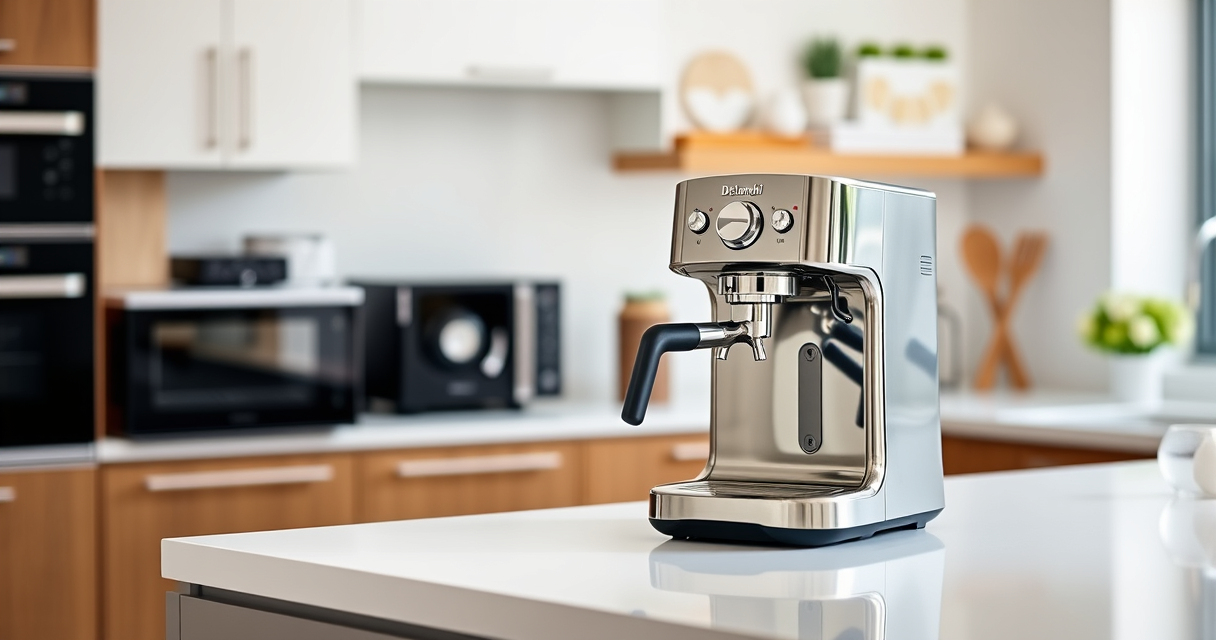
Keeping your De’Longhi Dinamica Plus in top condition ensures delicious coffee and extends the lifespan of your machine. Regular cleaning not only maintains flavor but also prevents issues caused by mineral buildup and residue.

Get home appliances delivered free with Prime
- Fast, free delivery on millions of items
- Prime Video, Amazon Music and more included
- Member-only deals all year
Follow this practical, step-by-step guide to clean your espresso machine safely, with tips to help you avoid common pitfalls.
Key Takeaways
| Regular cleaning is essential | Prevents buildup and maintains coffee quality. |
| Use the auto-clean function | Simplifies maintenance and saves time. |
| Descale periodically | Removes limescale for optimal operation. |
| Replace water filters as needed | Ensures water quality and machine efficiency. |
Preparation Before Cleaning
- Turn off and unplug the machine to ensure safety.
- Remove the water tank and empty any remaining water.
- Gather your cleaning supplies: descaler, water filter (if needed), and a soft cloth.
Running the Auto-Clean Cycle
- Fill the water tank with clean water and add descaler if descaling is due.
- Place a container under the coffee spout and the steam wand.
- Press the auto-clean button on your machine, following the prompts in the display.
- Allow the cycle to complete, then rinse the water tank and repeat with clean water to flush residual descaler.
Cleaning the Brew Group
Remove the brew group according to your machine’s manual. Rinse it with warm water and gently scrub away coffee residues with a soft brush. Dry thoroughly before reinstallation.
Descaling the Machine
- Use a descaling solution like De’Longhi EcoDecalk or EcoDecalk Descaler, following the instructions on the package.
- Run the descaling cycle as per your machine’s manual, ensuring all mineral deposits are dissolved.
- Rinse the machine with fresh water by running the auto-clean cycle twice without descaler.
Final Tips and Maintenance
- Replace the water filter regularly to maintain water quality.
- Wipe the exterior with a soft, damp cloth to keep the machine looking new.
- Perform descaling every 2-3 months or as recommended based on water hardness.
Always refer to your user manual for specific instructions related to your model.
The Products in This Guide
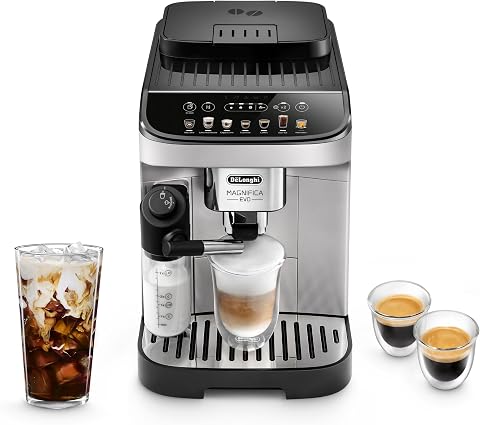
De’Longhi Magnifica Evo Automatic Espresso & Coffee Mach
- ✔ Auto-Clean: Yes
- ✔ Water Filter: Optional
- ✔ Descaling Indicator: Yes

De’Longhi Replacement Water Filter
- ✔ Filter Type: DLSC002
- ✔ Replacement Interval: Every 2-3 months
- ✔ Ease of Use: Very easy
De’Longhi Magnifica Evo Automatic Espresso & Coffee Mach
The De’Longhi Magnifica Evo offers an auto-clean function that simplifies maintenance, making it easier to keep your espresso machine in pristine condition. Its built-in features support thorough cleaning and descaling, ensuring optimal performance.
Pros:
- Auto-clean function simplifies maintenance
- Effective descaling system
- Built-in grinder reduces manual effort
- User-friendly interface
Cons:
- Requires regular filter replacements
- Descaling solution needed periodically
- Auto-clean cycle may take time
Best for: Owners seeking a convenient, low-effort cleaning process
Not ideal for: Those preferring manual cleaning or descaling methods
Bottom line: The De’Longhi Magnifica Evo makes cleaning straightforward, ensuring great coffee with less hassle.
De’Longhi Replacement Water Filter
Using a high-quality water filter like the De’Longhi Replacement Water Filter helps improve water quality, reduces scale buildup, and enhances the taste of your coffee. It’s a simple upgrade that benefits your machine’s longevity.
Pros:
- Improves water quality
- Prevents lime scale
- Easy to install
- Enhances coffee flavor
Cons:
- Requires replacement every few months
- Additional cost
- Compatibility limited to certain models
Best for: Users wanting optimal water quality and machine performance
Not ideal for: If you prefer only manual cleaning without filter replacements
Bottom line: A simple way to keep your water pure and your coffee tasting great.
Frequently Asked Questions
How often should I run the auto-clean cycle?
It’s recommended to run the auto-clean cycle every 2-3 weeks, or more frequently if you use the machine daily, to prevent buildup.
Can I descale my De’Longhi Dinamica Plus myself?
Yes, using a suitable descaler like De’Longhi EcoDecalk or EcoDecalk Descaler, you can perform descaling at home by following the manufacturer’s instructions.
Is it necessary to remove the brew group for cleaning?
Regular removal and rinsing of the brew group help remove coffee residues and maintain proper operation, but consult your manual for specific instructions.
How do I know when to replace the water filter?
Most models have a filter replacement indicator. Typically, filters should be replaced every 2-3 months for optimal water quality.
Keeping Your De’Longhi in Prime Condition
Regular cleaning and descaling are key to enjoying the best-tasting coffee and prolonging your machine’s life. Using auto-clean functions and quality filters simplifies maintenance, making your coffee experience seamless and enjoyable.
Follow these steps consistently, and your De’Longhi Dinamica Plus will continue to deliver excellent coffee for years to come.
Affiliate disclosure: As an Amazon Associate we earn from qualifying purchases. Prices and availability are accurate as of the time of publishing.
Halloween Picks
halloween
As an affiliate, we earn on qualifying purchases.