
TL;DR
Building your own AI workstation used to be cheaper, but recent component shortages and bulk buying have shifted that balance. Now, the choice depends on your need for control, support, and how much you’re willing to spend for convenience and reliability.
Imagine firing up a machine that hums quietly, all tuned for the intense demands of AI training or inference. Now, ask yourself: do you want to piece it together yourself, or have a team do it for you? This choice isn’t just about saving a few bucks anymore — it’s about time, support, and how much control you want over your setup.
In 2026, the old rule that building your own machine always saves money no longer holds. Component shortages and bulk buying by prebuilt vendors have made ready-made systems surprisingly competitive. This article breaks down the real tradeoffs — from cost and performance to support and future upgrades — so you can decide what’s right for your AI projects today.
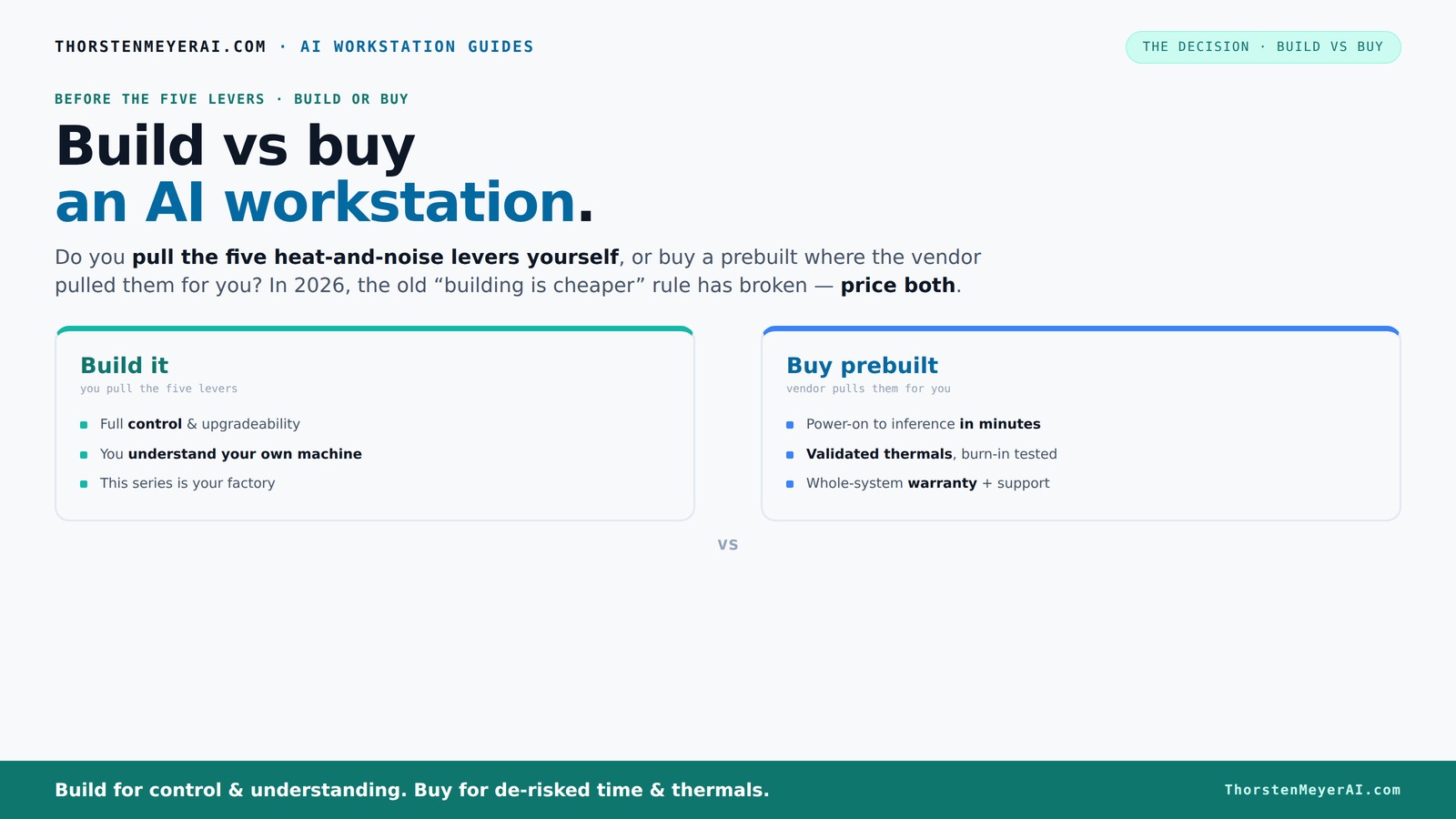
Build vs buy
an AI workstation.
The real question behind this whole series: do you pull the five heat-and-noise levers yourself, or buy a prebuilt where the vendor pulled them for you? And in 2026, the old “building is cheaper” rule has broken. Match your situation in Part 3.
Key Takeaways
- Component shortages in 2026 have made prebuilt systems more price-competitive than ever, challenging the traditional build-versus-buy rule.
- Prebuilts come tuned, validated, and supported, saving you time and reducing the risk of thermal throttling during intensive AI workloads.
- Building offers maximum control, upgradeability, and potential cost savings for hobbyists and those with specific customization needs.
- Support and warranty are often the deciding factors—prebuilt vendors bundle support, while DIY relies on individual component warranties.
- Your workload pattern — training, inference, or fine-tuning — should guide whether you build or buy.
high performance AI workstation prebuilt
As an affiliate, we earn on qualifying purchases.
As an affiliate, we earn on qualifying purchases.
Why the Cost of Building and Buying Has Changed in 2026
Building your own AI workstation used to be cheaper by a clear margin, but not anymore. Recent shortages of high-performance GPUs, DDR5 RAM, and SSDs have pushed component prices sky-high. A DIY rig that once cost around $1,000 now easily hits $1,250 or more, especially if you want a multi-GPU setup.
Meanwhile, large vendors like Lambda and BIZON bought in bulk before prices spiked. They can offer systems at prices that are tough to beat when you add up the parts and assembly costs yourself. So, the old rule — "build is cheaper" — no longer applies across the board. Instead, you need to compare both options for your specific config.
Furthermore, this shift impacts strategic decisions. When component costs rise, the time and expertise needed to assemble and troubleshoot a DIY system become more significant. Conversely, prebuilt vendors often include thermal validation, support, and warranties, which can offset the initial cost difference. The implication? Cost alone no longer determines the best choice; you must consider total value, including support, reliability, and time investment.

CORSAIR XH505i RX 360 RGB Custom Cooling Kit – XC7 CPU Water Block, XD6 Pump Reservoir, 3X RX120 RGB Fans, XR5 360mm Radiator, System Hub Included – White
- Includes Components: CPU block, pump, fans, radiator, hub, tubing
- Hardline Cooling Design: Stunning, customizable hardline loop
- RGB Lighting: Addressable RGB LEDs on all components
As an affiliate, we earn on qualifying purchases.
As an affiliate, we earn on qualifying purchases.
The 5 Levers: Who Sets the Thermal and Noise Controls?
High-power AI workstations generate significant heat and noise, which can impact performance, hardware lifespan, and your working environment. The core issue is: do you or the vendor control these thermal and acoustic factors, and how does that influence your experience?
Buy a prebuilt → the vendor handles thermal management, fan curves, and cooling design, often employing custom water-cooling or sophisticated airflow techniques. This means the system is tested under load to ensure it remains cool and quiet, reducing thermal throttling and hardware stress. For example, vendors like Lambda claim their systems operate with up to 30% lower noise levels and temperatures, which directly translates into more consistent performance and longer hardware lifespan. This level of control and validation is crucial for environments where stability and silence are priorities, such as shared labs or office settings.
Build it yourself → you have the freedom to select quieter GPUs, undervolt components, and choose cases with sound-dampening features. You can tune fan curves and airflow to optimize noise levels, but this requires expertise, time, and ongoing adjustments. For instance, selecting a quiet GPU like the RTX 4090 with custom undervolting and pairing it with a case designed for silent operation can yield a near-silent setup, but only if you understand thermal dynamics and are willing to troubleshoot. The tradeoff is control versus convenience: DIY offers personalized silence but demands skill and effort, while prebuilts provide a tested, balanced approach.
This distinction matters because thermal and noise management directly affect hardware longevity, system stability, and your working environment. Poor thermal design can lead to performance dips or hardware failure, while excessive noise can be distracting or disruptive. Your choice hinges on whether you value hands-on tuning or prefer a system that’s optimized out of the box for quiet, stable operation.

GMKtec AI Mini PC Ryzen Al Max+ 395 (up to 5.1GHz) Mini Gaming Computers
- Powerful Ryzen AI Max+ 395: Up to 5.1GHz with 32 threads
- Advanced AI NPU with XDNA 2: 50+ peak AI TOPS performance
- High-performance AMD Radeon 8090S GPU: Supports FHD gaming and LLMs
As an affiliate, we earn on qualifying purchases.
As an affiliate, we earn on qualifying purchases.
Defining Your Workload and Future Needs
Before choosing whether to build or buy, it’s essential to clearly define your workload and future growth plans. Are you primarily training large models, performing inference, or doing a mix of both? Will your workload evolve to require more GPU power or faster storage?
Understanding these factors helps determine whether a customizable build or a preconfigured system is better suited. For example, if you anticipate upgrading hardware frequently or need specific configurations, building might be more advantageous. Conversely, if your workload is stable and your priority is reliability and support, a prebuilt system could be more appropriate.
This step ensures your decision aligns with your operational needs and long-term goals, preventing costly mismatches and future bottlenecks. The key is to balance current requirements with future scalability, so your investment remains valuable over time.
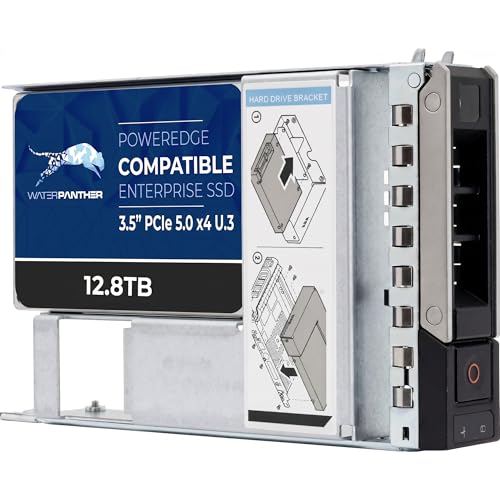
Water Panther 12.8TB 3D TLC PCIe 5.0 x4 NVMe U.3 Hybrid 3.5" SSD for Dell PowerEdge Servers | Mixed-Use | Enterprise Solid State Drive in 16G Tray Compatible with 1VGG0 R760 R6615
- Storage Capacity: 12.8TB high-capacity SSD
- Interface: PCIe 5.0 x4 NVMe
- Data Transfer Speed: Up to 12,000 MB/s read
As an affiliate, we earn on qualifying purchases.
As an affiliate, we earn on qualifying purchases.
Applying the Choice: Real-World Scenarios
Let’s consider some practical scenarios. A research lab with a dedicated IT team might prefer building a custom system for maximum control and upgradeability, investing in high-quality components and custom cooling. On the other hand, a startup that needs rapid deployment and reliable support might opt for a prebuilt system from a trusted vendor, minimizing downtime and technical hassle.
Another example: a hobbyist who enjoys tinkering and has the time to fine-tune thermal settings and upgrade components over time might find building more rewarding and cost-effective. Meanwhile, an enterprise environment prioritizing uptime and support might lean toward prebuilt solutions that come with warranties and dedicated service.
These scenarios illustrate that your specific operational context and priorities should guide your decision, not just the price tag.
Frequently Asked Questions
Is it cheaper to build or buy an AI workstation?
In 2026, component shortages and bulk buying have narrowed the price gap. Building is cheaper only if you have the time, expertise, and patience for assembly and troubleshooting. Otherwise, a prebuilt can be just as cost-effective, especially when factoring in support and thermal validation.How much should I budget for an AI workstation?
A high-end AI workstation with multiple GPUs typically costs between $1,300 and $2,000 in 2026, whether built or bought. Budget for the core hardware, cooling, and support, plus extra for future upgrades or specialized cooling solutions.What GPU and VRAM do I need for large language models?
For training or fine-tuning large models, aim for at least 24–48 GB of VRAM, like an NVIDIA RTX 4090 or A100. Smaller inference tasks can often get by with 12–24 GB. The exact needs depend on model size and batch size.Can I upgrade a prebuilt AI workstation later?
Many prebuilts allow upgrades, but they’re often limited by the motherboard and case design. Building your own makes future upgrades easier and more flexible, especially for adding GPUs or increasing RAM.When does cloud computing make more sense than buying hardware?
Cloud is better for bursty workloads, testing, or when you prefer to avoid upfront costs. Local hardware makes sense for sustained, intensive training or inference where long-term costs favor owning your own machine.Conclusion
In 2026, the choice between building and buying your AI workstation no longer boils down to pure cost. It’s about what matters most: time, support, customization, or future growth. Consider your workload and your patience for tuning — then choose the path that fits best.
Remember, your AI journey is a marathon, not a sprint. Whether you build or buy, focus on creating a machine that keeps up with your ambitions — quiet, cool, and ready for what’s next.