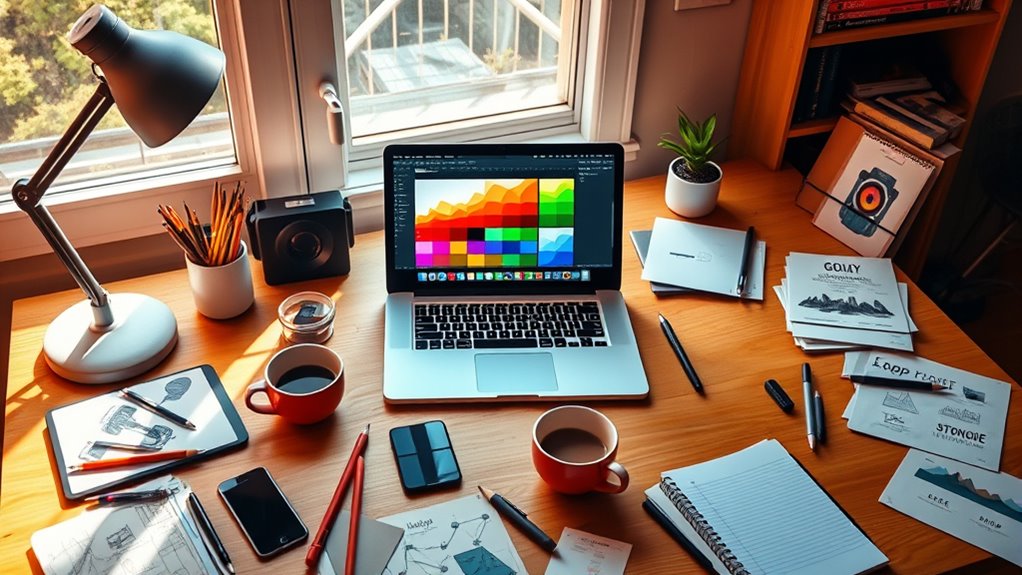

To boost your graphic design projects for free, start with Canva for templates and AI-powered features like Magic Resize. Use GIMP or Pixlr for advanced photo editing, and Inkscape or Vectr for scalable vector graphics. For collaborating on UI and UX designs, try Figma or Lunacy, which enable real-time teamwork. Many tools also offer tutorials and community support to sharpen your skills. Keep exploring to discover more ways to elevate your designs without extra costs.

Get home appliances delivered free with Prime
- Fast, free delivery on millions of items
- Prime Video, Amazon Music and more included
- Member-only deals all year
Key Takeaways
- Utilize Canva’s free templates, stock images, and AI features like Magic Resize to streamline design creation.
- Access open-source tools like GIMP for advanced photo editing and complex graphic enhancements.
- Create scalable vector graphics with free programs such as Inkscape and Vectr for logos and icons.
- Collaborate in real-time using free platforms like Figma and Lunacy for UI/UX projects.
- Leverage AI-powered tools like VistaCreate’s AI Image Generator and Adobe Express to quickly produce unique visuals.
Are you looking to plunge into graphic design without spending a dime? Luckily, there are plenty of free tools that can help you craft professional-looking projects without breaking the bank. Whether you’re a beginner or an experienced designer, these resources cover everything from image editing to creating vector graphics and collaborating with others.
Discover free tools to jumpstart your graphic design journey—perfect for beginners and pros alike.
For starters, Canva is a fantastic option. It offers a wide array of free templates and stock images, making it easy to design social media posts, flyers, or presentations quickly. Its intuitive drag-and-drop interface simplifies the process, and AI features like Magic Resize help adapt your designs to various formats effortlessly.
GIMP is another powerful free tool, especially if you’re familiar with photo editing. As an open-source alternative to Photoshop, it provides advanced features for retouching images, creating composites, or working on complex projects.
Inkscape specializes in vector graphics, similar to Adobe Illustrator, allowing you to craft logos, icons, or detailed illustrations. Its robust set of tools makes it a favorite for creating scalable graphics that look sharp at any size.
If you’re working on web or product design, Figma stands out with its collaborative features. You can work with team members in real-time, share prototypes, and gather feedback seamlessly.
Lunacy offers similar capabilities but with a web-based interface, making it accessible from anywhere. Sketch is also popular for UI and UX design, providing a streamlined environment for creating user interfaces and interactive prototypes.
For vector-based UI elements, Inkscape and Vectr are excellent free options—VECTR being entirely web-based, which makes collaboration easier.
AI-driven tools are increasingly part of free design resources. Canva, for example, integrates AI features like Magic Animate and Magic Resize to speed up your workflow.
VistaCreate includes an AI Image Generator, helping you produce unique visuals with minimal effort. Adobe Express leverages AI to simplify the design process, especially for quick projects.
These tools make it easier to customize and generate creative content even if you’re new to design.
If you’re just starting out, many platforms provide extensive tutorials and resources. Canva and Piktochart, for instance, offer guides on creating effective graphics and infographics.
GIMP has a large community and extensive tutorials to help you learn new techniques. For photo editing, Pixlr and PhotoDirector combine powerful features with user-friendly interfaces, letting you enhance images and craft visuals that stand out.
Additionally, understanding the importance of natural environments can inspire your design themes and color choices, connecting your work to broader ecological concepts.
Finally, collaboration is key in many projects. Figma, Lunacy, and Vectr support real-time teamwork, enabling you to share your work, gather input, and refine designs collectively.
These free tools empower you to develop your skills and produce high-quality graphics without any financial investment.
As an affiliate, we earn on qualifying purchases.
Frequently Asked Questions
Are Free Graphic Design Tools Suitable for Professional Projects?
Free graphic design tools can be suitable for professional projects if your needs are basic and budget is tight. You’ll find easy-to-use interfaces, plenty of templates, and collaboration features that help streamline your workflow.
However, for complex, high-quality, or large-scale campaigns, you might face limitations like fewer customization options, export restrictions, or lack of advanced tools.
Assess your project scope to determine if free tools meet your professional standards.
Can Free Tools Replace Paid Graphic Design Software Entirely?
They say “you get what you pay for,” but in some cases, free tools can suffice. While they can’t fully replace paid software for high-end professional projects, they’re great for learning, quick edits, and small tasks.
You might find that they meet your needs without the hefty price tag, especially if you’re just starting out or working on personal projects. Just remember, quality often comes with a cost.
Do Free Graphic Design Tools Support Collaboration Features?
You’re wondering if free graphic design tools support collaboration features. Many do, like Canva and Figma, offering real-time commenting, live editing, and version history.
These tools enable seamless teamwork, making it easier to gather feedback and update designs quickly. While some limited options exist, most free platforms provide essential collaboration functions.
Just keep in mind that more advanced features might require paid plans, but basic teamwork is definitely possible without extra costs.
Are There Any Limitations When Using Free Graphic Design Tools?
Ever wonder if free graphic design tools have their limits? Well, they do. You might find yourself paying for essential features like high-res exports or transparent backgrounds. Watermarks could spoil your final product unless you upgrade.
The templates may restrict your originality, and advanced editing options are often unavailable. Plus, collaboration features are usually missing, and performance can be buggy.
How Secure Are Free Graphic Design Tools Regarding Data Privacy?
You might wonder how secure free graphic design tools are for your data privacy. Generally, they keep your content private by default and require explicit sharing. Many use encryption, like AES256, to protect storage and secure data in transit.
Certifications such as SOC2 and ISO 27001 demonstrate strong security standards. However, be cautious of public URL sharing and limited control over data once published, as these can pose privacy risks.
As an affiliate, we earn on qualifying purchases.
Conclusion
Just like Picasso found inspiration in every stroke, you have a treasure trove of free tools at your fingertips to elevate your graphic design projects. With these resources, you can turn ideas into masterpieces without breaking the bank. Embrace the creative spirit and let these tools be your brush and canvas. Remember, every great artist started somewhere—today’s your turn to craft something extraordinary. Immerse yourself and make your design journey unforgettable.
photo editing software open source
As an affiliate, we earn on qualifying purchases.
As an affiliate, we earn on qualifying purchases.
As an affiliate, we earn on qualifying purchases.
NFL season / tailgating Picks
team gear
As an affiliate, we earn on qualifying purchases.