TL;DR

Get home appliances delivered free with Prime
- Fast, free delivery on millions of items
- Prime Video, Amazon Music and more included
- Member-only deals all year
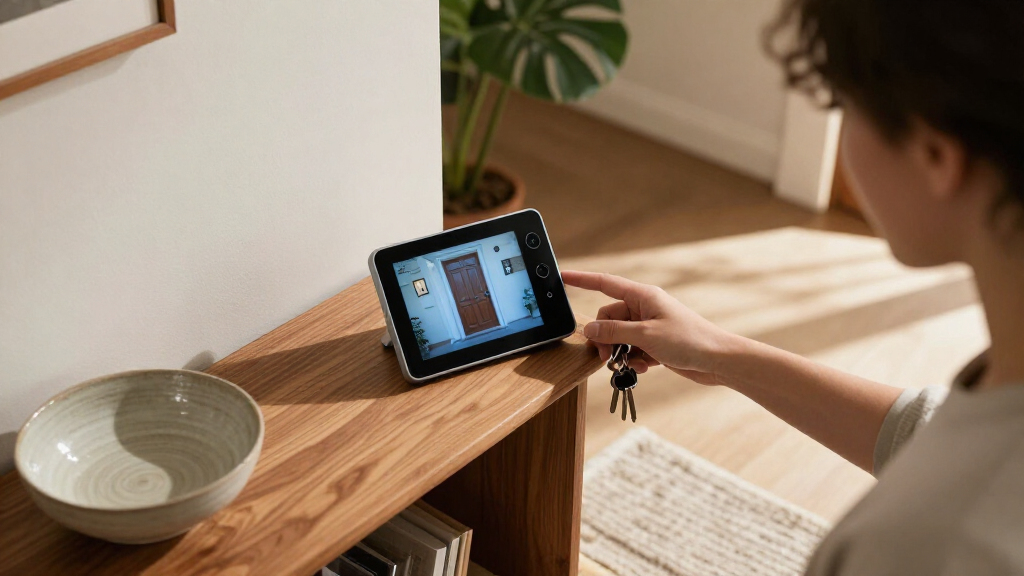
Strings found in HomeView Software 27.2 suggest Apple’s forthcoming smart home display could use its built-in camera as a HomeKit Secure Video camera. The discovery describes motion detection, live streaming, recording modes and privacy alerts, but Apple has not confirmed the feature or explained how it will work in practice.
Software strings for Apple’s forthcoming HomeView smart home display suggest its built-in camera could also work as a HomeKit Secure Video camera, with options for motion detection, live viewing and recording. The strings, found in HomeView Software 27.2 and reported by HomeKit News and Reviews after a Reddit user’s discovery, point to a possible new use for the device’s camera; Apple has not confirmed the feature or its availability.
The reported Settings strings describe an option to enable HomeKit Secure Video on HomeView. Setup text says, “Your HomeView can be used as a security camera with HomeKit Secure Video.” The same strings outline four modes: turning security functions off, detecting motion without streaming, allowing live viewing without recording, or enabling both streaming and recording.
Settings also refer to three household conditions: When Home, When Away and When Asleep. Apple Home already supports different camera recording behavior based on whether household members are home or away, according to the report. The additional sleep condition appears in the software references, but they do not explain how the device would determine that people are asleep.
The report says HomeView would have a 12-megapixel Center Stage camera for FaceTime and facial recognition. It also describes privacy signals: a green indicator when someone accesses a live stream or recording begins, an accompanying sound, and notifications when household members change security-camera settings. The strings call the change-notification feature “No Silent Changes.”
A Display That Could Monitor the Home
If implemented, the feature could make HomeView serve both as a household interface and as a camera for indoor monitoring, reducing the need for a separate camera in some rooms. That combination may appeal to people already using Apple’s smart home system, but it would put a camera in spaces where household members regularly gather.
The reported indicators and alerts address part of the privacy concern by making some camera activity visible and audible. They do not, on their own, settle questions about consent, access and control among everyone in a home. A device owner may configure the camera while partners, children, visitors or other occupants are within its view. How those people can manage or object to recording has not been established by the discovered strings.
Products Worth Considering

Ring Alarm 8-Piece Kit (2nd Gen) Home Security System

LG 85-Inch QNED84B Mini LED 4K Smart TV (2026)

Blueair Blue Pure 511i Max Smart Air Purifier
As an affiliate, we earn on qualifying purchases.
From FaceTime Camera to Security Mode
HomeView has been described as a forthcoming Apple smart home display with a camera intended for FaceTime calls and facial recognition. The new information comes from software references, rather than a product announcement or demonstration. HomeKit News and Reviews said the strings were found in the Settings app bundles for HomeView Software 27.2; the discovery was first reported by Reddit user u/pdfu.
The report also points to settings in Apple’s Home app for features such as facial recognition and Activity Zones. Location information from household members’ Apple devices can be used to determine whether someone is home or whether everyone is away, the report says. It is not clear whether HomeView would use that same approach for every household condition described in the strings.
Separate references linked to HomeView’s internal identifier, J490, suggest the Home app might sometimes capture still images to refresh a camera preview when a household member opens the app. The reported strings indicate a green light would appear during this activity. A refreshed preview is distinct from an explicitly opened live stream, though the practical difference may not be obvious to people in the room.
“Your HomeView can be used as a security camera with HomeKit Secure Video.”
— HomeView setup text quoted in the reported software strings
Key Privacy and Setup Questions
Apple has not publicly confirmed that HomeView will support HomeKit Secure Video, and software strings can describe features that change or do not reach a released product. The report does not establish a release date, price, supported recording plans or the final set of camera controls.
Important operating details remain unknown. The strings do not explain how the device would recognize the When Asleep state, how household members would set or change that status, or whether every member has equal rights to view footage and alter settings. The report says only home members can access streams and recordings, but does not show how existing Apple Home permissions would apply to this device.
It is also unclear how noticeable the green indicator and audible signal would be in different rooms, or whether occupants could disable or cover the camera while keeping other HomeView features available. The reported restriction says streaming and recording while people are home can be enabled only on HomeView itself, but the feature’s exact behavior has not been demonstrated. Whether preview stills are captured in routine use, and under what conditions, also remains uncertain.
Watch for Apple’s Product Details
The next firm milestone would be an Apple announcement or a public software release that confirms which camera functions HomeView supports. Until then, the reported strings provide clues about possible settings, not a definitive product specification. Readers should treat the four modes, sleep condition and privacy controls as reported, unconfirmed features.
If Apple does confirm the camera mode, product documentation and hands-on testing will be needed to clarify how recording schedules work, what triggers indicators and sounds, how permissions are assigned, and whether preview images are captured when another household member opens the Home app. Those details will help show whether the safeguards offer practical control to everyone in a home, not only the person who configures the display.
Key Questions
Has Apple confirmed that HomeView will work as a security camera?
No. The feature is suggested by software strings reported in HomeView Software 27.2. Apple has not confirmed that it will be available in a released product.
What camera functions do the strings describe?
The reported settings refer to motion detection, live viewing and recording, with modes that allow users to turn security functions off or limit which functions are active.
What privacy signals are described?
The strings describe a green indicator and an audible sound when a live stream is accessed or recording starts, plus notifications when household members change camera settings. The final behavior has not been demonstrated.
How would HomeView know when people are asleep?
The strings list a When Asleep condition, but the report does not explain how HomeView would determine that household members are asleep or how the setting could be managed.
Could HomeView capture a preview image without a live stream being opened?
References in the Home app reportedly suggest that HomeView may capture still images to refresh a camera preview when someone opens the app. The strings indicate a green indicator would appear, but the behavior and circumstances remain unconfirmed.
Source: homekitnews.com