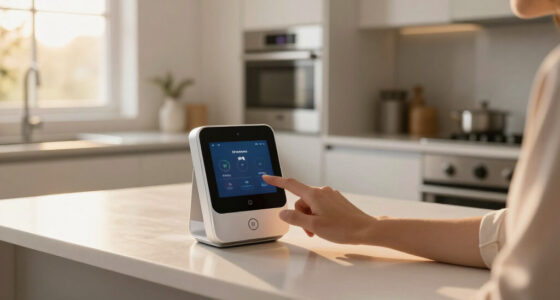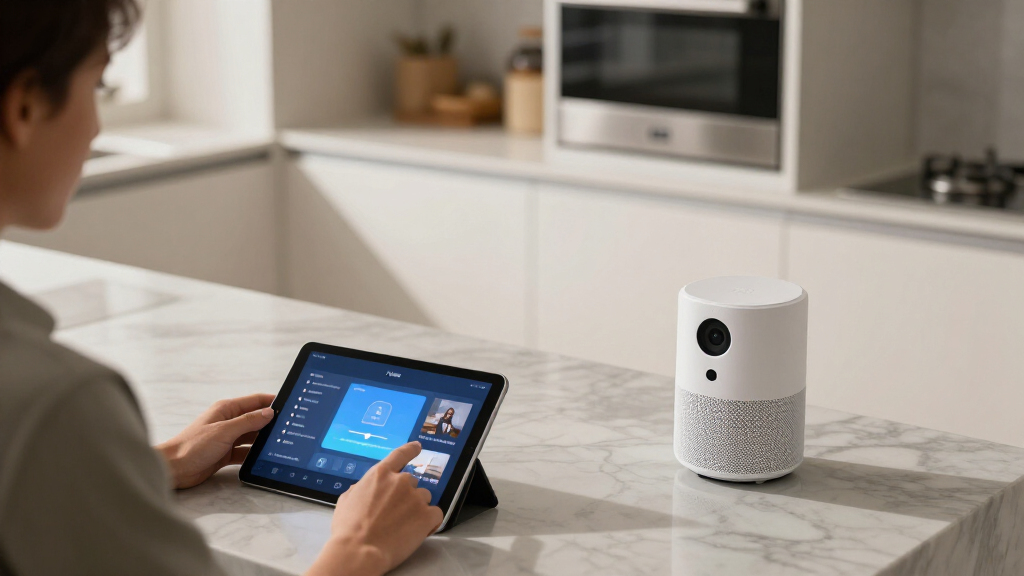

Smart home learning devices range from simple hubs that teach remote control and voice commands to coding kits that let learners build connected projects. I rank the Amazon Echo Show 5 as the best overall starting point for learning through everyday smart-home interaction, while the Echo Hub Starter Kit stands out for hands-on control of lights and plugs, and the KEYESTUDIO ESP32 kit suits learners ready to write code. The main tradeoff is ease versus depth: ready-made devices are quicker to set up, while maker kits offer more learning but require patience and troubleshooting. Compatibility, age, and whether you want to use or build smart-home systems all affect the right choice. Read on for the full breakdown and guidance by learner type.

Get home appliances delivered free — and shop member deals
- Fast, free delivery on millions of items
- Access to Prime Big Deal Days deals on October 6–7
- Prime Video, Amazon Music and more included
Complete the kit


Key Takeaways
- The Echo Show 5 is the easiest bridge from daily use to learning: its screen and voice interface make smart-home controls more visible than a hub that works mostly behind the scenes.
- The Echo Hub Starter Kit teaches through a working setup: it pairs a control panel with a plug and bulbs, but its value depends on whether the included devices fit your home and ecosystem.
- BroadLink’s two hubs teach a narrower lesson: the RM4 Pro adds RF control alongside IR, while the RM Mini 3 focuses on IR devices such as many TVs and air conditioners.
- The KEYESTUDIO and ESP32 STEM kits offer the most active learning: they prioritize programming and project building over the convenience of controlling a ready-made home.
- Choose by the skill you want to learn: everyday automation favors Echo and amazon.com/dp/B083LBMX64?tag=americaopinions-20&ascsubtag=dc-512259″ target=”_blank” rel=”nofollow sponsored noopener”>BroadLink products; coding, electronics, and experimentation point toward the ESP32 kits.
| BroadLink RM4 Pro IR and RF Universal Remote Control Hub |  | Best for Mixed IR and RF Control | Control types: Infrared and 433 MHz radio frequency | Supported devices: Up to 255 | IR frequency: 38 kHz | VIEW LATEST PRICE | See Our Full Breakdown |
| Amazon Echo Show 5 (Newest Model), Smart Display, Alexa+, Cloud Blue |  | Best for Visual Smart-Home Learning | Display: 5.5 inches | Camera: 2 MP | Audio: Bass listed as 2× compared with the previous model | VIEW LATEST PRICE | See Our Full Breakdown |
| Smart Home Starter Kit with Echo Hub, Amazon Smart Plug, and 4 Amazon Basics Smart Bulbs |  | Best Ready-to-Explore Starter Bundle | Included components: Echo Hub, Amazon Smart Plug, and four Amazon Basics Smart Bulbs | Compatibility: Alexa-compatible devices | Core features: Easy setup, routines, and home-security integration | VIEW LATEST PRICE | See Our Full Breakdown |
| Broadlink RM Mini 3 2.4G Wi-Fi IR Smart Hub Learning Remote for TV |  | Best Compact IR Learning Hub | IR device support: More than 50,000 device types | IR frequency: 38 kHz | Wi-Fi: 2.4 GHz only | VIEW LATEST PRICE | See Our Full Breakdown |
| KEYESTUDIO IoT ESP32 Smart Home Starter Kit for Arduino and Python |  | Best for Hands-On Coding and Electronics | Development board: ESP32 | Project count: 13 progressive projects | Supported programming: Arduino C++ and MicroPython | VIEW LATEST PRICE | See Our Full Breakdown |
| ESP32 IoT STEM Kit for Arduino and Acecode – Smart Home Learner Kit for Kids and Teens |  | Best for Hands-On IoT Learning | Brand: ACEBOTT | Model number: QE007 | Controller: ESP32 microcontroller | VIEW LATEST PRICE | See Our Full Breakdown |
More Details on Our Top Picks
BroadLink RM4 Pro IR and RF Universal Remote Control Hub
The RM4 Pro is the most flexible choice here for learning how everyday home devices can work together: its app can learn commands, build scenes, and control both infrared and 433 MHz RF equipment. That gives it broader reach than the Broadlink RM Mini 3, which handles IR only, especially for households with compatible RF devices. Voice control through Alexa or Google Home adds a hands-free layer, while optional temperature and humidity sensors can extend the setup into room monitoring. The tradeoff is that this is a control hub, not a hands-on coding kit like the KEYESTUDIO ESP32 Smart Home Starter Kit; it teaches configuration and automation rather than programming. It also needs 2.4 GHz Wi-Fi, does not support Bluetooth, and the sensors cost extra.
Pros:- Controls compatible IR and 433 MHz RF devices from one hub
- App supports command learning and custom scenes
- Works with Alexa and Google Home voice control
- Optional temperature and humidity sensors add room-monitoring possibilities
Cons:- Does not support Bluetooth devices
- Requires 2.4 GHz Wi-Fi rather than 5 GHz
- Temperature and humidity sensors are sold separately
Best for: Households with compatible IR and 433 MHz RF appliances that want to learn app-based scenes and voice-controlled automation
Not ideal for: Learners who want to write code, control Bluetooth devices, or avoid relying on a 2.4 GHz Wi-Fi network
- Control types:Infrared and 433 MHz radio frequency
- Supported devices:Up to 255
- IR frequency:38 kHz
- Maximum range:26.2 feet
- Connectivity:Wi-Fi, RF, and IR
- Voice control:Alexa and Google Home
- Dimensions:3.35 × 3.35 × 1.22 inches
- Weight:0.15 kg
Our verdict“Choose the RM4 Pro to explore app-based smart-home control across compatible IR and RF appliances, not to learn electronics programming.”
Amazon Echo Show 5 (Newest Model), Smart Display, Alexa+, Cloud Blue
The Echo Show 5 makes smart-home learning more visible than the BroadLink hubs: its 5.5-inch display puts device controls, routines, weather, and calls in one place, so a learner can see and manage an Alexa-based setup without relying only on a phone. Its camera and photo-display functions also give it a role beyond appliance control, while the stated sound improvements help with spoken updates and video. Compared with the Smart Home Starter Kit with Echo Hub, this is a compact display rather than a bundle of a hub, plug, and bulbs, so it is less of a ready-made set of devices to experiment with. The small screen limits viewing, and the 2 MP camera is basic for video calls. Its privacy controls include a mic/camera-off button and camera shutter, though the supplied data also lists no built-in camera cover.
Pros:- Screen makes Alexa smart-home controls and information visible at a glance
- Compact 5.5-inch display can also show photos and support video calls
- Improved bass and clearer vocals support spoken updates and media
- Includes a mic/camera-off button and built-in camera shutter
Cons:- Small display is limiting for extended video viewing or detailed controls
- 2 MP camera offers modest image detail for video calls
- Does not provide the bundled bulbs and plug included with the Echo Hub starter kit
Best for: Alexa households that want a small shared screen for routines, smart-device controls, calls, and at-a-glance information
Not ideal for: Buyers seeking a large-screen learning interface, a coding project, or a starter bundle with smart bulbs and a plug
- Display:5.5 inches
- Camera:2 MP
- Audio:Bass listed as 2× compared with the previous model
- Privacy features:Mic/camera-off button, built-in camera shutter, and end-to-end encrypted Ring video
- Color:Cloud Blue
- Materials:Recycled polyester yarn and recycled aluminum
- Packaging:Recyclable
Our verdict“Pick the Echo Show 5 if a compact visual Alexa interface matters more than a programming kit or a bundle of starter devices.”
Smart Home Starter Kit with Echo Hub, Amazon Smart Plug, and 4 Amazon Basics Smart Bulbs
This kit is the most immediately practical way to explore Alexa routines with real devices: it combines an Echo Hub, a smart plug, and four smart bulbs, giving buyers multiple endpoints for testing schedules, grouped controls, and lighting-based security routines. Compared with the Echo Show 5, the bundle puts more emphasis on adding controllable devices than on a compact screen for calls and media. It is also less hands-on than the KEYESTUDIO ESP32 Smart Home Starter Kit, since learning centers on configuring Alexa rather than wiring sensors and writing code. That makes it approachable for a household that wants to learn through setup and routine-building, but less useful for programming lessons. The listed compatibility is Alexa-focused, and details about hub connectivity are limited; some security functions also depend on adding compatible devices.
Pros:- Includes an Echo Hub, smart plug, and four smart bulbs for immediate routine experiments
- Supports custom Alexa routines across multiple included devices
- Lighting can be incorporated into compatible home-security setups
- Guided setup is designed to make initial configuration approachable
Cons:- Full functionality depends on compatible Alexa devices and services
- Hub connectivity options are not detailed in the supplied specifications
- Some security functions require additional compatible devices
Best for: Alexa beginners and families who want a hub, plug, and bulbs to practice routines and connected-light controls at home
Not ideal for: Learners who want Arduino or Python projects, broad non-Alexa support, or a kit with detailed connectivity specifications
- Included components:Echo Hub, Amazon Smart Plug, and four Amazon Basics Smart Bulbs
- Compatibility:Alexa-compatible devices
- Core features:Easy setup, routines, and home-security integration
- Lighting included:Four Amazon Basics Smart Bulbs
- Plug included:Amazon Smart Plug
- Control hub included:Echo Hub
Our verdict“Choose this bundle to learn Alexa routines by controlling included bulbs and a plug, rather than by building or coding hardware.”
Broadlink RM Mini 3 2.4G Wi-Fi IR Smart Hub Learning Remote for TV
The RM Mini 3 is a focused, compact introduction to smart-home control: it brings compatible infrared devices such as TVs, air conditioners, and set-top boxes into an app with scheduling, scenes, and voice-assistant support. Its IR-only design keeps the job simpler than the RM4 Pro, but that same limit rules out the Pro’s 433 MHz RF control. For someone learning how to automate a TV or other line-of-sight appliance, this narrower scope may be enough without adding capabilities they do not need. It is not as visual as the Echo Show 5, which presents Alexa controls on a screen, and it cannot teach electronics coding like the KEYESTUDIO ESP32 Smart Home Starter Kit. IR also needs a usable signal path, and the hub requires 2.4 GHz Wi-Fi and a 5V 1A adapter.
Pros:- Supports more than 50,000 IR-controlled device types
- App enables scheduling and scene customization
- Compatible with Alexa and Google Home voice control
- Focused IR functionality offers a simpler starting point than the RM4 Pro
Cons:- Controls IR devices only and lacks the RM4 Pro’s 433 MHz RF support
- IR signals can be blocked by obstacles or poor placement
- Requires 2.4 GHz Wi-Fi and a 5V 1A power adapter
Best for: Buyers who want to learn app scheduling and voice control with IR appliances such as a TV or air conditioner
Not ideal for: Homes with RF-only devices, blocked IR signal paths, or Wi-Fi networks without 2.4 GHz support
- IR device support:More than 50,000 device types
- IR frequency:38 kHz
- Wi-Fi:2.4 GHz only
- Power adapter:5V 1A
- Voice assistant compatibility:Alexa and Google Home
- Warranty:1 year
Our verdict“Pick the RM Mini 3 for straightforward app and voice automation of compatible IR appliances, provided its line-of-sight limits fit your room.”
KEYESTUDIO IoT ESP32 Smart Home Starter Kit for Arduino and Python
The KEYESTUDIO ESP32 Smart Home Starter Kit is the strongest choice for learning how smart-home hardware is built, rather than simply operated. Its 13 progressive projects combine an ESP32 board with sensors and modules, while tutorials support both Arduino C++ and MicroPython. Components such as a PIR motion sensor, gas sensor, RFID module, display, and servo give learners concrete ways to connect inputs and outputs in Wi-Fi-controlled projects. That is a more technical path than the Smart Home Starter Kit with Echo Hub, which teaches routines through ready-made devices, and it requires more patience than either BroadLink hub. The kit arrives unassembled, batteries are not included, and complete beginners may need time with wiring diagrams before projects feel approachable. It suits guided learning better than plug-and-play household automation.
Pros:- Offers 13 progressive smart-home project activities
- Supports Arduino C++ and MicroPython programming
- Includes varied sensors and modules for experimenting with inputs and outputs
- Tutorials and wiring diagrams provide a learning path for project assembly
Cons:- Unassembled components can challenge learners with no wiring experience
- Batteries are not included
- Listed warranty is only one month
Best for: Teens, adult beginners, educators, and hobbyists who want to learn smart-home coding through sensor-based projects
Not ideal for: Buyers who want a working smart-home setup immediately, dislike wiring and assembly, or need a longer warranty
- Development board:ESP32
- Project count:13 progressive projects
- Supported programming:Arduino C++ and MicroPython
- Included boards:ESP32 development board and expansion board
- Included sensors and modules:DHT11, PIR, gas sensor, RFID, RGB, servo motors, fan, and LCD
- Other included parts:Wooden house parts and cables
- Age range:Adult and teen
- Warranty:1 month
Our verdict“Choose this kit for structured coding and electronics practice, not for the quickest route to controlling household appliances.”
ESP32 IoT STEM Kit for Arduino and Acecode – Smart Home Learner Kit for Kids and Teens
I’d choose the ACEBOTT QE007 for learners who want to build smart-home concepts themselves, rather than control ready-made devices. Its ESP32 board, multiple sensors, and 12 guided projects turn coding and electronics into practical experiments, with app and voice control introducing how connected devices respond to commands. Compared with the KEYESTUDIO IoT ESP32 Smart Home Starter Kit, this kit is framed around a guided project sequence and creative building, including plywood that can be painted. That makes it appealing for a young maker who benefits from a defined path. The tradeoff is that it is not a plug-and-play home controller: learners need a computer, six AA batteries, and time for assembly and programming. I’d pick an Echo Show 5 for a ready-to-use smart-home interface, but this kit offers more direct learning about how connected systems are built.
Pros:- ESP32 board and multiple sensors support hands-on IoT and electronics projects.
- Twelve projects and tutorials give beginners a structured way to learn.
- App and voice control connect coding exercises to smart-home interactions.
- Plywood construction can be painted, adding a creative building activity.
Cons:- A computer and six AA batteries are required, and the batteries are not included.
- Assembly and programming may need adult guidance for beginners.
- Its learning focus is less suitable for shoppers who want immediate control of household devices.
Best for: Kids and teens around age 12 or older who have access to a computer and want guided practice with sensors, coding, and app- or voice-controlled projects.
Not ideal for: Families seeking a ready-to-use smart-home controller, or younger children who need an adult to handle assembly and programming.
- Brand:ACEBOTT
- Model number:QE007
- Controller:ESP32 microcontroller
- Project count:12 projects
- Learning topics:IoT, coding, and electronics
- Recommended age:12+
- Material:Environmentally friendly plywood
- Power requirements:6 AA batteries, not included
Our verdict“Choose this kit for a young maker ready to learn how smart-home devices work by building projects, not for a household seeking a plug-and-play hub.”
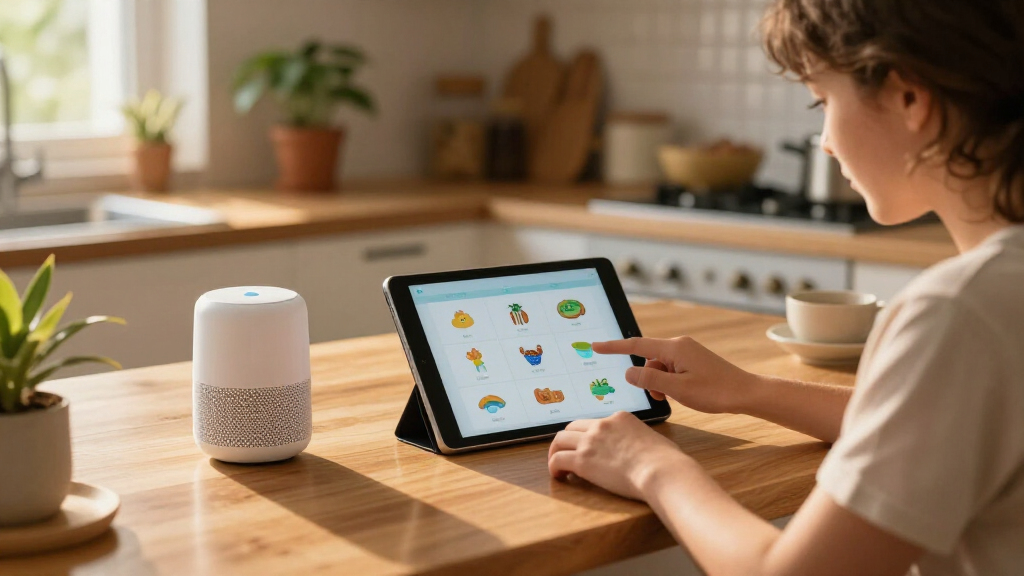
How We Picked
I ranked these devices by how clearly they support a learning goal, not by how many smart-home features they claim. I weighed setup demands, the visibility of cause and effect, practical usefulness after initial learning, the room to progress, and how well each product fits its intended learner. For a home-use beginner, a screen or a working collection of connected devices can make the system easier to grasp; for a maker, programmable hardware offers greater control but expects more effort.
The order reflects those differences. The Echo Show 5 leads as an accessible everyday learning device, followed by the Echo Hub Starter Kit for a more hands-on household setup. BroadLink’s RM4 Pro ranks ahead of the RM Mini 3 because IR and RF support can cover a wider set of devices, while the Mini’s simpler IR focus may be enough for basic remote learning. The two ESP32 kits come later for general home users because they demand more setup, but they are stronger choices when coding and building are the main goals.
Factors to Consider When Choosing Smart Home Learning Devices
Before choosing a device, decide what “learning” should look like in your home: operating connected products, understanding automation, or building and coding a system. That choice affects what counts as easy, what skills the learner gains, and whether the device remains useful after the first project.
Choose Between Using a Smart Home and Building One
A ready-made hub teaches how devices connect to a control system, while a maker kit exposes more of the logic and code underneath. Neither approach is automatically better; the right one depends on whether the learner wants to operate a home or create new behaviors. A common mistake is buying a coding kit for someone who mainly wants simple voice or app control. The reverse mistake is expecting a consumer hub to teach programming concepts in detail. If the learning goal is still uncertain, begin with a device that provides visible controls and can support small, useful experiments.
Check Device Compatibility Before You Buy
Smart-home products do not all control the same equipment, and compatibility can depend on the device type, control method, network, and ecosystem. IR is commonly used by televisions and some appliances, while RF support can matter for certain remotes and equipment; neither label guarantees that every device will work. Check the products you already own and the control methods they use before choosing a universal hub. For a starter bundle, confirm that the included bulbs and plug suit the intended room and setup. This step can prevent a promising learning project from turning into a compatibility puzzle.
Match the Setup to the Learner’s Patience and Skills
Voice assistants and smart displays tend to offer a gentler first step because learners can explore controls without assembling a circuit or writing code. ESP32 kits usually ask for more time, careful instructions, and willingness to troubleshoot. For children and teens, adult help may be useful for setup, wiring, and interpreting errors; age labels alone do not describe how independently a learner can work. Avoid choosing the most technical kit simply because it appears to offer more learning. A project that can be completed and understood is often a better start than a broad kit that remains unused.
Think About What Happens After the First Project
Some devices are most valuable as everyday home controls, while others are strongest as a platform for repeated experiments. Ask whether the learner will keep using the product after completing an initial setup, and whether the learning path can grow from basic commands to more involved automation. A display may remain useful to the household even when learning pauses; a maker kit may offer more room to experiment but rely on continued interest. Look at the likely next step before buying, such as adding another device, changing a routine, or adapting code. This helps separate lasting utility from a one-project purchase.
Consider Privacy, Accounts, and Network Dependence
Connected devices can require accounts, app access, internet service, or ongoing cloud features, while some maker projects may work differently depending on how they are configured. Before setup, check what data a voice assistant or display may collect and review available privacy controls with the household. Also ask whether the learning activity still works if the internet is unavailable or an account is not accessible. Network requirements can affect where a device belongs and how reliably a learner can practice. These details matter especially when a child will use the system or when the device will be installed in a shared room.
Pay for the Learning Goal, Not the Longest Feature List
A bundled kit can make a first smart-home setup easier, but included accessories only add value when the learner will use them. A broader remote hub may be worth choosing over a simpler one when RF support solves a real control need; otherwise, extra capability may not change the learning experience. Similarly, a coding kit makes sense when programming is part of the goal, not just because it contains more components. Compare the work required to get started with the skills and practical outcomes you want. The best fit is the product whose capabilities the learner can actually put to use.
Frequently Asked Questions
Should I choose a smart display or an ESP32 kit for a first smart-home lesson?
Choose a smart display if the learner wants to see and control connected devices with minimal technical setup. It can make commands and device status easier to understand, but it will not offer the same hands-on coding practice as a development kit. Pick an ESP32 kit when the main goal is to write code, connect components, and learn through building. If the learner is unsure, a guided everyday setup may help establish interest before moving to programmable projects. The best starting point is the one that fits the learner’s current goal, not the one with the most advanced label.
Will a BroadLink hub control every remote-controlled device in my home?
No single control method covers every device, so check the equipment you want to operate before buying. The RM Mini 3 is focused on IR, while the RM4 Pro adds RF support; that distinction can matter for particular remotes and appliances. Some products may use a different wireless standard or require functions a universal hub does not provide. Confirm the device’s control method and any model-specific compatibility information rather than relying only on the word “universal.” This check is especially useful if you are buying the hub to teach how several household devices work together.
Is the Echo Hub Starter Kit a better learning choice than buying a hub alone?
The starter kit can make cause and effect easier to see because it includes a control panel along with a plug and bulbs to operate. That makes it a sensible choice when the learner needs a ready-made example of a connected home. A hub alone may suit someone who already owns compatible devices and wants to learn by connecting what they have. Check the included components and the home’s existing setup before deciding; a bundle is less useful if its accessories do not fit the intended space or system. The choice is between a prepared demonstration and a more tailored setup.
Are the ESP32 learning kits suitable for a child or teen with no coding experience?
They can be appropriate for a beginner who is interested in making projects, but “beginner” does not mean no effort is required. Learners may need support with software setup, wiring, instructions, and debugging, especially at the start. An adult who can help troubleshoot can make the first project less frustrating. For someone mainly interested in controlling lights or appliances, a voice assistant or smart display is likely a smoother introduction. Choose a maker kit when the learner is curious about how connected devices are built, not only how to use them.
Can I teach automation without giving a learner access to voice-assistant accounts?
Yes, but the options depend on the device and how you set it up. A coding-focused project can teach inputs, outputs, and connected-device behavior without centering lessons on voice commands, though setup may still involve software or network access. For voice-assistant products, review account roles, privacy settings, and which controls can be limited before handing over access. A supervised demonstration can also teach the basic idea without giving a learner independent control of household devices. Decide what access is acceptable for your household before selecting a product whose main learning path relies on an assistant account.
Conclusion
For most households, I recommend the Echo Show 5 as the best overall because its visible interface makes everyday smart-home interaction approachable. The best value in learning flexibility is the Echo Hub Starter Kit when you want a control panel and compatible devices in one setup; its value depends on using the included plug and bulbs. For beginners focused on remote control, the BroadLink RM Mini 3 is the simpler IR-oriented pick, while the RM4 Pro is the better fit when RF support may be needed. For programming and hands-on projects, choose the KEYESTUDIO ESP32 kit; the ESP32 STEM kit is a better match for kids and teens when its guided learning approach suits their needs. I’d treat the KEYESTUDIO kit as the premium choice for technical depth, rather than for household convenience: choose it when building and coding matter more than quick setup.
Fall yard work Picks
leaf blowers
As an affiliate, we earn on qualifying purchases.