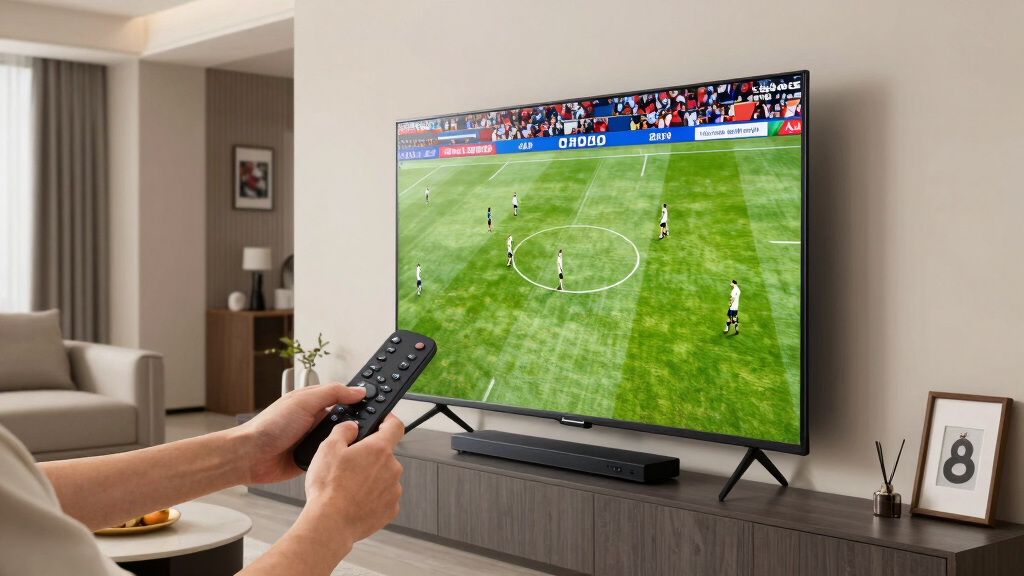

Among these 4K OLED TVs for soccer watch parties, I’d put the Samsung 65-inch S90F first for its 144Hz motion support and a versatile size for group viewing. The Panasonic Z8 77-inch is a standout for a large room, while the Roku Pro Series 65-inch may appeal to hosts who want a straightforward smart-TV experience. Choosing between them means balancing screen size, smooth play, room brightness, and the seating space you have. A bigger screen can make distant viewers happier, but it takes more room and can dominate a smaller space. Read on for the full breakdown and guidance on which TV best fits your watch-party setup.

Get home appliances delivered free with Prime
- Fast, free delivery on millions of items
- Prime Video, Amazon Music and more included
- Member-only deals all year
Complete the kit


Key Takeaways
- The Samsung 65-inch S90F is my best overall pick: its 144Hz motion feature gives it a strong soccer-focused feature set without requiring a 77-inch screen.
- The Panasonic Z8 and Samsung S95F are the large-room standouts: both offer 77-inch OLED screens, which suit wide seating arrangements better than the 42- or 48-inch options.
- Size changes the experience more than the model name suggests: the 42-inch Sony A90K and Samsung S90H fit compact rooms, while the 48-inch and 55-inch TVs provide more room for shared viewing.
- Several listings cover similar screen sizes but differ in model and package: the Samsung S85F appears as both a standard TV and a bundle, so buyers should check what the bundle actually includes.
- A high refresh-rate label is not the whole match-day story: placement, seating distance, room light, and the broadcast source all affect how comfortably a group can follow the action.


| 4K OLED TVs for soccer watch partie | Screen size | Resolution | Display technology | Processor |
|---|---|---|---|---|
| LG 55-Inch Class OLED evo AI 4 | 55 inches | 4K | OLED evo with self-lit pixels | a11 AI Processor Gen 3 |
| LG 48-Inch Class OLED evo AI 4 | 48 inches | 4K | OLED evo | a11 AI Processor Gen 3 |
| Sony 42 Inch 4K Ultra HD OLED | 42 inches | 4K Ultra HD | OLED | — |
| Samsung 77-Inch Class OLED S95 | 77 inches | 4K | — | NQ4 AI Gen3 |
| Roku 65-Inch Pro Series Smart | 65 inches | 4K | OLED | — |
| Samsung 42-Inch Class S90H Ser | 42 inches | 4K | — | — |
| Samsung 65" OLED HDR 4K S85F S | 65 inches | 4K UHD | OLED HDR | NQ4 AI Gen2 |
| Panasonic Z8 Series 77-inch OL | 77 inches | 4K | OLED | — |
| Samsung 65-Inch Class OLED 4K | 65 inches | — | — | NQ4 AI Gen2 |
| Samsung 65-Inch Class OLED S90 | 65 inches | 4K | — | NQ4 AI Gen3 |
| Sony 48 Inch BRAVIA 6 OLED 4K | 48 inches | 4K HDR | OLED | — |
More Details on Our Top Picks
LG 55-Inch Class OLED evo AI 4K C6 Series Smart TV with Dolby Atmos and Dolby Vision
For a typical soccer watch party, I’d start with the 55-inch LG C6: it balances a crowd-friendly screen size with OLED contrast, so the pitch stays rich and players stand out against dark stadium scenes. Its Brightness Booster may help the picture hold up better in a bright room than a smaller set, while Dolby Vision and HDR10 cover supported video sources. The 165Hz refresh rate is more than most broadcasts require, but it also gives this TV plenty of headroom for gaming after the match. Compared with the 48-inch C6, this model is easier to see from across a living room; the 77-inch Samsung S95F makes a bigger group display, but needs considerably more wall and seating distance. The tradeoffs are its large footprint and gaming options that may take extra setup.
Pros:- OLED self-lit pixels deliver deep blacks and vivid color for stadium scenes.
- Brightness Booster is a useful feature for daytime matches in a lit room.
- 165Hz refresh rate, G-Sync, and FreeSync Premium support add flexibility for gaming.
- Dolby Vision, Dolby Atmos, and webOS with more than 400 free channels broaden its use beyond live matches.
Cons:- Its 55-inch screen may not give a large gathering the expansive view of the 77-inch Samsung S95F.
- Advanced gaming features can take extra configuration.
- A 48.1-inch-wide body needs substantial stand or wall space.
Best for: Living-room hosts who want a 55-inch OLED for a few rows of guests, bright color, and both sports and gaming.
Not ideal for: Buyers furnishing a compact room or seeking the largest possible shared screen; the 55-inch size may feel small for a big viewing area, while the 77-inch Samsung S95F is better suited to that use.
- Screen size:55 inches
- Resolution:4K
- Display technology:OLED evo with self-lit pixels
- Processor:a11 AI Processor Gen 3
- HDR:Dolby Vision, HDR10
- Audio:Dolby Atmos
- Refresh rate:165Hz
- Dimensions with stand:48.1 x 29.8 x 9.1 inches
Our verdict“Choose the 55-inch LG C6 if you want the most balanced mix of watch-party size, OLED picture features, and gaming support.”
LG 48-Inch Class OLED evo AI 4K C6 Series Smart TV with Dolby Atmos and Dolby Vision
The 48-inch LG C6 brings much of the 55-inch C6’s OLED and processing toolkit to a tighter setup. That smaller screen can suit an apartment living room, den, or watch party where seating sits close; OLED contrast keeps the field and broadcast graphics crisp without needing a larger panel. It still has Brightness Booster, Dolby Vision, and a 165Hz refresh rate, so this is not a stripped-down compact pick. Against the 42-inch Sony A90K, it offers six more inches of screen and a higher listed refresh rate, while the Sony adds HDMI 2.1 features and a different Google TV platform. The main compromise is reach: guests seated farther back will benefit more from the 55-inch C6 or 65-inch Roku Pro. Its gaming settings may also need some tinkering.
Pros:- Compact 48-inch size fits smaller rooms more readily than the 55-inch LG C6.
- OLED contrast and Brightness Booster support vivid viewing in varied lighting.
- 165Hz refresh rate, G-Sync, and FreeSync Premium suit gaming as well as sports.
- Dolby Vision and Dolby Atmos support compatible video and audio.
Cons:- The screen may be too small for viewers seated far from the TV.
- The advanced gaming feature set can require extra setup.
- The 42-inch Sony A90K is a more compact alternative for very limited spaces.
Best for: Apartment dwellers and den owners who want OLED for soccer but have close seating or limited wall space.
Not ideal for: Hosts with guests spread across a large room, or anyone who wants a more expansive shared view; the 55-inch LG C6 or 65-inch Roku Pro is a better fit.
- Screen size:48 inches
- Display technology:OLED evo
- Resolution:4K
- Processor:a11 AI Processor Gen 3
- HDR:Dolby Vision, HDR10
- Refresh rate:165Hz
- Gaming features:NVIDIA G-Sync, AMD FreeSync Premium, 0.1ms response time
- Smart platform:webOS 2026
Our verdict“Pick the 48-inch LG C6 when room size and close seating matter more than a bigger group-viewing screen.”
Sony 42 Inch 4K Ultra HD OLED TV A90K Series BRAVIA XR
When a full-size watch-party TV will overwhelm the room, the 42-inch Sony A90K is the most space-conscious OLED here. Deep blacks and natural color help the broadcast look composed at close range, and its 4K/120Hz HDMI 2.1 support, VRR, and ALLM make it a capable screen for console gaming between matches. Compared with the 48-inch LG C6, the Sony saves space and lists an 8.5ms input lag, but it gives a group less screen to share and tops out at 120Hz rather than 165Hz. Acoustic Surface Audio+ and Dolby Atmos are distinctive audio features, though a crowded room may still call for a separate sound system. I’d choose this for a small den or desk-distance setup, not a wide seating area.
Pros:- 42-inch OLED size suits compact rooms and close viewing.
- 4K/120Hz, VRR, and ALLM provide useful console-gaming support.
- Acoustic Surface Audio+ and Dolby Atmos add built-in audio features.
- Google TV, AirPlay 2, and voice-assistant compatibility support varied streaming setups.
Cons:- The smallest screen in this group is less suitable for shared viewing from a distance.
- Its 120Hz refresh rate is below the 165Hz LG C6 models and 164Hz Samsung S95F.
- OLED panels can be susceptible to burn-in over time.
Best for: Viewers setting up a compact den, bedroom, or close-seating gaming space who still want OLED and HDMI 2.1.
Not ideal for: Hosts expecting several people to watch from across a living room; the 42-inch screen is smaller than every other listed option.
- Screen size:42 inches
- Resolution:4K Ultra HD
- Display technology:OLED
- HDR:Dolby Vision, HDR10, HLG
- Input lag:8.5ms
- HDMI features:HDMI 2.1, 4K/120Hz, VRR, ALLM
- Smart platform:Google TV
- Audio:Acoustic Surface Audio+, Dolby Atmos
Our verdict“Choose the Sony A90K for a small room where OLED contrast and gaming features matter more than party-sized screen area.”
Samsung 77-Inch Class OLED S95F 4K Smart TV (2025 Model)
For a crowd that needs to follow the ball from across the room, the 77-inch Samsung S95F has the clearest role in this lineup: maximize the shared picture. Its anti-reflective technology is especially relevant for daytime matches or rooms with windows, where screen glare can distract from play. The 4K processor and Motion Xcelerator are aimed at cleaner processing and smooth motion, while the listed 164Hz refresh rate also suits gaming. Compared with the 55-inch LG C6, the Samsung gives distant guests a much larger view, but its 77-inch panel demands more wall space and viewing distance. The supplied HDR specification is HDR Pro rather than the Dolby Vision listed for the LG and Roku models, a format difference buyers should match to their sources. Its scale and setup complexity are real costs in room planning.
Pros:- 77-inch screen gives groups a much larger shared view than the 55-inch LG C6.
- Anti-reflective technology is designed to reduce distracting glare.
- 164Hz refresh rate and Motion Xcelerator support smooth motion and gaming.
- Dolby Atmos, Samsung Vision AI, and built-in Alexa add smart and audio features.
Cons:- The 77-inch size requires substantial wall space and suitable seating distance.
- HDR is listed as HDR Pro, while the LG C6 and Roku Pro list Dolby Vision.
- Advanced features and setup may be more than a straightforward sports viewer needs.
Best for: Hosts with a spacious, bright living room who regularly gather a large group and want a screen visible from farther seating.
Not ideal for: Small-room owners or buyers who specifically want Dolby Vision support listed; the TV is very large and its supplied HDR spec is HDR Pro.
- Screen size:77 inches
- Resolution:4K
- Processor:NQ4 AI Gen3
- HDR:HDR Pro
- Refresh rate:164Hz
- Motion technology:Motion Xcelerator
- Audio:Dolby Atmos
- Built-in voice assistant:Alexa
Our verdict“Choose the Samsung S95F when a large group and a bright, spacious room make screen size and glare control the priorities.”
Roku 65-Inch Pro Series Smart TV 4K OLED 120Hz 2026
The 65-inch Roku Pro Series is a strong middle-ground choice for a watch party: it gives guests more screen than either LG C6 without taking up as much room as Samsung’s 77-inch S95F. Its 120Hz refresh rate is suited to sports and gaming, while OLED contrast and Dolby Vision support compatible broadcasts and streaming content. Roku’s interface and the supplied remote features—voice control, backlit buttons, and a remote finder—make everyday operation a central part of its appeal. Compared with the 55-inch LG C6, this Roku offers a larger viewing area and simpler-described controls, but the LG lists a higher refresh rate and more detailed gaming support. Product details give less information about app compatibility and built-in speaker performance, so buyers who want specific platform or sound assurances may prefer the LG or Sony options.
Pros:- 65-inch screen is larger than the LG C6 options and more manageable than the 77-inch Samsung S95F.
- 120Hz refresh rate and OLED contrast suit sports viewing and gaming.
- Roku interface, voice remote, backlit buttons, and remote finder support easy everyday use.
- Two stand-height options and cable management offer practical setup flexibility.
Cons:- Product details provide limited information about app compatibility.
- Built-in speaker performance is not specified.
- Its listed 120Hz refresh rate is lower than the LG C6 models and Samsung S95F.
Best for: Households that want a large, 65-inch OLED for shared sports viewing and value straightforward Roku controls.
Not ideal for: Buyers who need detailed confirmation of app support, built-in speaker performance, or advanced gaming features beyond the listed 120Hz refresh rate.
- Screen size:65 inches
- Resolution:4K
- Display technology:OLED
- Refresh rate:120Hz
- HDR:Dolby Vision
- Audio:Dolby Atmos
- Remote features:Voice control, backlit buttons, remote finder
- Stand adjustments:Two height options
Our verdict“Pick the Roku Pro if you want a sizable OLED watch-party screen paired with an easy-to-use Roku remote and interface.”
Samsung 42-Inch Class S90H Series OLED 4K Smart TV (2026 Model)
For a watch party in a bedroom, office, or tight apartment living room, the 42-inch S90H brings OLED contrast and 4K detail without demanding a wall-sized setup. Its Glare Free feature is useful when daylight or lamps reflect across the screen, while AI upscaling and motion enhancement can help broadcasts and streaming feeds look cleaner and more fluid. Compared with the 65-inch Samsung S90F, this is much easier to fit close to seating, but it gives a group less screen area to share. The gaming features, including low latency and G-SYNC support, are a welcome extra for a TV that may double as a monitor. The main tradeoffs are its compact size and the lack of supplied detail about speaker performance, so a larger party or sound-focused setup may call for another option.
Pros:- 42-inch OLED 4K screen suits close seating and smaller rooms
- Glare Free feature can help with reflections during daytime matches
- AI upscaling and motion enhancement support clearer, smoother viewing
- Low-latency gaming features and G-SYNC support add flexibility
Cons:- Screen may feel too small for a group spread across a living room
- Product details do not specify built-in speaker performance
- Its gaming-focused features may be unnecessary for buyers who only watch sports
Best for: One- or two-person households hosting small soccer gatherings in a compact room, especially viewers who also want a gaming display.
Not ideal for: Hosts with a large seating area or regular groups who need a bigger screen to keep the match visible from across the room.
- Screen size:42 inches
- Series:S90H
- Display type:OLED
- Resolution:4K
- Model year:2026
- Picture features:HDR+, AI upscaling, motion enhancement, auto HDR remastering
- Glare feature:Glare Free
- Gaming features:Low latency, G-SYNC support, Gaming Pack
Our verdict“Choose the S90H if your soccer watch party is small and space is tight; choose a 65-inch or larger model for a room full of guests.”
Samsung 65″ OLED HDR 4K S85F Smart TV (2025) Bundle with Protection & Home Theater Guide
This bundle makes the most sense for a host who wants a 65-inch OLED and some setup help in one package. The screen size is a stronger fit for shared viewing than the 42-inch Samsung S90H, while Pantone-validated color and the NQ4 AI Gen2 processor are intended to keep colors convincing and lower-resolution feeds sharper. Its included HDMI cables, beginner home theater guide, and one-year extended protection may simplify getting a first living-room setup together. That package is the main distinction from the Samsung S85F sold on its own: the underlying TV features listed are similar, while this version adds accessories and guidance. I would skip it if you already have cables or prefer to choose your own setup instructions. The listing gives no refresh-rate figure, so motion-focused buyers may prefer the 144Hz Samsung S90F.
Pros:- 65-inch OLED screen offers a more group-friendly viewing area than the 42-inch S90H
- Pantone-validated colors are aimed at natural-looking picture tones
- NQ4 AI Gen2 processing supports upscaling of lower-resolution content
- Bundle includes HDMI cables, a home theater guide, and one-year extended protection
Cons:- No refresh-rate specification is provided for judging fast sports motion
- Bundled guide and cables may have little value to buyers with an existing setup
- The feature set is less clearly motion-focused than the 144Hz Samsung S90F
Best for: First-time home theater buyers who want a 65-inch OLED, included HDMI cables, basic setup guidance, and an extended protection plan.
Not ideal for: Soccer viewers who prioritize a confirmed high refresh rate or already own the accessories and have no use for the bundled guide.
- Screen size:65 inches
- Resolution:4K UHD
- Display technology:OLED HDR
- Processor:NQ4 AI Gen2
- HDR format:HDR10+
- Color certification:Pantone Validated
- Included accessories:Remote, power cable, user manual, HDMI cables, home theater guide
- Protection plan:1-year extended protection
Our verdict“Pick this bundle if you want a 65-inch OLED with beginner-oriented accessories and support, but choose the S90F if a stated 144Hz refresh rate matters more.”
Panasonic Z8 Series 77-inch OLED 4K Ultra HD Smart Fire TV with Dolby Vision IQ and 144Hz Refresh Rate
When the match needs to be visible from several seats, the 77-inch Z8 has the clearest advantage in this group: sheer screen area. Its 144Hz refresh rate and OLED panel suit fast movement, while Dolby Vision IQ and several other HDR formats provide broad format support for compatible content. The Samsung S90F also lists 144Hz, but at 65 inches it takes up less space and is an easier fit for a typical living room. Panasonic counters with 160-watt, 5.1-channel audio and Dolby Atmos, which may reduce the need to add a separate sound system for a casual gathering. The size is also its biggest compromise: it needs a dedicated wall and viewing distance, weighs 67.3 pounds, and lists power consumption at 624 watts. Fire TV is built in, but buyers who want a modest, low-draw setup should look elsewhere.
Pros:- 77-inch OLED screen gives a group a large shared view of the match
- 144Hz refresh rate is suited to quick soccer movement and gaming
- 160-watt, 5.1-channel audio with Dolby Atmos is specified
- Fire TV and support for Dolby Vision IQ and HDR10+ are built in
Cons:- Large dimensions and 67.3-pound weight call for substantial space and careful placement
- Listed power consumption is 624 watts
- Its size may overwhelm a smaller room or close viewing distance
Best for: Hosts with a large living room who regularly gather a crowd and want a big OLED picture with substantial built-in audio.
Not ideal for: Apartment dwellers, smaller-room viewers, or buyers who need a lighter, lower-power TV that is easier to place.
- Screen size:77 inches
- Display technology:OLED
- Resolution:4K
- Refresh rate:144 Hz
- HDR formats:HDR10+ Adaptive, HDR10, HLG, Dolby Vision IQ
- Audio:160 watts, 5.1 channels, Dolby Atmos
- Operating system:Fire OS
- Dimensions:3.1 in D x 67.9 in W x 41.3 in H
- Power consumption:624 watts
Our verdict“Choose the Panasonic Z8 for a spacious room and a sizable crowd; the 65-inch Samsung S90F is the more manageable alternative.”
Samsung 65-Inch Class OLED 4K S85F Series Smart TV (2025 Model)
The standard 65-inch S85F suits households that want a generous OLED picture for soccer and everyday streaming without stepping up to the S90F’s specified 144Hz refresh rate. Its NQ4 AI Gen2 processor handles upscaling, while Pantone-validated color and Color Booster Pro are aimed at keeping the field and team kits lively without relying only on resolution. For a watch party, the 65-inch screen is more practical than the 42-inch S90H, and Object Tracking Sound Lite with Dolby Atmos adds audio features without the bundle-specific accessories of the other S85F listing. The limitation is that the provided product data does not state a refresh rate or detail the audio power, making it harder to judge motion and sound against the Panasonic Z8. Pick this for a broad, mixed-use role, not as the lineup’s most explicitly sports-focused choice.
Pros:- 65-inch OLED screen gives watch parties more viewing area than the compact S90H
- NQ4 AI Gen2 processor supports AI-enhanced upscaling
- Pantone color validation and Color Booster Pro target vivid, realistic colors
- Object Tracking Sound Lite and Dolby Atmos are listed audio features
Cons:- Refresh rate is not specified in the supplied product details
- Audio power and detailed speaker configuration are not provided
- Lacks the 144Hz specification listed for the Samsung S90F and Panasonic Z8
Best for: Households seeking a 65-inch OLED for regular sports, films, and streaming who value AI upscaling and color features over a stated 144Hz rate.
Not ideal for: Motion-focused buyers who want a clearly specified 144Hz panel, or hosts who need a very large screen for a wide seating area.
- Screen size:65 inches
- Series:S85F
- Model year:2025
- Processor:NQ4 AI Gen2
- Picture features:AI upscaling, Color Booster Pro
- Color certification:Pantone validated
- Audio features:Object Tracking Sound Lite, Dolby Atmos
- Smart feature:Alexa built-in
Our verdict“Choose the S85F for a 65-inch all-round OLED with stated picture and audio features, but pick the S90F if a listed 144Hz refresh rate is a priority.”
Samsung 65-Inch Class OLED S90F 4K Smart TV (2025 Model) with AI Processor, HDR+, Motion Xcelerator 144Hz, Alexa Built-in
The 65-inch Samsung S90F is my strongest all-around match for a living-room soccer watch party because it combines a group-friendly screen size with a clearly listed 144Hz refresh rate. Fast play is the point here: Motion Xcelerator and the high refresh specification are geared toward smoother movement, while OLED contrast keeps the pitch, players, and darker scenes distinct. Its NQ4 AI Gen3 processor and AI upscaling also give lower-resolution feeds a path to a sharper 4K presentation. Compared with the standard S85F, the S90F provides a more explicit motion-focused specification; compared with the 77-inch Panasonic Z8, it is easier to fit in an average room. The tradeoffs are that it is not as large as the Panasonic and the supplied details do not describe speaker performance. I’d plan on external audio if sound coverage matters to the group.
Pros:- 65-inch OLED screen balances group viewing with more manageable room placement than a 77-inch model
- 144Hz refresh rate and Motion Xcelerator are aimed at smoother fast action
- NQ4 AI Gen3 processor and AI upscaling support sharper 4K presentation
- Pro HDR+ and OLED contrast support bright, high-contrast images
Cons:- Smaller viewing area than the 77-inch Panasonic Z8 for large rooms
- Product details do not specify speaker power or sound configuration
- Advanced processing and gaming features may be unnecessary for viewers who only watch occasional broadcasts
Best for: Soccer fans who host in a medium-sized living room and want a 65-inch OLED with a stated 144Hz refresh rate and AI picture processing.
Not ideal for: Hosts with very large rooms who need a 77-inch screen, or buyers seeking detailed built-in audio specifications.
- Screen size:65 inches
- Resolution:4K
- Processor:NQ4 AI Gen3
- Refresh rate:144 Hz
- HDR:Pro HDR+
- Upscaling:AI neural networks
- Motion feature:Motion Xcelerator
- Smart feature:Alexa built-in
Our verdict“Choose the S90F for a strong balance of 65-inch OLED size and a stated 144Hz rate, unless your room calls for the Panasonic Z8’s larger screen.”
Sony 48 Inch BRAVIA 6 OLED 4K HDR Smart Google TV with Gemini (K-48A60)
For a soccer watch party in a smaller room, I’d choose the 48-inch BRAVIA 6 OLED when flexible seating and reliable motion features matter more than a huge screen. Its wide, color-accurate viewing angle helps keep the pitch looking consistent for guests spread across a couch or nearby chairs, while OLED’s deep blacks give the broadcast strong contrast. Four HDMI 2.1 ports with 4K/120Hz, VRR, and ALLM also make it more versatile for console gaming between matches than a basic TV setup.
Compared with the 42-inch Sony A90K, this gives a little more room for the action; the 48-inch LG C6 is another close-sized alternative for buyers weighing OLED options. The tradeoff is scale: neither 48-inch set can match the crowd-friendly impact of the 65- and 77-inch TVs in this roundup. Google TV with Gemini adds voice-led browsing, though its setup may take more patience than a simpler interface.
Pros:- OLED pixels deliver deep blacks and strong contrast for night matches and darker scenes.
- Wide, color-accurate viewing angles help guests see the pitch clearly from off-center seats.
- Four HDMI 2.1 ports include 4K/120Hz, VRR, and ALLM for compatible gaming devices.
- Google TV with Gemini supports voice control and broad content browsing.
Cons:- The 48-inch screen has less group-viewing impact than the roundup’s larger 65- and 77-inch TVs.
- Google TV setup and features may feel complicated to buyers seeking a very simple interface.
- Its premium positioning may be hard to justify if the main goal is simply getting a larger screen.
Best for: Soccer fans hosting a few guests in a bedroom, apartment living room, or compact media space who want OLED contrast, broad seating angles, and modern gaming connections.
Not ideal for: Hosts with a large living room or frequent group watch parties who need a screen visible from across the room; a 65- or 77-inch option will suit them better.
- Screen size:48 inches
- Display technology:OLED
- Resolution:4K HDR
- HDR support:Dolby Vision
- HDMI ports:4; HDMI 2.1 features include 4K/120, VRR, ALLM, and SBTM
- Smart platform:Google TV with Gemini
- Audio formats:Dolby Atmos and DTS:X
- Stand:Two-position adjustable
- Viewing angle and calibration:Wide, color-accurate viewing angle; factory calibrated
Our verdict“Choose this Sony for a compact soccer watch room where OLED contrast, off-angle viewing, and gaming-ready HDMI connections matter more than big-screen scale.”

How We Picked
I ranked these TVs for the needs of a soccer watch party, not as a general-purpose television roundup. I gave weight to screen size for group seating, motion-related features that may help keep fast play easy to follow, and the practical fit of each model in small or large rooms. I also accounted for smart-TV platforms, listed picture and audio formats, and whether a product listing is a standard TV or a bundle. Product names and specifications here come from the supplied listings; I do not treat unprovided performance claims as verified test results.
The order reflects how well each option’s listed traits map to a common watch-party setup, with the 65-inch Samsung S90F leading as a balanced choice and the 77-inch sets favored for spacious rooms. Smaller TVs rank lower for group viewing, though they may be the right choice for a den or apartment. Closely related models, such as the Samsung S85F standard listing and bundle, are separated by purchase fit rather than assumed picture differences. I also call out tradeoffs so readers can choose by room, audience, and setup needs rather than by a feature label alone.
| 4K OLED TVs for soccer watch partie | Display technology | Processor | HDR |
|---|---|---|---|
| LG 55-Inch Class OLED evo AI 4 | OLED evo with self-lit pixels | a11 AI Processor Gen 3 | Dolby Vision, HDR10 |
| LG 48-Inch Class OLED evo AI 4 | OLED evo | a11 AI Processor Gen 3 | Dolby Vision, HDR10 |
| Sony 42 Inch 4K Ultra HD OLED | OLED | — | Dolby Vision, HDR10, HLG |
| Samsung 77-Inch Class OLED S95 | — | NQ4 AI Gen3 | HDR Pro |
| Roku 65-Inch Pro Series Smart | OLED | — | Dolby Vision |
| Samsung 42-Inch Class S90H Ser | — | — | — |
| Samsung 65" OLED HDR 4K S85F S | OLED HDR | NQ4 AI Gen2 | — |
| Panasonic Z8 Series 77-inch OL | OLED | — | — |
| Samsung 65-Inch Class OLED 4K | — | NQ4 AI Gen2 | — |
| Samsung 65-Inch Class OLED S90 | — | NQ4 AI Gen3 | Pro HDR+ |
| Sony 48 Inch BRAVIA 6 OLED 4K | OLED | — | — |
Factors to Consider When Choosing 4K OLED TVs For Soccer Watch Parties
For a watch party, the right OLED is the one that works for the whole room, not just the seat directly in front of it. I’d settle the room and viewing setup before comparing model names: screen size, seating distance, daylight, and broadcast quality can matter as much as a refresh-rate headline.
Match screen size to the farthest seat
Choose a screen by measuring from the TV to the farthest regular seat, then think about whether guests will sit in one row or spread around the room. A 42- or 48-inch set can suit a den, but it may leave viewers across a larger living room squinting at the ball. A 65-inch screen is a practical middle ground for many shared spaces, while 77 inches makes more sense when the room and seating distance support it. Bigger is not automatically better if viewers sit close or the screen crowds the furniture layout. A common mistake is sizing for the host’s favorite seat instead of the people at the edges. Before buying, mark the intended screen width on the wall with tape and check sightlines from every seat.
Treat refresh rate as one part of motion clarity
Soccer combines a small, fast-moving ball with wide camera pans, so smooth motion matters to many viewers. A listed 120Hz or 144Hz refresh capability can be attractive, but it does not guarantee that every broadcast will arrive at that rate or look equally smooth. The channel, streaming service, source device, and video settings all affect the signal reaching the TV. Motion processing can also change the look of the match, so plan to adjust it if movement appears unnaturally smooth or distracting. Don’t pay extra for a number alone without checking which inputs and sources can use the feature. If you watch through a cable box or streaming device, check its output settings before deciding which refresh-rate feature matters to you.
Plan for daylight, reflections, and seating
Watch parties often happen in bright rooms, where windows and lamps can compete with the picture. OLED’s contrast is appealing, but the experience still depends on light falling on the screen and the TV’s placement. Look at the room during the hours you expect to watch, not only after dark, and note whether guests will sit opposite windows. Curtains, adjustable lighting, or a different TV position may solve a problem more effectively than choosing a larger set. Check viewing angles from side seats as well as the main sofa, since a party spreads viewers across the room. If the TV will sit in a bright open-plan space, compare real-world room conditions and available display settings rather than relying on a dark-room demo.
Check the broadcast and smart-TV setup before kickoff
A capable TV cannot improve a weak stream or unreliable home network by itself. Confirm that the match provider’s app is available on the TV platform you prefer, or plan to connect a compatible streaming device. If the match comes through an external box, count the HDMI connections needed for a console, sound system, and other sources. Check your network coverage at the TV location; a signal that works well near the router may struggle across the room. For a party, a simple home screen and familiar controls can save time when guests arrive, but a separate device may be easier if you already use one. Test the stream, audio, and remote before match day rather than troubleshooting with a room full of guests.
Decide whether built-in sound will serve the room
Commentary and crowd noise are a big part of a match, and audio that sounds clear from one seat may get lost across a group. Consider how many people will be in the room, whether the TV will sit in an open space, and whether you already own a soundbar or receiver. A set listing Dolby Atmos or another audio feature does not mean its built-in speakers will fill a large room with stadium-like sound. An external audio system can help, but it also adds connections, setup, and another remote or control app. If you plan to add audio later, check that your intended TV and sound gear can connect in the way you want. For a small room or casual viewing, keeping the setup simple may be a better fit than adding equipment you will rarely use.
Compare complete listings, not just model families
Similar model names can refer to different screen sizes, years, or packages, so confirm the exact listing before ordering. This roundup includes the Samsung S85F as both a standard TV and a bundle; check whether the bundle’s added items are useful to you rather than treating it as a different display model. Verify the included stand, remote, warranty details, and any stated accessories against the seller’s current listing. Also check the TV’s dimensions and stand footprint if it will sit on existing furniture. A wall mount can change the required space and cable routing, so confirm compatibility before the installation date. Comparing the full package helps avoid paying for extras you do not need or assuming an accessory is included when it is not.
Frequently Asked Questions
Is a 65-inch OLED large enough for a soccer watch party?
A 65-inch TV can work well for a living room where most guests sit at a moderate distance and can see the screen directly. If the room is wide or people will watch from the back, a 77-inch model may make the ball and player movement easier to follow. In a compact room, 65 inches could feel too imposing for the closest seats. Measure from the screen to the farthest and nearest seats before choosing. Seating layout matters too: a large screen does little for guests whose view is blocked or sharply off-center.
Should I choose a 144Hz OLED for soccer, or is 120Hz enough?
The labels describe the TV’s refresh capability, but the match source may not deliver video at either rate. A 144Hz feature can be a useful part of a TV’s motion specification, as on the Samsung S90F and Panasonic Z8 in this lineup, while several other choices list 120Hz. I would check the match provider, streaming device, and input requirements before paying more for the higher figure. Motion settings also affect how the game looks, so personal preference matters. For many buyers, screen size and a reliable stream are better priorities than choosing by refresh rate alone.
Are the 42-inch OLEDs suitable for hosting friends?
The 42-inch Samsung S90H and Sony A90K are better fits for a small room, desk area, or a few nearby viewers than for a large group spread across a living room. Guests farther from the screen may have trouble following the ball and reading the action. They can still work for a compact watch party if seating stays close and sightlines are clear. If you expect people to gather across several rows or around a large space, compare the 48-, 55-, and 65-inch options first. The right choice depends on the room, not simply how many guests you invite.
Does the Samsung S85F bundle offer anything different from the regular S85F?
The listings identify one S85F as a bundle with protection and a home theater guide, while another is presented as the standard 65-inch TV. That packaging distinction does not by itself establish a difference in the television’s display performance. Check the bundle listing for exactly what protection covers, its term, exclusions, and the guide’s contents. Then compare the included items with what you already own or plan to buy. If the extras do not fit your needs, the standard listing may be the more straightforward choice.
Should I buy a bigger TV or add a soundbar for a watch party?
Start with the problem you are trying to solve: guests who cannot see the ball need a better screen size or seating layout, while unclear commentary points toward an audio change. A larger TV does not automatically improve sound, and a soundbar cannot make a screen easier to see from distant seats. If the current room audio is already clear, prioritizing screen size may help more than adding another device. If the picture is visible but dialogue and crowd noise get lost, consider external audio and check connection compatibility. Leave room in your setup plan for cables, controls, and placement before buying either upgrade.
Conclusion
For most hosts, I’d choose the Samsung 65-inch S90F as the best overall: it pairs a group-friendly size with a listed 144Hz motion feature. For a large room and a premium-sized picture, I’d look at the Panasonic Z8 77-inch or Samsung S95F 77-inch, then decide based on the smart platform and features that fit your setup. The Samsung S85F 65-inch is my value-minded direction among these choices, while the Roku Pro Series 65-inch is a sensible pick for beginners who want a straightforward smart-TV route. For a compact room, consider the Samsung S90H 42-inch or Sony A90K 42-inch; for an in-between space, the 48-inch LG or Sony models give you more screen without jumping to 65 inches. Before choosing, match the size to your seating, confirm your match-streaming setup, and check exactly what the product listing includes.