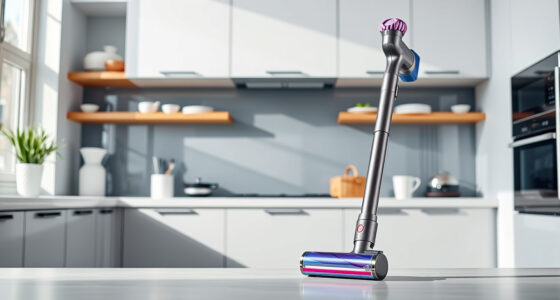
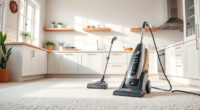
Keeping your Dyson V15 Detect™ Origin cordless vacuum in top condition is essential for ensuring it delivers powerful, efficient cleaning every time. Proper maintenance not only extends the lifespan of your device but also guarantees optimal suction, battery life, and overall performance. This comprehensive guide walks you through the necessary steps for cleaning, replacing filters, troubleshooting common issues, and maximizing your vacuum’s longevity.

Get home appliances delivered free with Prime
- Fast, free delivery on millions of items
- Prime Video, Amazon Music and more included
- Member-only deals all year
Whether you’re a new Dyson user or looking to improve your existing maintenance routine, following these practical, safe, and detailed instructions will help you keep your vacuum running like new.
Key Takeaways
| Regular Cleaning | Clean filters and brush bars every 1-3 months. |
| Filter Replacement | Replace filters as recommended to maintain suction. |
| Battery Care | Avoid deep discharges and store in cool, dry places. |
| Troubleshooting | Identify common issues like loss of power or clogging. |
| Safe Handling | Always unplug and power down before maintenance. |
Preparing for Maintenance
- Ensure the vacuum is turned off and unplugged from the charging dock or power source.
- Remove the battery if possible, following your model’s instructions, for safety and easier handling.
- Gather your cleaning tools: a soft cloth, a small brush, and replacement filters if needed.
Cleaning the Filters
Filters play a crucial role in maintaining suction and air quality. The Dyson V15 Detect™ Origin uses pre-filters that should be cleaned regularly.
- Remove the pre-filters by opening the filter compartment, usually located near the cyclone or bin area.
- Rinse the filters under cold water until the water runs clear. Do not use soap or detergents.
- Gently squeeze out excess water and let the filters air dry completely—preferably for at least 24 hours—before reinstalling.
Replace filters if they show signs of damage or if recommended by Dyson (typically every 2-3 months).
Cleaning the Brush Heads and Attachments
- Detach the cleaner heads from the wand.
- Remove hair, string, or debris tangled around the brush bars using your fingers or a small brush.
- Use a damp cloth to wipe down the heads and attachment tools, avoiding water contact with electrical components.
Check for wear or damage and replace if necessary to ensure effective cleaning.
Troubleshooting Common Issues
If your vacuum is losing suction or not running efficiently, consider these steps:
- Check for blockages in the wand, hose, or cleaner heads, removing any debris.
- Ensure the filters are clean and properly installed.
- Inspect the battery for signs of wear or low charge; recharge as needed.
- Reset the vacuum by turning it off, removing the battery briefly, then reattaching and powering it back on.
Maximizing Battery Life and Performance
To keep your Dyson V15 Detect™ performing optimally:
- Avoid letting the battery fully discharge regularly; recharge when it hits around 20%.
- Store the vacuum in a cool, dry place away from direct sunlight.
- Use the power modes efficiently—switch to lower power for hard floors and high power for carpets or stubborn dirt.
Safety Tips and Final Checks
- Always unplug the vacuum before attempting maintenance or cleaning.
- Wear gloves if cleaning brushes or removing tangled hair to avoid injury.
- Check for any visible damages or loose parts after maintenance and fix or replace as needed.
Regularly inspecting your Dyson V15 Detect™ Origin will help prevent major issues and keep it running smoothly for years to come.
The Products in This Guide

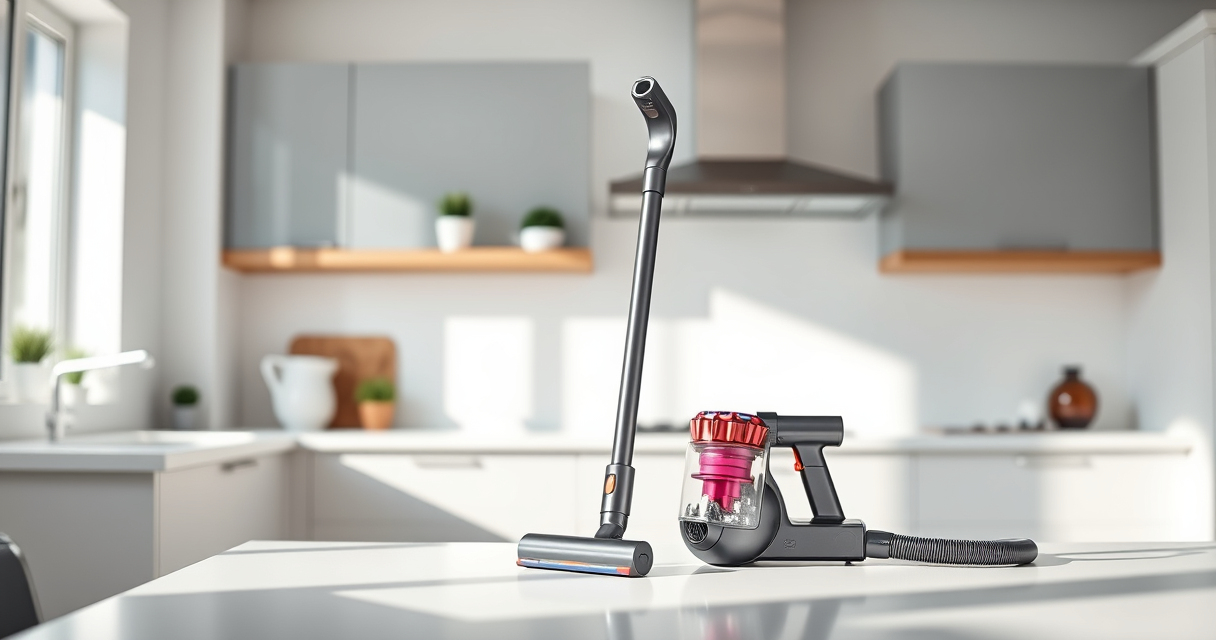
Dyson V15 Detect™ Origin Cordless Vacuum
- ✔ Charging Time: 3.5 hours
- ✔ Filter Replacement Frequency: Every 2-3 months
- ✔ Weight: 6.8 lbs

LANMU Crevice Tool Vacuum Attachments Compatible
- ✔ Easy to use: Yes
- ✔ Flexible: Yes
- ✔ Durability: High
Dyson V15 Detect™ Origin Cordless Vacuum
The Dyson V15 Detect™ Origin offers powerful, intelligent cleaning with a user-friendly maintenance routine. Regular filter and brush cleaning will ensure it performs at its best, while troubleshooting tips can resolve common issues quickly.
Pros:
- Powerful suction and deep cleaning
- Smart LCD screen for maintenance alerts
- Long battery life of 60 minutes
- Versatile attachments for different surfaces
Cons:
- Filter cleaning is necessary every 2-3 months
- Battery replacement or repair can be costly
- Some users find filter drying time lengthy
Best for: Homeowners seeking a high-performance cordless vacuum with minimal maintenance effort.
Not ideal for: Users looking for a budget-friendly vacuum or those who prefer corded models.
Bottom line: With consistent maintenance, your Dyson V15 Detect™ Origin will deliver peak performance for years.
LANMU Crevice Tool Vacuum Attachments Compatible
The LANMU Crevice Tool offers a narrow, flexible nozzle that fits into tight spaces and corners, making it a valuable addition for detailed cleaning around your home or car.
Pros:
- Narrow, flexible design
- Compatible with multiple Dyson models
- Easy to attach and detach
- Effective for small or tricky areas
Cons:
- Not suitable for very heavy debris
- Additional attachment needed for larger surfaces
Best for: Cleaning narrow gaps, car interiors, and corners.
Not ideal for: Heavy-duty cleaning or large debris removal.
Bottom line: A practical tool to enhance your Dyson’s reach and cleaning precision.
Frequently Asked Questions
How often should I clean the filters on my Dyson V15 Detect™?
It’s recommended to clean the filters every 2-3 months to maintain optimal suction and airflow. Replace them if they show signs of damage.
Can I wash the filters?
Yes, most Dyson filters are washable. Rinse with cold water, let them air dry completely before reinstalling, and avoid using soap or detergents.
What should I do if my vacuum loses suction?
Check for blockages in the wand, hose, or cleaner head, clean or replace the filters, and ensure the dust bin is emptied and properly installed.
How do I troubleshoot battery issues?
Ensure the battery is fully charged and properly connected. If the battery no longer holds a charge, consider contacting Dyson support for replacement options.
Is it safe to clean the vacuum’s internal components?
Yes, but always unplug the device before opening compartments. Use soft brushes and damp cloths, avoiding water contact with electrical parts.
Keep Your Dyson V15 Detect™ Origin Performing at Its Best
Routine maintenance is key to ensuring your Dyson cordless vacuum continues to deliver powerful, efficient cleaning. Regularly cleaning filters, brushes, and attachments, along with troubleshooting common issues, will extend the life of your device and maintain its peak performance. Remember to always follow safety precautions and consult your user manual for model-specific instructions. With consistent care, your Dyson will serve you well for years to come.
Affiliate disclosure: As an Amazon Associate we earn from qualifying purchases. Prices and availability are accurate as of the time of publishing.
Halloween Picks
halloween
As an affiliate, we earn on qualifying purchases.