For home automation, I’d start with the TP-Link Tapo P125M: its Matter support makes it a flexible choice across compatible smart home platforms. The meross Matter plug with energy monitoring adds power tracking, while the Amazon Smart Plug keeps setup simple for Alexa households. The main tradeoffs are platform compatibility, whether you need energy data, and how many outlets you want to automate at once. A four-pack can make whole-room routines easier, but only if its features suit every device you plan to connect. Read on for my breakdown of all 15 options and the buyers each one fits.

Get home appliances delivered free with Prime
- Fast, free delivery on millions of items
- Prime Video, Amazon Music and more included
- Member-only deals all year
Complete the kit


Key Takeaways
- Matter support separates the most flexible picks. The Tapo P125M and Matter models from meross and Linkind are aimed at homes that use compatible platforms beyond a single assistant.
- Energy monitoring narrows the field. The meross Matter plug, Tapo P115, and Kasa EP25 add consumption tracking, which can help with appliance monitoring but is unnecessary for basic schedules.
- Multi-packs suit room-by-room automation. Several Govee, meross, Tapo, Kasa, Linkind, and GHome options come in four-packs, making it easier to automate multiple lamps or small appliances with one purchase.
- Alexa-first simplicity has a clear tradeoff. The Amazon Smart Plug is tailored to Alexa households, while Matter options offer a broader path for compatible mixed-platform setups.
- Similar-looking plugs differ most in platform support and extras. Buyers should compare Matter, Apple Home compatibility, energy monitoring, and stated electrical capacity rather than choosing by pack size alone.
| Amazon Smart Plug with Alexa |  | Best for Alexa-Only Homes | Maximum input and output: 120 VAC, 60 Hz, 15 A | Wi-Fi: 2.4 GHz, 802.11 b/g/n; no 5 GHz support | Compatibility: Alexa only | VIEW LATEST PRICE | See Our Full Breakdown |
| Govee 15A Wi-Fi and Bluetooth Smart Plugs, 4-Pack |  | Best Value Multipack | Pack size: 4 plugs | Maximum current: 15 A | Voltage: 120 V | VIEW LATEST PRICE | See Our Full Breakdown |
| meross 15A Smart Plug, 4-Pack |  | Best for Apple HomeKit | Model: MSS110HK | Pack count: 4 | Maximum current: 15 A | VIEW LATEST PRICE | See Our Full Breakdown |
| TP-Link Tapo P125M Matter Smart Plug Mini, 3-Pack |  | Best Matter Plug for Beginners | Pack size: 3 | Maximum current: 15 A | Maximum wattage: 1800 W | VIEW LATEST PRICE | See Our Full Breakdown |
| meross Matter Smart Plug with Energy Monitoring, 4-Pack |  | Best for Energy Monitoring | Model: MSS315 | Pack size: 4 | Operating voltage: 120 V | VIEW LATEST PRICE | See Our Full Breakdown |
| Tapo P115 Smart Wi-Fi Plug with Energy Monitoring, 4-Pack, 15A |  | Best for Energy Tracking | Model: P115 | Pack size: 4 plugs | Maximum power: 1800 W | VIEW LATEST PRICE | See Our Full Breakdown |
| Linkind Matter Smart Plug – Works with Apple Home, Alexa, Siri, Google Home (4 Pack) | 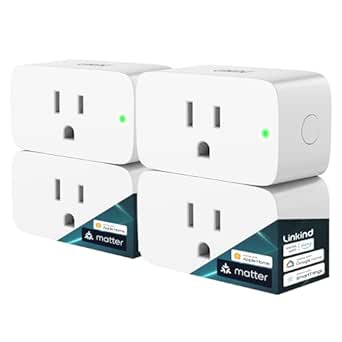 | Best for Matter Ecosystems | Plug type: Type A | Pack size: 4 plugs | Maximum current: 15 A | VIEW LATEST PRICE | See Our Full Breakdown |
| Kasa Smart Plug Mini 15A with Apple HomeKit, Energy Monitoring (EP25P4) |  | Best for Apple Home Energy Monitoring | Model: EP25P4 | Maximum load: 15 A, 1800 W | Operating voltage: 120 V AC | VIEW LATEST PRICE | See Our Full Breakdown |
| Kasa Smart Wi-Fi Plug Mini EP10P4, 4-Pack | 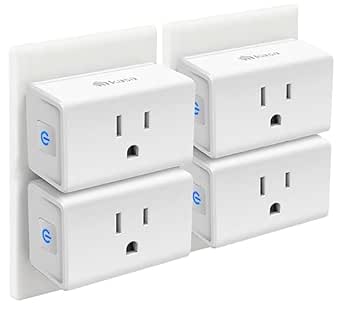 | Best Value for Everyday Automation | Model: EP10P4 | Pack size: 4 plugs | Operating voltage: 120 V | VIEW LATEST PRICE | See Our Full Breakdown |
| Kasa Smart Plug HS103P4, 4-Pack |  | Best for Simple Alexa and Google Routines | Model: HS103P4 | Pack size: 4 plugs | Operating voltage: 120 V AC | VIEW LATEST PRICE | See Our Full Breakdown |
| GHome Smart Plug Mini, 4-Pack | 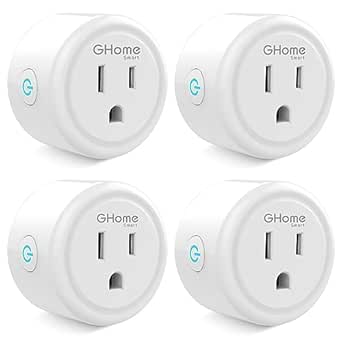 | Best for Simple Alexa and Google Routines | Pack quantity: 4 | Model: WP3 | Connectivity: 2.4 GHz Wi-Fi; Bluetooth | VIEW LATEST PRICE | See Our Full Breakdown |
| meross Matter Smart Plug Mini, 4-Pack |  | Best for Cross-Platform Home Automation | Model: MSS115 | Quantity: 4 plugs | Connectivity: Matter, 2.4 GHz Wi-Fi, Bluetooth for setup | VIEW LATEST PRICE | See Our Full Breakdown |
| Govee Smart Plug, WiFi Outlet Compatible with Alexa & Google Assistant, 4 pcs |  | Best for Bluetooth-Assisted Setup | Quantity: 4 plugs | Connectivity: Wi-Fi, Bluetooth | Voice assistants: Alexa, Google Assistant | VIEW LATEST PRICE | See Our Full Breakdown |
| GHome Smart Plug, 4-Pack, Wi-Fi, Works with Alexa and Google Home | 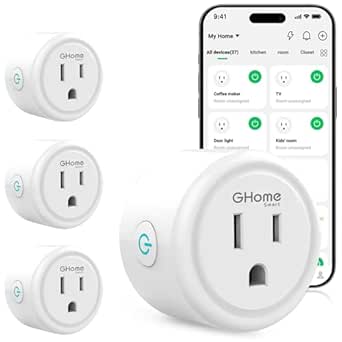 | Best for Flexible App Choices | Model: WP3 | Quantity: 4 | Connectivity: Wi-Fi, Bluetooth; 2.4 GHz Wi-Fi required | VIEW LATEST PRICE | See Our Full Breakdown |
| GHome Smart Wi-Fi Plug, 15A, 4-Pack |  | Best for Higher-Power Devices | Model: WP3-A | Pack size: 4 plugs | Connectivity: Bluetooth, 2.4 GHz Wi-Fi, 5 GHz Wi-Fi | VIEW LATEST PRICE | See Our Full Breakdown |
| smart plugs for home automation | Connectivity | Model | Certifications | Dimensions |
|---|---|---|---|---|
| Amazon Smart Plug with Alexa | — | — | — | 3.2 × 1.5 × 2.2 in (80 × 38 × 57 mm) |
| Govee 15A Wi-Fi and Bluetooth | Wi-Fi and Bluetooth | — | ETL and FCC | 1.34 × 2.57 × 1.49 in (D × W × H) |
| meross 15A Smart Plug | 2.4 GHz Wi-Fi | MSS110HK | — | — |
| TP-Link Tapo P125M Matter Smar | 2.4 GHz Wi-Fi, Bluetooth, Matter | — | — | — |
| meross Matter Smart Plug with | 2.4 GHz Wi-Fi, Bluetooth, Matter | MSS315 | ETL and FCC | 1.5 × 2.3 × 2.68 in |
| Tapo P115 Smart Wi-Fi Plug wit | 2.4 GHz Wi-Fi | P115 | ETL, FCC, RoHS | — |
| Linkind Matter Smart Plug | 2.4 GHz Wi-Fi | — | — | — |
| Kasa Smart Plug Mini 15A with | 2.4 GHz Wi-Fi | EP25P4 | — | — |
| Kasa Smart Wi-Fi Plug Mini EP1 | 2.4 GHz Wi-Fi | EP10P4 | UL, FCC, IC, RoHS | — |
| Kasa Smart Plug HS103P4 | 2.4 GHz Wi-Fi | HS103P4 | — | 1.57 x 1.5 x 2.62 inches |
| GHome Smart Plug Mini | 2.4 GHz Wi-Fi; Bluetooth | WP3 | ETL, FCC | 2 × 2 × 1 in |
| meross Matter Smart Plug Mini | Matter, 2.4 GHz Wi-Fi, Bluetooth for setup | MSS115 | ETL, FCC | 1.9 × 1.2 × 1.9 in |
| Govee Smart Plug | Wi-Fi, Bluetooth | — | ETL, FCC | — |
| GHome Smart Plug | Wi-Fi, Bluetooth; 2.4 GHz Wi-Fi required | WP3 | ETL, FCC | 2.1 × 2.1 × 1.1 in |
| GHome Smart Wi-Fi Plug | Bluetooth, 2.4 GHz Wi-Fi, 5 GHz Wi-Fi | WP3-A | ETL, FCC | 2.1 × 2.1 × 1.1 in |
More Details on Our Top Picks
Amazon Smart Plug with Alexa
I’d choose the Amazon Smart Plug when home automation means dependable routines and voice control inside an Alexa setup. It connects directly to 2.4 GHz Wi-Fi, so there’s no hub to add, and its physical switch gives you a straightforward way to control a lamp or appliance at the outlet. Automatic reconnection after power or Wi-Fi outages also helps routines resume without manual intervention. Compared with the Govee 15A Wi-Fi and Bluetooth Smart Plugs, this is a simpler choice for someone who wants Alexa integration without a separate app account, while Govee also supports Google Assistant and comes in a four-pack. The tradeoff is its narrow ecosystem: it won’t join Apple Home or Google Home, and it’s for indoor use only. I’d skip it if you expect to mix platforms later.
Pros:- Works with Alexa routines, app control, and voice commands without a separate smart home hub.
- Compact body leaves the adjacent outlet available.
- Physical on/off switch provides direct control at the plug.
- Automatically reconnects to Alexa after power or Wi-Fi outages.
Cons:- Supports Alexa only, with no Apple Home, Google Assistant, or smart hub compatibility.
- Connects only to 2.4 GHz Wi-Fi.
- Indoor use only.
Best for: Alexa households that want one simple plug for lamps or indoor appliances, with routines and no hub.
Not ideal for: Buyers building an Apple Home, Google Home, or mixed-platform system, or anyone who needs outdoor use or 5 GHz Wi-Fi.
- Maximum input and output:120 VAC, 60 Hz, 15 A
- Wi-Fi:2.4 GHz, 802.11 b/g/n; no 5 GHz support
- Compatibility:Alexa only
- Use:Indoor only
- Dimensions:3.2 × 1.5 × 2.2 in (80 × 38 × 57 mm)
- Weight:3.1 oz (87 g)
- Warranty:1-year limited warranty
- Included:Single-socket 3-prong Wi-Fi plug and Quick Start Guide
Our verdict“Choose this plug for a straightforward Alexa-only setup; pick the Govee four-pack if you also need Google Assistant or several outlets.”
Govee 15A Wi-Fi and Bluetooth Smart Plugs, 4-Pack
The Govee four-pack suits buyers who want to automate several rooms with Alexa or Google Assistant and manage the outlets together. Scheduling and group control make it easier to switch a set of lamps or small appliances on a routine, while the 15 A rating supports loads beyond the 10 A limit found on some plugs. Bluetooth joins Wi-Fi in the connectivity options, though the supplied details still require a 2.4 GHz Wi-Fi network for smart control. Compared with the Amazon Smart Plug, Govee reaches across two voice ecosystems and supplies four plugs, but it asks you to use a Govee Home account and app. It’s less suited to a household standardizing on Apple HomeKit or Matter. I’d pick it for practical multi-room automation, not for platform flexibility.
Pros:- Four plugs let buyers automate several outlets with one purchase.
- Supports Alexa and Google Assistant voice control.
- Schedules and group control are available through the Govee Home app.
- 15 A maximum capacity supports higher loads than 10 A plugs.
Cons:- Requires a Govee Home account for app control.
- Does not support 5 GHz Wi-Fi.
- Does not list Apple HomeKit or Matter compatibility.
Best for: Alexa or Google Assistant users automating several indoor outlets who want grouped control and schedules from one app.
Not ideal for: Apple HomeKit or Matter households, or buyers who don’t want a Govee Home account or 2.4 GHz Wi-Fi.
- Pack size:4 plugs
- Maximum current:15 A
- Voltage:120 V
- Connectivity:Wi-Fi and Bluetooth
- Wi-Fi compatibility:2.4 GHz; no 5 GHz support
- Voice assistants:Amazon Alexa and Google Assistant
- Dimensions:1.34 × 2.57 × 1.49 in (D × W × H)
- Certifications:ETL and FCC
Our verdict“Choose Govee for multi-room Alexa or Google automation, while the meross 15A four-pack fits better if Apple HomeKit support matters.”
meross 15A Smart Plug, 4-Pack
For a home where Apple HomeKit is central but Alexa or Google Assistant may also be in use, I’d put the meross 15A four-pack ahead of single-platform options. It supports several named platforms, including HomeKit, Siri, Alexa, Google Assistant, and SmartThings, and sunrise and sunset schedules can tie outlet control to the day rather than a fixed clock time. Its 15 A, 1800 W maximum and flame-retardant polycarbonate construction make the practical fit clear for compatible household loads. Compared with the TP-Link Tapo P125M, meross lists SmartThings and a larger four-plug pack, while Tapo brings Matter compatibility for broader cross-platform setup. The HomeKit caveat matters: remote control requires a compatible Apple home hub that stays online. I’d pass if you want a Matter-based setup or don’t have that hub.
Pros:- Works with Apple HomeKit, Siri, Alexa, Google Assistant, and SmartThings.
- Sunrise and sunset schedules support routines tied to daylight.
- Four-plug pack can cover multiple rooms.
- Flame-retardant polycarbonate construction and ETL certification.
Cons:- Remote HomeKit control requires a compatible Apple home hub that stays online.
- Requires a 2.4 GHz Wi-Fi network.
- No Matter compatibility is listed.
Best for: Apple HomeKit households that want several scheduled outlets and may also use Alexa, Google Assistant, Siri, or SmartThings.
Not ideal for: Buyers who want Matter compatibility or remote HomeKit access without a compatible Apple home hub.
- Model:MSS110HK
- Pack count:4
- Maximum current:15 A
- Maximum power:1800 W
- Voltage:120 V
- Connectivity:2.4 GHz Wi-Fi
- Compatible platforms:Apple HomeKit, Siri, Alexa, Google Assistant, SmartThings
- Warranty:2 years
- Material:Flame-retardant polycarbonate
Our verdict“Pick meross for multi-platform control with HomeKit support; choose the Tapo P125M if Matter compatibility is the priority.”
TP-Link Tapo P125M Matter Smart Plug Mini, 3-Pack
The Tapo P125M is my pick for someone starting home automation and wanting the option to change platforms later. Matter support connects it with Apple Home, Alexa, Google Home, and Samsung SmartThings, while Bluetooth onboarding can help get setup moving. Once configured, app control, voice commands, schedules, and timers cover common routines; local network control can also continue when internet service is offline. That makes it a more flexible foundation than the Amazon Smart Plug, which is limited to Alexa, though Amazon’s plug does not require a multi-platform Matter setup. Tapo’s three-pack offers fewer outlets than the Govee and meross four-packs, and it remains limited to 2.4 GHz Wi-Fi and 15 A/1800 W. I’d choose it for platform choice, not energy monitoring.
Pros:- Matter compatibility connects with four major smart home platforms.
- Bluetooth onboarding supports setup, alongside 2.4 GHz Wi-Fi.
- Local network control can continue when internet service is offline.
- App and voice control, schedules, and timers cover common automation needs.
Cons:- Three plugs provide less outlet coverage than the Govee and meross four-packs.
- Requires 2.4 GHz Wi-Fi.
- Maximum load is 15 A or 1800 W, with no energy monitoring listed.
Best for: First-time smart home buyers who want a compact three-pack that can join Apple Home, Alexa, Google Home, or SmartThings through Matter.
Not ideal for: Buyers who need energy monitoring, 5 GHz Wi-Fi, or a maximum load above 15 A/1800 W.
- Pack size:3
- Maximum current:15 A
- Maximum wattage:1800 W
- Operating voltage:120 V AC
- Connectivity:2.4 GHz Wi-Fi, Bluetooth, Matter
- Compatible platforms:Apple Home, Amazon Alexa, Google Home, Samsung SmartThings
- Temperature range:32 °F to 104 °F
- Certification:UL certified
- Warranty:2-year limited warranty
Our verdict“Choose the Tapo P125M to start with Matter and platform choice; pick the meross Matter plug if you also want energy monitoring and four outlets.”
meross Matter Smart Plug with Energy Monitoring, 4-Pack
If you want automation to show what connected devices consume, the meross Matter Smart Plug with Energy Monitoring adds real-time and historical usage data to cross-platform control. Its four-plug pack can track multiple outlets, and local LAN control reduces reliance on cloud access for compatible setups. Fire-retardant polycarbonate, stainless steel contacts, and short-circuit and overload protection add practical safeguards. Compared with the Tapo P125M, this model adds energy monitoring and supplies one more plug; Tapo is the simpler choice if you want Matter features without the monitoring setup requirements. Meross requires 2.4 GHz Wi-Fi, IPv6, and a compatible hub, and it does not support Thread. Those dependencies narrow its appeal, so I’d reserve it for buyers prepared to check their network and hub before choosing.
Pros:- Provides real-time and historical energy monitoring in the Meross app.
- Matter support spans Apple Home, Alexa, Google Home, and SmartThings.
- Local LAN control supports operation without cloud reliance.
- Four-plug pack includes fire-retardant construction and short-circuit and overload protection.
Cons:- Requires 2.4 GHz Wi-Fi, IPv6, and a compatible hub.
- Does not support Thread.
- Phone setup requires iOS 16.1 or later or Android 8.1 or later.
Best for: Smart home owners who want to monitor energy use across several outlets and already have a compatible hub and IPv6-capable 2.4 GHz network.
Not ideal for: Buyers without a compatible hub, IPv6, or newer phone software, and anyone building a Thread-based setup.
- Model:MSS315
- Pack size:4
- Operating voltage:120 V
- Wattage:1800 W
- Connectivity:2.4 GHz Wi-Fi, Bluetooth, Matter
- Network requirements:2.4 GHz Wi-Fi and IPv6
- Compatible platforms:Apple Home, Alexa, Google Home, SmartThings, Meross App
- Dimensions:1.5 × 2.3 × 2.68 in
- Certifications:ETL and FCC
Our verdict“Choose this meross pack when energy data matters and your hub and network meet its requirements; choose the Tapo P125M for a simpler Matter entry point.”
Tapo P115 Smart Wi-Fi Plug with Energy Monitoring, 4-Pack, 15A
The Tapo P115 suits a home automation setup where knowing what devices consume matters as much as switching them remotely. Its app charts energy use, while schedules and smart charging can automate routines around compatible devices. It also works with Alexa, Google Assistant, and SmartThings, giving it broader listed control options than the Kasa HS103P4, which supports Alexa and Google Assistant but lacks energy monitoring. Overload auto-shutoff adds a layer of protection if a connected device draws too much power. The tradeoff is a reliance on 2.4 GHz Wi-Fi and a 110 V AC operating rating, so buyers should check their network and electrical setup. Choose it for monitoring and control in one plug; skip it if ecosystem flexibility matters more than energy data.
Pros:- Energy statistics and charts help identify usage patterns.
- Supports Tapo app, remote control, Alexa, Google Assistant, and SmartThings.
- Scheduling and smart charging support automated routines.
- Compact body helps keep a neighboring outlet available.
Cons:- Connects over 2.4 GHz Wi-Fi only.
- Its 110 V AC and 1800 W limits may not suit every electrical setup or load.
Best for: Smart home owners who want to track the energy use of several appliances and automate their schedules.
Not ideal for: Households with only 5 GHz Wi-Fi or electrical setups outside its 110 V AC rating.
- Model:P115
- Pack size:4 plugs
- Maximum power:1800 W
- Operating voltage:110 V AC
- Connectivity:2.4 GHz Wi-Fi
- Control:Tapo app, Alexa, Google Assistant, SmartThings
- Features:Energy monitoring, scheduling, smart charging, overload auto-shutoff
- Certifications:ETL, FCC, RoHS
Our verdict“Pick the Tapo P115 if energy monitoring and scheduling matter more to your automation setup than broader network compatibility.”
Linkind Matter Smart Plug – Works with Apple Home, Alexa, Siri, Google Home (4 Pack)
The Linkind Matter Smart Plug is the lineup’s clearest fit for buyers who want plugs managed within a compatible smart home platform instead of relying on a single brand’s app. Matter support covers Apple Home, Alexa, Google Home, and SmartThings, while offline LAN control can keep local operation available during an internet outage. That makes it a different choice from the Kasa EP25P4, which adds energy monitoring but is described as Wi-Fi based rather than Matter. Linkind also includes scheduling and timers in a four-pack. The main catch is setup: using those ecosystems requires a Matter-certified hub or controller, adding a requirement that simpler Wi-Fi plugs such as the Kasa EP10P4 avoid. Its 2.4 GHz-only connection is another constraint.
Pros:- Matter compatibility supports control through several major smart home ecosystems.
- Offline LAN operation supports local control when internet access is unavailable.
- Scheduling and timers help automate recurring device routines.
- Compact, fire-resistant design includes overload and short-circuit protection.
Cons:- Major ecosystem integration requires a Matter-certified hub or controller.
- Supports 2.4 GHz Wi-Fi only.
Best for: Buyers building an Apple Home, Alexa, Google Home, or SmartThings system around a Matter-certified controller.
Not ideal for: People who want a plug that connects directly to Wi-Fi without adding or already owning a Matter controller for ecosystem integration.
- Plug type:Type A
- Pack size:4 plugs
- Maximum current:15 A
- Power capacity:1800 W
- Connectivity:2.4 GHz Wi-Fi
- Ecosystems:Apple Home, Alexa, Google Home, SmartThings
- Local operation:Offline LAN control
- Material:Copper
Our verdict“Choose Linkind if Matter and local control are priorities and you already have, or plan to add, a compatible controller.”
Kasa Smart Plug Mini 15A with Apple HomeKit, Energy Monitoring (EP25P4)
For an Apple Home household that also wants to see what devices consume, the Kasa EP25P4 combines HomeKit support with real-time and historical energy data. It also works with Alexa, Google Assistant, and SmartThings, so it can fit a mixed-assistant home better than a HomeKit-only accessory. Compared with the Linkind Matter Smart Plug, Kasa’s standout here is energy monitoring; Linkind instead emphasizes Matter and offline LAN control. This plug’s compact design helps preserve a second outlet, and its 15 A, 1,800 W rating covers the stated load limit. Apple users should note that remote HomeKit control requires a networked Apple device at home. It also relies on 2.4 GHz Wi-Fi, so it is less suited to buyers seeking a Matter-based local control setup.
Pros:- Real-time and historical energy data show how connected devices use power.
- Supports Apple HomeKit, Alexa, Google Assistant, and SmartThings.
- Compact design helps keep adjacent outlets usable.
- UL-certified flame-retardant construction.
Cons:- Remote HomeKit control requires a networked Apple device at home.
- Requires 2.4 GHz Wi-Fi.
Best for: Apple Home users who want energy data and multi-assistant control from a compact plug.
Not ideal for: Buyers who need remote Apple Home control without a networked Apple device at home, or who prefer Matter-based integration.
- Model:EP25P4
- Maximum load:15 A, 1800 W
- Operating voltage:120 V AC
- Connectivity:2.4 GHz Wi-Fi
- Compatible assistants:Apple HomeKit, Siri, Alexa, Google Assistant, SmartThings
- Energy monitoring:Real-time and historical usage
- Certification:UL-certified flame-retardant design
- Warranty:2-year limited
Our verdict“Choose the EP25P4 if you use Apple Home and want energy monitoring; choose Linkind if Matter and offline LAN control matter more.”
Kasa Smart Wi-Fi Plug Mini EP10P4, 4-Pack
The Kasa EP10P4 focuses on everyday automation: remote app and voice control, schedules, timers, and Away Mode in a compact four-pack that needs no hub. Away Mode can vary connected-device activity while you are out, giving it a distinct use beyond the basic timers on the Kasa HS103P4. It also supports Alexa, Google Assistant, and SmartThings, with both Kasa and Tapo app control listed. Unlike the Tapo P115 or Kasa EP25P4, it does not provide energy monitoring, so it cannot help you track consumption. Its straightforward Wi-Fi setup makes it a practical choice for common household routines, but it depends on 2.4 GHz Wi-Fi and requires a compatible mobile device and app.
Pros:- Four plugs support room-to-room automation from one pack.
- Away Mode, schedules, and timers cover varied routines.
- Works with Alexa, Google Assistant, and Samsung SmartThings.
- Compact design and hub-free setup simplify installation.
Cons:- Does not include energy monitoring, unlike the Tapo P115 and Kasa EP25P4.
- Requires 2.4 GHz Wi-Fi and the Kasa or Tapo app.
Best for: Households automating lamps and small appliances across several rooms without adding a hub.
Not ideal for: Energy-conscious buyers who want consumption data, or households without 2.4 GHz Wi-Fi and a compatible mobile device.
- Model:EP10P4
- Pack size:4 plugs
- Operating voltage:120 V
- Maximum power:1800 W
- Connectivity:2.4 GHz Wi-Fi
- Hub required:No
- Compatible assistants:Alexa, Google Assistant, Samsung SmartThings
- Certifications:UL, FCC, IC, RoHS
Our verdict“Pick the EP10P4 for simple, hub-free scheduling across multiple rooms when energy tracking is not a requirement.”
Kasa Smart Plug HS103P4, 4-Pack
The Kasa HS103P4 is the plainest fit for a home that needs reliable scheduled switching for lamps, fans, or similar appliances, with app and voice control but no separate hub. Its listed assistant support is narrower than the Kasa EP10P4, which also adds SmartThings and Away Mode, and it lacks the energy data available from the Tapo P115. That simplicity makes the HS103P4 easier to match to an Alexa or Google Assistant routine when those are the only platforms in play. A four-pack gives buyers several outlets to automate at once, though the plugs still rely on 2.4 GHz Wi-Fi and a compatible mobile device for app setup. It is a less suitable pick for buyers building around Apple Home or seeking consumption insights.
Pros:- Supports Alexa and Google Assistant voice routines.
- Kasa app provides remote control, timers, and schedules.
- Four-plug pack covers several devices without a hub.
- UL certified and backed by a 2-year warranty.
Cons:- Assistant support is narrower than the Kasa EP10P4, which also lists SmartThings.
- No energy monitoring, unlike the Tapo P115 and Kasa EP25P4.
- Requires 2.4 GHz Wi-Fi and a compatible mobile device.
Best for: Alexa or Google Assistant households that want to schedule lamps and fans across several rooms.
Not ideal for: Apple Home users, SmartThings-focused setups, or buyers who want energy monitoring and broader platform support.
- Model:HS103P4
- Pack size:4 plugs
- Operating voltage:120 V AC
- Maximum power:1800 W
- Connectivity:2.4 GHz Wi-Fi
- Voice assistants:Amazon Alexa, Google Assistant
- Dimensions:1.57 x 1.5 x 2.62 inches
- Safety certification:UL certified
Our verdict“Choose the HS103P4 for basic Alexa or Google scheduling across multiple devices if you do not need energy data or broader ecosystem support.”
GHome Smart Plug Mini, 4-Pack
The GHome Smart Plug Mini 4-Pack suits buyers who want basic schedules, timers, and voice control across several outlets without adding a hub. Its group control makes a set of lamps or small appliances easy to switch together, while the compact body helps when outlets sit close together. Compared with the GHome Smart Wi-Fi Plug, 15A, 4-Pack, this model is limited to 10 A and 1200 W, so it is a better fit for lighter loads. The tradeoff is its 2.4 GHz-only Wi-Fi and an extra setup step: configure it in the GHome app before linking Alexa or Google Home. Choose it for straightforward routines; skip it if you need higher capacity or wider platform support.
Pros:- Four plugs support automation in several locations
- Schedules, timers, and groups simplify recurring routines
- Compact dimensions help preserve access to neighboring outlets
- ETL and FCC certifications are listed
Cons:- 10 A and 1200 W rating limits appliance choices
- Requires 2.4 GHz Wi-Fi
- GHome app setup is required before voice assistant linking
Best for: Alexa or Google Home households automating lamps and other modest-power devices across several rooms
Not ideal for: Buyers with 15 A appliances, 5 GHz-only networks, or a Matter-based setup
- Pack quantity:4
- Model:WP3
- Connectivity:2.4 GHz Wi-Fi; Bluetooth
- Voice assistants:Alexa, Google Home
- Dimensions:2 × 2 × 1 in
- Certifications:ETL, FCC
- Hub required:No
Our verdict“Pick this four-pack for basic Alexa or Google routines with lighter loads; choose the 15 A GHome model for higher-power devices.”
meross Matter Smart Plug Mini, 4-Pack
For a home mixing Apple Home, Alexa, Google Assistant, or Home Assistant, the meross Matter Smart Plug Mini offers the broadest stated platform support in this group. Matter and local network control let compatible setups manage plugs without relying on cloud access, which can make routines more resilient when internet access is interrupted. That gives it a different role from the GHome Smart Plug Mini, 4-Pack, whose appeal is simpler Alexa and Google control. This meross set also carries a 15 A rating, above the GHome Mini’s 10 A limit. The tradeoffs are platform-specific setup or hub requirements, 2.4 GHz Wi-Fi, and no Thread support. Choose it when interoperability matters; skip it if your setup needs Thread or you want the simplest single-app installation.
Pros:- Matter support spans several major smart home platforms
- Local network control can work without cloud access
- 15 A rating accommodates more demanding devices than the GHome 10 A Mini
- Four compact plugs include schedules and timers
Cons:- Some platforms require a compatible hub
- Requires 2.4 GHz Wi-Fi and does not support Thread
- Setup requirements vary by smart home platform
Best for: Households combining Apple Home, Alexa, Google Assistant, or Home Assistant and building Matter routines
Not ideal for: Buyers whose smart home depends on Thread or who want setup with no platform-specific requirements
- Model:MSS115
- Quantity:4 plugs
- Connectivity:Matter, 2.4 GHz Wi-Fi, Bluetooth for setup
- Compatibility:Apple Home, Alexa, Google Assistant, Home Assistant
- Dimensions:1.9 × 1.2 × 1.9 in
- Warranty:2 years
- Certifications:ETL, FCC
Our verdict“Choose meross for a multi-platform Matter setup and local control, provided your platform supports its setup requirements.”
Govee Smart Plug, WiFi Outlet Compatible with Alexa & Google Assistant, 4 pcs
The Govee Smart Plug 4-Pack pairs Wi-Fi with Bluetooth, giving buyers a nearby connection option alongside remote app and voice control. For people setting up several outlets with Alexa or Google Assistant, its Bluetooth and Wi-Fi connectivity and group controls support a practical routine without a separate hub. Compared with the meross Matter Smart Plug Mini, Govee is aimed at Alexa and Google users rather than households seeking broad Matter platform support or local network control. It also has an 11 A limit, which sits above the GHome Mini’s 10 A rating but below the 15 A options in this roundup. The 2.4 GHz Wi-Fi requirement remains, and the supplied specifications don’t list dimensions clearly enough to assess outlet spacing. Pick it for basic paired control; look elsewhere for Matter or higher loads.
Pros:- Bluetooth and Wi-Fi connectivity supports setup and connected control
- Works with Alexa and Google Assistant
- Scheduling and group control support recurring routines
- ETL and FCC certifications are listed
Cons:- 11 A maximum is below the 15 A models in this roundup
- Requires 2.4 GHz Wi-Fi and does not support 5 GHz
- Matter and Apple Home compatibility are not listed
Best for: Alexa or Google Assistant users who want Bluetooth-assisted setup and grouped control for everyday devices
Not ideal for: Matter households or buyers automating appliances that need a 15 A smart plug
- Quantity:4 plugs
- Connectivity:Wi-Fi, Bluetooth
- Voice assistants:Alexa, Google Assistant
- Plug type:Type B
- Material:Plastic
- Certifications:ETL, FCC
Our verdict“Choose Govee for Alexa or Google control with Bluetooth-assisted setup, but pick a 15 A or Matter model for higher loads or broader integration.”
GHome Smart Plug, 4-Pack, Wi-Fi, Works with Alexa and Google Home
This GHome four-pack is a fit for households that want to choose among GHome, Smart Life, and Tuya apps while keeping the routine set simple: remote control, schedules, timers, and groups. Sharing access with family adds a practical way to manage common devices from more than one phone. Its 2.1-inch-square body is slightly wider than the GHome Smart Plug Mini’s listed 2-inch width, so buyers with crowded outlets should compare the dimensions. Both GHome models are limited to 1200 W and need 2.4 GHz Wi-Fi; this model’s differentiator is its choice of compatible apps, not higher capacity. Setup still starts in the GHome app before Alexa or Google linking, which may feel less direct than the meross Matter Smart Plug Mini for a mixed-platform home. Choose it for app flexibility; skip it if you need Matter or 15 A support.
Pros:- Compatible with three listed app options
- Family access sharing helps multiple household members control devices
- Schedules, timers, and groups cover common routines
- No hub is required
Cons:- 1200 W maximum is below the 1800 W GHome 15 A model
- Requires a 2.4 GHz Wi-Fi network
- GHome app setup is required before voice assistant linking
Best for: Families who want shared access and the option to manage plugs through GHome, Smart Life, or Tuya
Not ideal for: Buyers building Matter routines or automating devices above 1200 W
- Model:WP3
- Quantity:4
- Connectivity:Wi-Fi, Bluetooth; 2.4 GHz Wi-Fi required
- Voice assistants:Alexa, Google Assistant
- Compatible apps:GHome, Smart Life, Tuya
- Maximum wattage:1200 W
- Dimensions:2.1 × 2.1 × 1.1 in
- Certifications:ETL, FCC
Our verdict“Choose this GHome set if app choice and family sharing matter more than Matter support or higher electrical capacity.”
GHome Smart Wi-Fi Plug, 15A, 4-Pack
Among the GHome options here, this 15 A, 1800 W four-pack gives buyers more headroom for compatible appliances than either 1200 W GHome model. It keeps the same practical mix of app, voice, schedule, timer, and push-button control, while adding 2.4 GHz and 5 GHz Wi-Fi after Bluetooth setup. That broader network support makes it the clearest GHome pick for a dual-band household, although it still requires the GHome app before Alexa or Google Assistant linking. Compared with the meross Matter Smart Plug Mini, this model offers higher stated power capacity but lacks listed Matter and Home Assistant support. Its IP40 rating also signals a limited protection level, so it belongs in dry indoor spaces. Choose it for compatible higher-load devices; skip it if you need Matter, outdoor use, or a hub-based ecosystem.
Pros:- 15 A and 1800 W rating exceeds the two 1200 W GHome models
- Supports both 2.4 GHz and 5 GHz Wi-Fi
- App, voice, timer, schedule, and push-button control are listed
- Bluetooth setup and four-plug pack support household deployment
Cons:- GHome app setup is required before voice assistant linking
- IP40 rating limits it to suitable dry indoor locations
- Matter and Apple Home support are not listed
Best for: Alexa or Google Assistant households automating compatible devices that need up to 15 A and using 2.4 or 5 GHz Wi-Fi
Not ideal for: Matter users or anyone needing a plug rated for outdoor or wet locations
- Model:WP3-A
- Pack size:4 plugs
- Connectivity:Bluetooth, 2.4 GHz Wi-Fi, 5 GHz Wi-Fi
- Voice assistants:Amazon Alexa, Google Assistant
- Control methods:App, voice, push button
- Dimensions:2.1 × 2.1 × 1.1 in
- Ingress protection:IP40
- Certifications:ETL, FCC
Our verdict“Choose this GHome pack for compatible higher-power devices and dual-band Wi-Fi; pick a Matter plug for broader smart home integration.”

How We Picked
I ranked these plugs by how well they support practical home automation: platform compatibility, setup fit, scheduling and control options, stated electrical capacity, and extras such as energy monitoring. Matter support earned weight because it can make a plug easier to fit into a compatible multi-platform home, while energy tracking mattered for buyers who want to understand device consumption. Pack size and the presence of Wi-Fi or Bluetooth also informed how useful each option may be for room-by-room installs and initial setup.
The order reflects different buyer priorities rather than a claim that one feature suits every home. The Tapo P125M leads for its combination of Matter support and compact form, while meross Matter with monitoring earns a place for buyers who want both cross-platform control and usage data. Alexa-focused and basic Wi-Fi models rank lower for flexibility, though they can be sensible choices for households already committed to one ecosystem or seeking simple schedules. Product details can vary by region and platform updates, so I’d confirm compatibility and electrical limits for the exact model before buying.
| smart plugs for home automation | Certifications |
|---|---|
| Amazon Smart Plug with Alexa | — |
| Govee 15A Wi-Fi and Bluetooth | ETL and FCC |
| meross 15A Smart Plug | — |
| TP-Link Tapo P125M Matter Smar | — |
| meross Matter Smart Plug with | ETL and FCC |
| Tapo P115 Smart Wi-Fi Plug wit | ETL, FCC, RoHS |
| Linkind Matter Smart Plug | — |
| Kasa Smart Plug Mini 15A with | — |
| Kasa Smart Wi-Fi Plug Mini EP1 | UL, FCC, IC, RoHS |
| Kasa Smart Plug HS103P4 | — |
| GHome Smart Plug Mini | ETL, FCC |
| meross Matter Smart Plug Mini | ETL, FCC |
| Govee Smart Plug | ETL, FCC |
| GHome Smart Plug | ETL, FCC |
| GHome Smart Wi-Fi Plug | ETL, FCC |
Factors to Consider When Choosing Smart Plugs For Home Automation
Choosing a smart plug starts with the home you already have and the devices you want to control. These broader checks can help prevent a plug that connects successfully but does not support the automation you had in mind.
Match the Plug to Your Smart Home Platform
Make a list of the hubs, assistants, and apps your household actually uses before comparing features. Matter can simplify control across compatible ecosystems, but a Matter label alone does not guarantee that every advanced feature works in every app. Check whether the plug needs a compatible controller or hub and whether your preferred platform supports its automations. If everyone at home uses Alexa, a focused Alexa option may be easier to manage than adding another app and platform. Mixed-platform homes often benefit from broader compatibility, especially when household members use different phones or assistants. Avoid buying a multipack until you have confirmed that its setup path works with your current network and smart home equipment.
Decide Whether Energy Monitoring Will Change Your Routine
Energy monitoring can show how much electricity a connected device uses, but the data is useful only if you plan to act on it. It may help identify a device that draws power while idle or compare usage across appliances over time. A plug’s readings should not be treated as a substitute for a dedicated meter when accuracy is critical. Some buyers mainly want lights to follow a schedule, in which case monitoring adds complexity without improving the routine. Think through which devices you want to track and whether you will check the data in the plug’s app or your preferred smart home system. This keeps you from paying attention to a feature that will sit unused.
Check Electrical Limits and the Device You Plan to Automate
Smart plugs are intended for compatible loads, and their stated capacity does not make every appliance suitable. Check the exact model’s electrical rating and the appliance’s requirements, especially for devices with motors or heating elements. A plug designed for lamps or small electronics may not be appropriate for a high-draw appliance. Also consider whether the plug will be used in a location where its size or access to the outlet could cause a problem. Read the manufacturer’s guidance for the specific device instead of relying on a general 15A label. When the appliance is outside the plug’s stated use or rating, choose a control method designed for that load.
Plan Routines Around Power Restoration and Connectivity
A smart plug automates power to an outlet, so it cannot control a device that does not resume the desired state when power returns. Check whether a lamp or appliance turns back on automatically after an outage or plug cycle. Wi-Fi congestion and weak signal can also make remote control unreliable, particularly at the edge of a home. Bluetooth support may assist local setup or control on some models, but it does not replace checking the product’s remote access requirements. Before buying several plugs, test one in the room where it will live and confirm that schedules and voice control work as expected. This can reveal network or appliance behavior that a feature list will not show.
Choose Pack Size and Outlet Shape for the Room
Multipacks are useful when several lamps or small devices need similar routines, but buying a large set before mapping your outlets can leave plugs unused. Draw a quick room plan and note which outlets are shared with other plugs, furniture, or switches. A compact mini design can preserve access to neighboring sockets, though outlet spacing varies and the fit should be checked. Consider whether you need independent schedules for each device or just a few grouped routines. A mixed set of needs may be better served by individual plugs with different capabilities than by one large pack. Keep a spare outlet available for devices that need a direct connection or a different control method.
Frequently Asked Questions
Should I choose a Matter smart plug if my home currently uses only Alexa?
Choose Matter if you value the option to connect the plug to other compatible platforms later or already have a compatible Matter controller. If Alexa is the only system you plan to use, a simpler Alexa-focused plug may meet your needs with fewer setup decisions. Matter does not automatically add features that your platform does not support, so check the exact plug and controller requirements. Consider whether future flexibility is worth choosing a model with a broader setup path now. Either way, confirm that the plug’s stated functions work in the Alexa app you use.
When is energy monitoring worth choosing over a basic smart plug?
Energy monitoring is most useful when you have a specific question about consumption, such as whether a device uses power while idle or how usage changes by schedule. It adds little for a plug that only needs to switch a lamp on and off at set times. Check which app displays the readings and whether the data is accessible through your preferred smart home platform. Readings can inform household decisions, but they may not replace a dedicated measurement tool for precise energy audits. If you are unlikely to check the data or change a routine based on it, a basic model may be a better fit.
Can I use a smart plug with a heater, coffee maker, or other high-draw appliance?
Do not assume that a plug is suitable just because its listing states a particular amperage. Compare the appliance’s electrical requirements with the exact smart plug’s rating and follow both manufacturers’ instructions. Some appliances have motors, heating elements, or operating behaviors that make plug-based power control unsuitable. Also verify that the appliance resumes in a safe, expected state after power is restored. If the manufacturer does not approve this use or the ratings do not match, use a control method designed for that appliance.
Will a four-pack work well if I want different schedules in each room?
A pack can work well if each plug can be named and controlled independently in the app or smart home system. Before buying, check whether routines can be assigned per plug rather than only to the entire group. Also consider whether the pack provides the same platform support and features on every unit. Different rooms may have different needs, such as energy tracking in one and compact size in another, which can make a mixed selection more useful. Start by listing the devices and routines you want, then choose a pack only if its shared capabilities fit them all.
What should I check before automating a lamp or appliance that needs to stay on?
Check how the device behaves when power is cut and restored, since the smart plug controls electricity rather than the device’s own settings. A lamp with a physical switch that must be pressed may not turn on when a schedule activates the plug. Some appliances may restart in an unexpected mode or require manual action after power returns. Confirm the device’s instructions and test the intended routine while you are present before relying on it. For anything safety-critical, use a control method explicitly designed for that purpose.
Conclusion
For the broadest mix of home automation flexibility and compact design, I’d choose the TP-Link Tapo P125M as the best overall pick. The Govee 15A Wi-Fi and Bluetooth four-pack is a practical value option for automating several compatible devices, while the meross Matter plug with energy monitoring is the premium fit for buyers who want cross-platform control and usage data. Beginners already using Alexa may find the Amazon Smart Plug the clearest starting point. If energy tracking is the priority, compare the meross Matter model, Tapo P115, and Kasa EP25 against your platform needs; for a mixed smart home, look first at the Matter options from Tapo, meross, and Linkind. Match the exact model’s compatibility and electrical rating to your setup, then choose the pack size that fits the devices you plan to automate.