Smart home energy monitors clamp onto your electrical panel and show exactly where your electricity goes, circuit by circuit, in real time. After comparing nine options, the Emporia Vue 3 stands out as the best overall pick for its accurate second-by-second data, polished app, and reliable whole-home plus circuit-level tracking. Budget shoppers should look at the Meross monitor, which delivers solid power and cost tracking at a fraction of the price, while privacy-focused buyers will prefer the Refoss with Open API and no-cloud local control. The main tradeoff in this category is between cloud-dependent convenience and local Home Assistant integration, plus how many circuits you actually want to monitor. Read on for the full breakdown.
Complete the kit



Key Takeaways
- The Emporia Vue 3 earns the top spot because it balances whole-home accuracy, circuit-level detail, and the most usable app in the lineup — most rivals get only one or two of those right.
- Local-control options like the Refoss models trade app polish for privacy and Home Assistant compatibility; buyers already running a smart home hub get far more value from them than app-only users.
- Circuit sensor count is the biggest hidden cost driver — monitors bundled with 16 sensors cost more upfront but reveal appliance-level waste that 2-3 clamp models simply cannot show.
- Wi-Fi-only monitors without open APIs lock your energy history into a vendor cloud; if that company shuts down its servers, your hardware becomes far less useful.
- Installation difficulty is fairly consistent across the lineup — every model here requires opening the breaker panel, so electrician fees should be factored into any price comparison.
| Emporia Vue 3 Home Energy Monitor – Real-Time Electricity Usage and Power Consumption Meter |  | Best Overall | Certification: UL Listed | System Support: Single phase, single-split phase, 2-wire, 3-wire, 3-phase, 4-wire Wye | Sensor Capacity: 200A (additional sensor required for 3-phase) | VIEW LATEST PRICE | See Our Full Breakdown |
| Refoss Smart Home Energy Monitor with Open API, Home Assistant, No Cloud |  | Best for Smart Home Tinkerers | Model: EM16P | Current Sensors: 2 main circuits (2–200A), 16 branch circuits (1–60A) | Connectivity: Built-in Web UI, Open API, MQTT | VIEW LATEST PRICE | See Our Full Breakdown |
| WiFi Home Energy Monitor with 3 80A CT Clamps, Circuit-Level Monitoring, Smart App Integration |  | Best Budget Pick for Targeted Monitoring | Input Voltage: AC 100–240V | Number of CT Clamps: 3 | CT Clamp Rating: 80A each | VIEW LATEST PRICE | See Our Full Breakdown |
| Emporia Vue 3 Home Energy Monitor with 16 Branch Sensors |  | Best for Full-Home Circuit Tracking | Certification: UL Listed | Supported Systems: Single phase, single-split phase, 2-wire, 3-wire, 3-phase, 4-wire Wye | Sensors Included: Sixteen 50A branch sensors | VIEW LATEST PRICE | See Our Full Breakdown |
| SIEMENS Inhab Smart Home Energy Monitor with Circuit Sensors |  | Best Premium Brand Pick | Circuit Level Sensors: 16 sensors, 50A each | Main Sensors: 2 sensors, 200A each | Compatibility: USA and Canada only | VIEW LATEST PRICE | See Our Full Breakdown |
| Meross Smart Home Energy Monitor, Real-Time Power & Cost Tracking |  | Best for Privacy-Minded Smart Home Users | Certification: ETL-certified, UL 61010 compliant | Supported Systems: Single-phase 2-wire, single-split phase 3-wire, 3-phase 4-wire Wye | Max Current: 200A main circuits, 60A branch circuits | VIEW LATEST PRICE | See Our Full Breakdown |
| WiFi Home Energy Monitor with 2 x 120A CTs and Power Tracking |  | Best for Solar and Battery Setups | CT Clamps: 2 x 120A current transformers | Measurement: Bi-directional (import/export) | Tracked Metrics: Voltage, current, power, total energy | VIEW LATEST PRICE | See Our Full Breakdown |
| Smart Home Energy Monitor with 16 50A Circuit Sensors, Real-Time Power & Cost Tracking, Compatible with Home Assistant |  | Best Value for Multi-Circuit Monitoring | Sensor Count: 16 circuits | Sensor Current: 50A per circuit | Supported Voltages: 120VAC, 240VAC, 415Y/240VAC | VIEW LATEST PRICE | See Our Full Breakdown |
| Refoss Smart Home Energy Monitor with 16 60A Circuit Sensors |  | Best Premium Whole-Home System | Number of Sensors: 16 circuits | Sensor Current Rating: 60A per circuit | Supported Systems: Single-phase, Split-phase, 3-phase 4-wire Wye | VIEW LATEST PRICE | See Our Full Breakdown |
| smart home energy monitor | Connectivity | Warranty |
|---|---|---|
| Emporia Vue 3 Home Energy Moni | 2.4 GHz WiFi | — |
| Refoss Smart Home Energy Monit | Built-in Web UI, Open API, MQTT | 2 years |
| WiFi Home Energy Monitor with | — | — |
| Emporia Vue 3 Home Energy Moni | 2.4 GHz WiFi | 1 year |
| SIEMENS Inhab Smart Home Energ | — | — |
| Meross Smart Home Energy Monit | Open API, Web Control, Home Assistant integration | 2 years |
| WiFi Home Energy Monitor with | WiFi with smartphone control | — |
| Smart Home Energy Monitor with | WiFi 2.4GHz, MQTT | 1 year |
| Refoss Smart Home Energy Monit | Wi-Fi, Open API, MQTT, WebSocket | 2 years |
More Details on Our Top Picks
Emporia Vue 3 Home Energy Monitor – Real-Time Electricity Usage and Power Consumption Meter
The base Emporia Vue 3 earns the top spot because it balances safety certification, solar support, and app-driven automation at a price most homeowners can justify. The UL listing matters more than it sounds — it means an insurer or inspector is far less likely to push back when the unit is installed inside your panel. Compared with the Refoss EM16P, the Vue 3 gives up local control and API flexibility, but in exchange delivers a polished app that works out of the box with net metering tracking for solar households. The tradeoff is real, though: it depends on WiFi and Emporia’s cloud, and one-second data only sticks around for three hours. For most buyers who want answers, not a tinkering project, that’s a fair deal.
Pros:- UL Listed for safety and insurance peace of mind
- Supports solar and net metering out of the box
- Broad compatibility across single-phase and 3-phase Wye systems
- Mature smartphone app with automation and alerts
Cons:- Cloud-dependent — no WiFi means no real-time data
- 3-phase systems require an additional sensor purchase
- One-second data retention is capped at three hours
Best for: Homeowners, including solar users, who want reliable whole-home data and remote energy automation without a technical setup project
Not ideal for: Privacy-focused tinkerers who want local-only data and Home Assistant integration — the Refoss EM16P is built for them
- Certification:UL Listed
- System Support:Single phase, single-split phase, 2-wire, 3-wire, 3-phase, 4-wire Wye
- Sensor Capacity:200A (additional sensor required for 3-phase)
- Connectivity:2.4 GHz WiFi
- Data Retention:1-second (3 hours), 1-minute (7 days), 1-hour (indefinite)
- Solar Support:Yes, with net metering
Our verdict“The safest all-around pick for homeowners who want trustworthy whole-home monitoring with minimal friction.”
Refoss Smart Home Energy Monitor with Open API, Home Assistant, No Cloud
Where the Emporia Vue 3 asks you to trust its cloud, the Refoss EM16P does the opposite: everything runs locally through a built-in web UI, Open API, and MQTT, which makes it the natural choice for anyone already running Home Assistant. The 16 branch circuit sensors mean you can see exactly which loads are draining money, and the ±1% accuracy rating holds its own against anything in this lineup. Solar households benefit most — pairing circuit-level data with automation lets you shift loads to peak production instead of exporting cheaply to the grid. The catch is the audience: compared with the plug-and-play Vue 3 app experience, this option assumes you know what MQTT is and don’t mind doing some configuration. If that sentence scares you, skip it.
Pros:- Fully local control — no cloud account or subscription required
- Open API, MQTT, and native Home Assistant integration
- 16 branch circuits plus 2 main circuits monitored at ±1% accuracy
- Up to 5 years of stored historical data
Cons:- Requires basic electrical and networking knowledge to get full value
- Branch sensors capped at 60A, main sensors at 200A
- Overkill in complexity for casual users who just want a bill estimate
Best for: Home Assistant users and solar homeowners who want local control, data privacy, and deep circuit-level automation
Not ideal for: Buyers who want a download-an-app-and-done experience — the setup curve here is noticeably steeper than Emporia’s
- Model:EM16P
- Current Sensors:2 main circuits (2–200A), 16 branch circuits (1–60A)
- Connectivity:Built-in Web UI, Open API, MQTT
- Accuracy:±1% (200A), ±2% at low current
- Data Storage:Up to 5 years
- Certifications:ETL, UL 61010
- Warranty:2 years
- Dimensions:4.5 x 3.5 x 1.1 inches
Our verdict“The pick for technical households that want their energy data to live on their own network, not someone else’s.”
WiFi Home Energy Monitor with 3 80A CT Clamps, Circuit-Level Monitoring, Smart App Integration
This three-clamp monitor takes a different approach than the whole-home heavyweights: instead of mapping all 16 circuits like the Emporia Vue 3 with branch sensors, it watches just the loads you actually care about — a water heater, an EV charger, an HVAC unit. That focus is what makes it the value play in this lineup. Pairing with the widely used Smart Life / Tuya apps also means it slots into an existing smart home ecosystem without new software. But the limits are clear: three circuits won’t give you a full household picture, and unlike the Refoss EM16P there’s no local API, so your data lives in the Tuya cloud. The fixed 50°C temperature alert is a nice safety touch, if oddly inflexible. This model makes the most sense for renters and targeted-load tracking, not whole-home auditing.
Pros:- Affordable entry point for circuit-level monitoring
- Works with the popular Smart Life and Tuya apps
- Temperature alerts add a safety layer for high-draw appliances
- Includes three 80A CT clamps in the box
Cons:- Limited to three circuits — no whole-home view
- Installation involves panel wiring and often an electrician
- No local API or open integration for automation platforms
Best for: Budget-conscious buyers or renters who want to monitor two or three specific high-consumption appliances
Not ideal for: Anyone auditing total home consumption — three circuits simply can’t cover a full panel the way a 16-sensor system can
- Input Voltage:AC 100–240V
- Number of CT Clamps:3
- CT Clamp Rating:80A each
- Max Relay Current:15A
- App Compatibility:Smart Life, Tuya
- Temperature Alert:Fixed 50°C threshold
Our verdict“A cheap, focused way to watch your biggest energy hogs — as long as you don’t expect whole-home coverage.”
Emporia Vue 3 Home Energy Monitor with 16 Branch Sensors
This Vue 3 bundle answers the question its base sibling leaves open: what exactly is using the power? With sixteen 50A branch sensors included, it delivers circuit-by-circuit detail that puts it in direct competition with the Refoss EM16P — same sensor count, very different philosophy. Emporia wins on ease: the app, cost estimates, and notifications are the friendliest in this roundup, whereas Refoss demands more setup but rewards you with local data and MQTT. Both monitor 16 circuits, so the real decision is cloud convenience versus local control. One caution worth weighing: the included sensors are rated to 50A per branch, so unusually heavy dedicated circuits may need stouter clamps, and the one-year warranty is shorter than Refoss’s two. For a family that wants to find the phantom loads behind a high bill, this is the more approachable path.
Pros:- Sixteen 50A branch sensors included for true circuit-level tracking
- Same UL-listed hardware and broad system support as the base Vue 3
- Friendly app with automation, alerts, and cost tracking
- Indefinite retention of hourly historical data
Cons:- One-year warranty is shorter than the Refoss EM16P’s two years
- Cloud-reliant — no local API access
- 50A branch sensor limit excludes some heavy dedicated circuits
Best for: Families who want to identify which specific appliances and circuits drive their electric bill, with minimal technical setup
Not ideal for: Buyers with high-amperage dedicated circuits (large EV chargers, workshops) — the included 50A branch sensors may underspec those loads
- Certification:UL Listed
- Supported Systems:Single phase, single-split phase, 2-wire, 3-wire, 3-phase, 4-wire Wye
- Sensors Included:Sixteen 50A branch sensors
- Connectivity:2.4 GHz WiFi
- Data Retention:1-second (3 hours), 1-minute (7 days), 1-hour (indefinite)
- Warranty:1 year
Our verdict“The easiest way to get complete 16-circuit visibility without diving into Home Assistant.”
SIEMENS Inhab Smart Home Energy Monitor with Circuit Sensors
The Siemens Inhab is the option for buyers who weight brand accountability above all else. Backed by one of the largest electrical equipment makers in the world, it carries both UL listing and CE marking, and its sensor layout — 2×200A mains plus 16 circuits at 50A — mirrors the Emporia Vue 3 bundle on paper. The difference is in the details: Inhab leans into personalized alerts and abnormal-activity detection, flagging usage patterns that suggest a failing appliance or something left running, rather than just reporting raw consumption. Compared with the Vue 3, though, it’s a more closed ecosystem — there’s no equivalent to Emporia’s broader device lineup or the Refoss EM16P’s open API, and app support is restricted to the US and Canada. You pay a premium for the name and the polish; tinkerers and international buyers should look elsewhere in this list.
Pros:- Backed by Siemens with UL Listing and CE marking
- Personalized alerts for abnormal energy activity, not just totals
- Mains and circuit-level monitoring in one package
- Straightforward installation in existing electrical panels
Cons:- Closed ecosystem — no open API or Home Assistant path like Refoss offers
- App support limited to the USA and Canada
- Premium pricing compared with functionally similar Emporia bundles
Best for: North American homeowners who prioritize a trusted industrial brand and proactive alerts over ecosystem flexibility
Not ideal for: Tinkerers wanting API access, and anyone outside the US or Canada, since app support doesn’t extend there
- Circuit Level Sensors:16 sensors, 50A each
- Main Sensors:2 sensors, 200A each
- Compatibility:USA and Canada only
- Standards:CE marked, UL Listed
- Installation:Electrical panel (mains and circuit level)
- App Features:Real-time tracking, personalized and abnormal-activity alerts
Our verdict“Choose it if brand trust and smart anomaly alerts matter more than open integrations or ecosystem breadth.”
Meross Smart Home Energy Monitor, Real-Time Power & Cost Tracking
This Meross monitor stands out for its local data storage with no subscription fees, a combination that cheaper WiFi monitors rarely offer. Compared with the WiFi Home Energy Monitor with 2 x 120A CTs, which leans on cloud connectivity, the Meross keeps up to five years of history on-device, so your usage data survives even if the manufacturer’s servers disappear. Circuit-level monitoring at up to 200A on mains makes it a genuine whole-home tool rather than a single-appliance gadget, and Home Assistant integration gives tinkerers a direct pipeline into their automation setup. The tradeoff: the spec sheet says little about mobile app polish or push alerts, so buyers expecting a polished consumer app experience — the kind Emporia’s Vue 3 delivers out of the box — may find the software side underwhelming.
Pros:- Local data storage with up to 5 years of history and zero subscription fees
- Circuit-level monitoring up to 200A mains and 60A branch circuits
- Broad electrical system support including split-phase and 3-phase Wye
- ETL-certified with a 2-year warranty for peace of mind
Cons:- Mobile app compatibility and alerting are undocumented, a real gap for everyday monitoring
- Requires compatible US-style wiring; international homes may be out of luck
Best for: Privacy-focused homeowners who already run Home Assistant and want long-term, subscription-free whole-home data
Not ideal for: Casual users who want a polished mobile app with instant alerts and zero configuration — the app story here is thin
- Certification:ETL-certified, UL 61010 compliant
- Supported Systems:Single-phase 2-wire, single-split phase 3-wire, 3-phase 4-wire Wye
- Max Current:200A main circuits, 60A branch circuits
- Data Storage:Up to 5 years of data
- Connectivity:Open API, Web Control, Home Assistant integration
- Warranty:2 years
Our verdict“A strong pick for Home Assistant users who value local data ownership over a slick consumer app.”
WiFi Home Energy Monitor with 2 x 120A CTs and Power Tracking
What separates this monitor from the rest of the lineup is bi-directional power measurement — the ability to track energy flowing both into and out of your home. That matters if you have solar panels or a battery, because most monitors, including the Meross, only tell half the story on generation versus consumption. The split-core CTs and pluggable terminals mean installation doesn’t require an electrician-level effort, and configurable reporting intervals let you dial in the resolution you need. The tradeoffs are real, though: it’s fully dependent on WiFi with no local fallback like the MQTT-based 16-circuit monitor, and warranty and support details are conspicuously vague. Compared with circuit-level systems, it reads two points only, so renters wanting per-room breakdowns should look elsewhere.
Pros:- Bi-directional measurement captures solar export and battery flow accurately
- Split-core CTs and pluggable terminals make DIY installation straightforward
- Configurable reporting intervals for customized data resolution
- Works with smart home apps for automation and alerts
Cons:- Completely dependent on a WiFi connection with no local-only mode
- Sparse warranty and support documentation leaves buyers guessing
Best for: Solar or battery owners who need to measure both generation and consumption in real time
Not ideal for: Households wanting per-circuit breakdowns or offline reliability — it reads only two channels and needs WiFi to function
- CT Clamps:2 x 120A current transformers
- Measurement:Bi-directional (import/export)
- Tracked Metrics:Voltage, current, power, total energy
- Connectivity:WiFi with smartphone control
- Installation:Pluggable terminals, split-core CTs
- Power Source:Battery powered
Our verdict“The right choice for solar households that need two-way power tracking, provided reliable WiFi reaches the install point.”
Smart Home Energy Monitor with 16 50A Circuit Sensors, Real-Time Power & Cost Tracking, Compatible with Home Assistant
Sixteen circuit sensors at this price point is the standout argument for this monitor, and it’s what makes it the value leader for granular tracking. Where the WiFi Home Energy Monitor with 2 x 120A CTs gives you two data points, this one lets you attribute consumption to individual rooms or appliances — invaluable in rental properties or shared apartments where sub-metering disputes actually happen. It also runs without any cloud dependency via MQTT, matching the privacy posture of the Refoss 16-sensor model at what’s typically a lower cost. But that MQTT path is precisely where beginners get stuck; if you’re not comfortable with local network configuration, setup will feel technical. The 50A sensor limit also restricts which branch circuits you can safely monitor, and Delta-wired systems are unsupported entirely.
Pros:- 16 independent circuit sensors at a competitive price
- Real-time cost tracking with customizable billing rates for sub-metering
- Full LAN operation via MQTT with no cloud or internet required
- Clamp-on sensors install easily in most standard panels
Cons:- MQTT configuration for local operation is genuinely technical
- 50A sensor ceiling and no Delta connection support limit compatibility
Best for: Landlords and shared-household residents who need per-circuit cost tracking and bill-splitting on a budget
Not ideal for: Non-technical first-timers — the MQTT setup and app configuration demand real patience
- Sensor Count:16 circuits
- Sensor Current:50A per circuit
- Supported Voltages:120VAC, 240VAC, 415Y/240VAC
- Connectivity:WiFi 2.4GHz, MQTT
- Monitoring Range:Now, day, week, month, year
- Warranty:1 year
Our verdict“The most cost-effective way to get 16-circuit granularity, as long as you’re comfortable with a technical setup.”
Refoss Smart Home Energy Monitor with 16 60A Circuit Sensors
Think of this Refoss as the polished big sibling of the 16-sensor 50A monitor: same circuit-level ambition, but with 60A sensors, five years of local storage, and a 2-year warranty instead of one. The detailed analytics plus fault alerts push it beyond passive logging — you actually get notified when something draws abnormally, which the Meross can’t clearly promise. Connectivity options are the deepest in this batch: WiFi, MQTT, WebSocket, and an Open API, so it slots into nearly any smart home stack including solar optimization workflows. The cost of that capability is setup complexity; integration work is firmly in hobbyist territory. And like the Meross, there’s no built-in display, so everything lives in the app. System support excludes some configurations, so verify your panel type before committing.
Pros:- High-precision monitoring across 16 circuits rated to 60A each
- Five years of local storage with zero cloud dependency
- Rich analytics with proactive fault alerts
- Broad integration via MQTT, WebSocket, Open API, and WiFi
Cons:- Integration and automation setup requires technical skill
- No built-in display — everything depends on the app
- Limited to specific electrical systems; incompatible panels are a dealbreaker
Best for: Tech-savvy homeowners wanting maximum per-circuit detail, alerting, and long-term local data in one package
Not ideal for: Hands-off buyers who want a screen on the unit or plug-and-play setup — this demands configuration work
- Number of Sensors:16 circuits
- Sensor Current Rating:60A per circuit
- Supported Systems:Single-phase, Split-phase, 3-phase 4-wire Wye
- Connectivity:Wi-Fi, Open API, MQTT, WebSocket
- Data Storage:5 years
- Certification:ETL
- Warranty:2 years
Our verdict“The most complete whole-home monitoring package here, priced and configured for enthusiasts rather than casual users.”
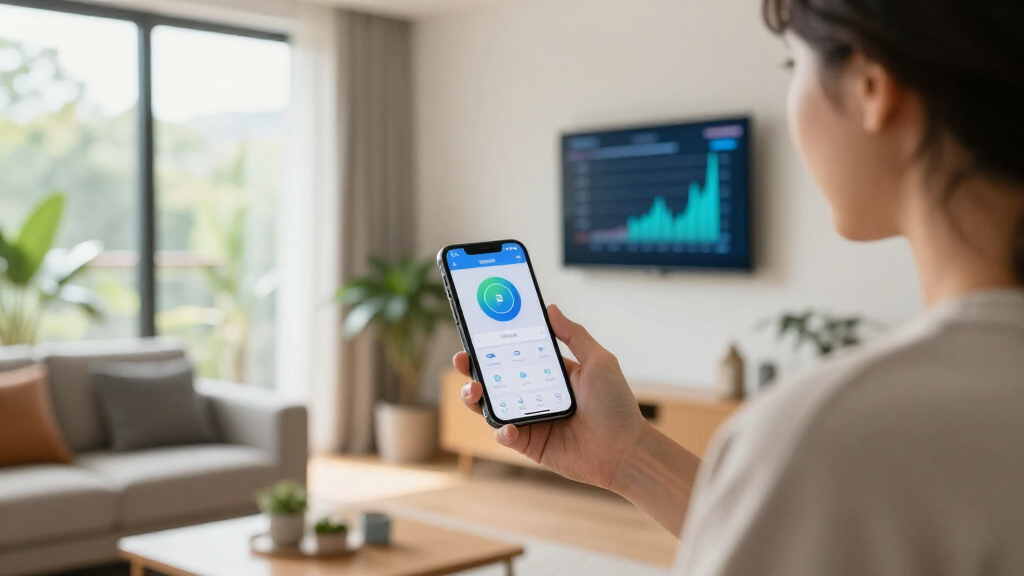
How We Picked
I ranked these monitors on five buyer-facing criteria: data accuracy and refresh rate, app and software quality, circuit-level coverage, local control and integration options, and value per circuit monitored. Accuracy matters most because a monitor that misreports usage defeats its own purpose, so models with proven calibration and per-second updates scored higher than those reporting in delayed intervals. Software quality separated the leaders from the pack — a brilliant sensor with a clunky app is a frustration, not a tool.
Integration flexibility acted as a tiebreaker: monitors with open APIs and Home Assistant support ranked above cloud-locked alternatives at similar prices, since local control protects buyers from server shutdowns and subscription changes. Finally, I weighed total cost of ownership, including sensor count and electrician installation, because a cheap monitor with two clamps often costs more per useful insight than a pricier 16-circuit system.
Factors to Consider When Choosing Smart Home Energy Monitors
Choosing an energy monitor is less about specs and more about matching the hardware to how you plan to use the data. These are the factors that genuinely change what you get out of the purchase.
Whole-Home vs. Circuit-Level Monitoring
Every monitor in this roundup measures total household consumption, but the real savings usually hide at the circuit level. A whole-home view tells you that you used 40 kWh yesterday; circuit sensors tell you it was the basement freezer costing you $15 a month. The mistake I see most often is buyers saving money on a two-clamp model, then discovering they cannot answer the questions that motivated the purchase in the first place. A practical rule: monitor the circuits feeding anything with a motor or a heating element — HVAC, water heaters, dryers, and well pumps — because those swing bills the most. If your panel has room in the budget for eight or more sensors, the per-circuit cost drops sharply and the insights multiply.
Cloud Dependence and Local Control
Many buyers do not realize that some monitors are useless without the manufacturer’s servers. If the company pivots, gets acquired, or shuts down its cloud, your data pipeline can go dark overnight. Monitors with open APIs, MQTT support, or native Home Assistant integration keep your data flowing locally regardless of corporate fortunes. The tradeoff is real: cloud-first apps tend to be smoother, better designed, and easier to set up, while local-first systems assume some technical comfort. If you already run Home Assistant or a similar hub, local control should be a hard requirement. If you just want graphs on your phone, a reputable cloud vendor is a reasonable compromise.
Electrical Panel Compatibility
Before buying anything, check your panel. Sensor clamps need physical space around each breaker wire, and crowded or older panels can make fitting 16 clamps impractical. Split-phase North American homes and three-phase systems elsewhere require different configurations, and clamp amperage ratings must exceed the breakers they wrap. Buyers with solar installations should confirm the monitor supports bidirectional measurement — a standard clamp can misread exported solar as consumption. This is also why professional installation is worth the $100 to $200 for most homeowners: the panel side of the installation is live, and mistakes are dangerous. Budget for it rather than treating it as optional.
Data Resolution and What You Can Actually Detect
Refresh rate determines what problems you can find. Second-by-second data can catch a refrigerator compressor struggling or a device entering a phantom-load standby state; minute-level data can only show broad patterns. The practical difference is diagnosing versus observing — high-resolution monitors help you find the $5 problem, low-resolution ones just confirm you spent $300 this month. That said, high-resolution data also demands better software to make sense of it, which is why app quality ranked so heavily in my evaluation. Buyers who mainly want to track monthly trends against their utility bill do not need to pay a premium for resolution they will never act on.
Cost Tracking and Utility Rate Handling
Frequently Asked Questions
Do I need an electrician to install a smart home energy monitor?
For any monitor that clamps onto breaker wires inside the panel, yes — or at least a very confident DIYer comfortable working near live bus bars. The clamps themselves are non-contact and safe once positioned, but getting them around the right wires means opening the panel cover, and in most jurisdictions that legally requires a licensed electrician. Expect $100 to $200 for a straightforward installation, more if your panel is crowded or you want many circuits monitored. The one exception is plug-in style monitors like the Meross, which measure a single outlet and need no panel work at all. Factoring electrician fees into the total price often changes which option is genuinely the better value.
Is local Home Assistant integration worth choosing over a polished cloud app?
It depends on whether you value resilience or convenience more. Cloud apps from established vendors like Emporia tend to be easier to set up, update automatically, and work from anywhere without configuration. Local integration through Home Assistant or an open API means your data pipeline survives server outages, company shutdowns, and policy changes — and it keeps your energy history private on your own hardware. If you already run a smart home hub, the local route costs you little extra effort and pays off long-term. If your smart home is just a phone and a few bulbs, a quality cloud app will serve you better than a technically superior local system you never fully configure.
How many circuit sensors do I actually need?
Most households get meaningful value from 8 to 16 sensors, but not every circuit deserves one. Prioritize large loads — HVAC, electric water heaters, dryers, EV chargers, well pumps, and kitchen appliance circuits — because they account for the majority of most bills. Circuits feeding lighting banks or bedrooms rarely produce actionable insights and can be left unmonitored, since the whole-home clamp already captures their combined usage. A useful approach is starting with a mid-size kit, living with it for a month, then adding sensors only where the data felt incomplete. Buyers who splurge on 16 sensors upfront often discover half of them monitor circuits that never tell an interesting story.
Can an energy monitor work with solar panels?
Many can, but only if they support bidirectional measurement, and not all of them do. Solar export flows backward through the main clamps, and a standard monitor can misread that outgoing power as additional consumption — turning your best energy day into your worst reported day. Look for models that either include a dedicated solar channel or explicitly support net metering math, and confirm the clamp amperage rating covers your inverter’s output. Emporia in particular offers solar-compatible configurations in its ecosystem. If solar monitoring is central to your purchase, verify this capability before anything else, because retrofitting it later usually means buying different hardware.
Will an energy monitor actually save me money?
On its own, no — the hardware just collects data. The savings come from what you do with it, and studies of real households suggest typical savings of 5 to 15 percent once behavioral changes kick in. Common wins include finding phantom loads, identifying an aging appliance drawing far more than it should, shifting usage off peak rates, and catching things like a garage freezer or a stuck irrigation pump. The monitors that pay for themselves fastest are the ones with clear per-circuit data, because vague whole-home graphs rarely prompt action. If you buy a monitor, look at it weekly for the first two months; that habit is what separates a money-saving tool from an expensive gadget.
Conclusion
For most households, the Emporia Vue 3 is the best overall choice — it combines accurate real-time data, circuit-level monitoring, and the most refined app experience in this lineup, which is why it takes the top spot. The Meross monitor is the best value pick for anyone wanting power and cost tracking without a panel installation or a big budget. On the premium end, the 16-sensor Home Assistant-compatible monitor offers the deepest appliance-level insight for serious optimizers and smart home enthusiasts, while the SIEMENS Inhab suits buyers who prioritize a trusted electrical brand and polished hardware. Beginners should start with the Meross or the 2-clamp WiFi monitor to learn what data they actually use before investing in a full 16-circuit system. Privacy-focused buyers and Home Assistant users, meanwhile, will get the most from the Refoss models with local control and open APIs. Whatever you choose, remember that the monitor is only half the equation — the savings come from acting on what it shows you.