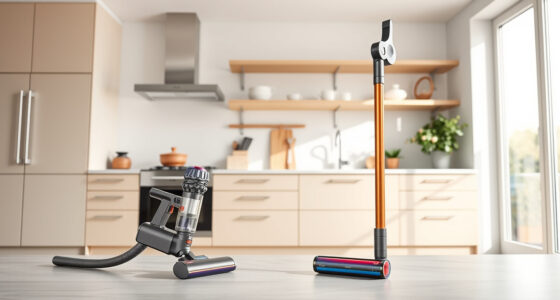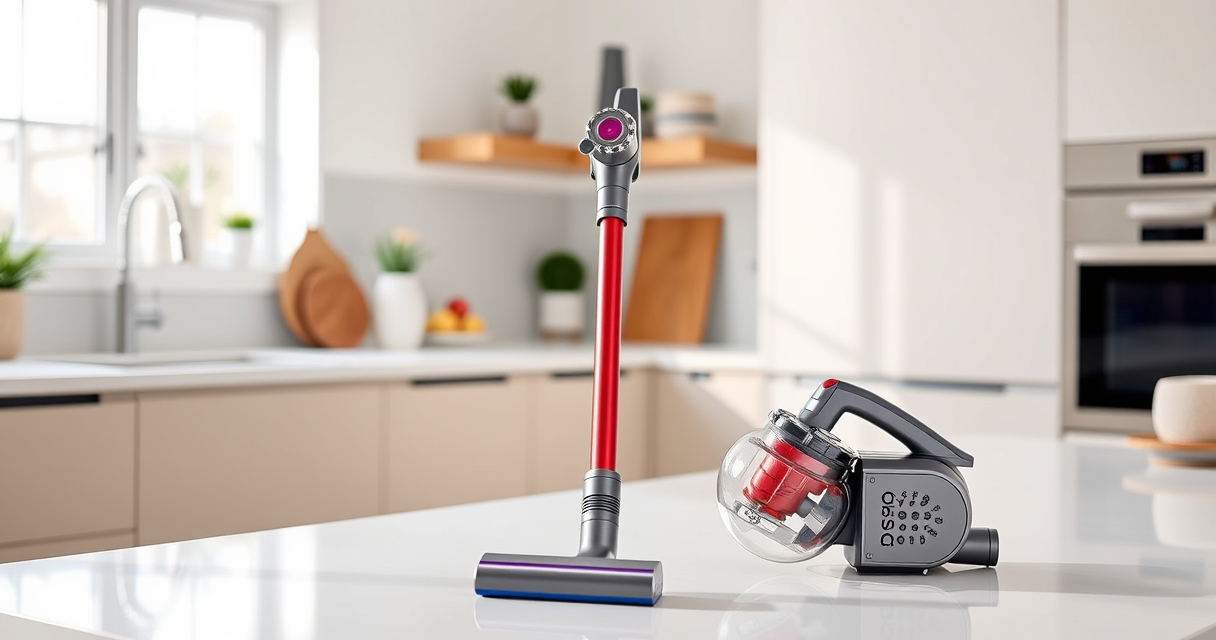
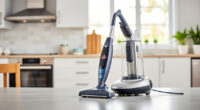
If your Dyson V15 Detect™ Origin cordless vacuum isn’t holding a charge or the battery drains quickly, it can be frustrating. While batteries can naturally degrade over time, certain issues can cause faster-than-expected power loss. This guide provides clear, safe steps to troubleshoot and improve your vacuum’s battery life, helping you get back to efficient cleaning.
Remember, handling batteries and internal parts requires caution. If you’re unsure or uncomfortable, consider professional repair options.
Key Takeaways
| Battery health check | Regularly verify battery condition and replacement needs. |
| Filter maintenance | Clean or replace filters to ensure optimal airflow and battery efficiency. |
| Cleaning the motor and contacts | Remove dust and debris from motor and contact points. |
| Proper usage habits | Avoid continuous full power use; optimize cleaning modes. |
| Battery replacement | Replace old or degraded batteries with compatible models. |

Dyson V15 Detect™ Origin Cordless Vacuum
- Deep cleaning with intelligent detection: Reveals invisible dust for thorough cleaning
- Enhanced power and runtime: 100% more power, 60-minute battery life
- Energy-efficient power trigger: Uses power only when needed
As an affiliate, we earn on qualifying purchases.
1. Check the Battery Condition
- Ensure the battery is properly seated and connections are clean.
- If your vacuum has an LCD display, check for any error codes or alerts related to battery health.
- If the battery appears swollen, damaged, or is significantly degraded, replacement may be necessary.

LANMU Crevice Tool Vacuum Attachments Compatible with Dyson V15 V12 V11 V10 V9 V8 V7 Gen5 Outsize Vacuum Cleaner, Narrow Nozzel Replacement Parts for Hard-to-Reach Space
- Wide Compatibility: Compatible with various Dyson models
- Slim and Flexible Design: Narrow nozzle for tight spaces
- Versatile Cleaning Uses: Ideal for furniture, car, and appliance
As an affiliate, we earn on qualifying purchases.
2. Clean and Maintain Filters and Air Path
- Remove the pre-filters and filters, rinse them with water, and let them dry completely before reinstalling.
- Dirty filters restrict airflow, causing the motor to work harder and drain the battery faster.
- Check the cleaner heads for blockages or tangled hair, and clear debris to maintain optimal suction and efficiency.
3. Inspect and Clean Contacts and Motor Area
- Turn off the vacuum and disconnect from power.
- Use a dry cloth or soft brush to clean contact points between the battery and vacuum body.
- Remove any dust or debris from the motor area, ensuring smooth operation and good electrical contact.
4. Optimize Usage and Charging Habits
- Avoid using the highest power mode unnecessarily; switch to eco mode if suitable.
- Charge the vacuum fully before use, and avoid frequent partial charges or letting the battery completely drain.
- Store the vacuum in a cool, dry place to prevent battery degradation.
5. Replace the Battery if Needed
If your battery is old or no longer holds a charge, consider replacing it with a compatible replacement. Follow the manufacturer’s instructions or seek professional help for safe installation.
The Products in This Guide

Dyson V15 Detect™ Origin Cordless Vacuum
- ✔ Battery Type: Rechargeable lithium-ion
- ✔ Run Time: Up to 60 minutes
- ✔ Weight: 6.8 lbs

LANMU Crevice Tool Vacuum Attachments Compatible
- ✔ Compatibility: Multiple Dyson models
- ✔ Design: Slim, flexible
- ✔ Use Case: Corners, car seats, crevices
Dyson V15 Detect™ Origin Cordless Vacuum
<p>The Dyson V15 Detect™ Origin offers powerful, intelligent cleaning with a run time of up to 60 minutes. Its LCD screen provides real-time updates on particle pickup, power mode, and maintenance alerts, making it a versatile choice for deep cleaning tasks.</p>
Pros:
- Powerful suction with 100% more power
- Intelligent debris detection
- Long battery life with LCD updates
- Two advanced cleaner heads
Cons:
- Battery degradation over time
- Heavier than some handheld models
- Pricing can be high
Best for: Whole-home deep cleaning, pet hair removal, hard floors
Not ideal for: Light cleaning tasks or very small spaces
Bottom line: The Dyson V15 Detect™ Origin is a powerful, smart cordless vacuum ideal for comprehensive cleaning, though battery maintenance is key for optimal performance.
LANMU Crevice Tool Vacuum Attachments Compatible
<p>The LANMU Crevice Tool Vacuum Attachments are compatible with Dyson V15 models, offering a slim, flexible nozzle that navigates into tight corners and hard-to-reach spots for thorough cleaning.</p>
Pros:
- Narrow, flexible design
- Compatible with many Dyson models
- Ideal for cleaning edges and crevices
- Easy to attach and use
Cons:
- Not compatible with all Dyson models
- May require additional storage space
Best for: Cleaning corners, car interiors, and tight spaces
Not ideal for: Large surface cleaning
Bottom line: A versatile attachment that makes reaching difficult spots effortless, perfect for detailed cleaning tasks.
Frequently Asked Questions
How do I know if my Dyson battery needs replacing?
If your vacuum’s run time has significantly decreased despite proper maintenance, or if the battery is swollen or damaged, it likely needs replacement.
Can I upgrade the battery myself?
Yes, but only if you are comfortable with handling electronics and follow safety precautions. Otherwise, seek professional assistance to ensure proper installation.
How often should I replace filters?
Filters should be cleaned regularly—every 2-3 months—and replaced if they show signs of wear or damage to maintain optimal suction and battery life.
What is the best way to prolong my Dyson’s battery life?
Charge fully before use, avoid frequent partial charges, store in a cool, dry place, and use energy-efficient modes when possible.
Keep Your Dyson V15 Detect Performing at Its Best
Proper maintenance and troubleshooting can significantly extend your Dyson cordless vacuum’s battery life. Regularly check and clean filters, inspect contacts, and replace the battery when needed. With these steps, you can ensure your vacuum continues to deliver powerful, efficient cleaning for years to come.
Affiliate disclosure: As an Amazon Associate we earn from qualifying purchases. Prices and availability are accurate as of the time of publishing.